


The Ensora Health Community Hub is a space for shared learning and peer support. Occasionally, user-generated content—like questions, threads, or comments—may need moderator review if it’s off-topic, incorrect, or violates community guidelines. Reporting such content helps ensure our community remains safe, useful, and on-point.
Jump to Section:
Step 1: Log in to the Experience Hub
You must sign in to flag content.
- To access the Hub, navigate to the website URL. You can find it in your welcome email OR simply type in https://experience.ensorahealth.com/
- In the upper right-hand corner of the home page, click the Login button. Then click the large button that says Login with your Support Hub Account.
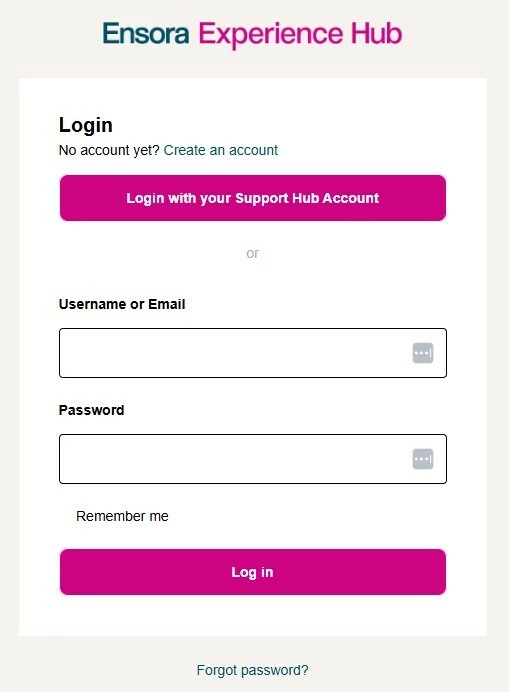
- Sign in using your Ensora Health Support Hub credentials. If you have never logged in before or have questions about logging in, please read Logging into the Customer Experience Hub
Step 2: Locate the Content you Want to Report
Browse or search to locate the specific post, comment, or thread that concerns you.
-
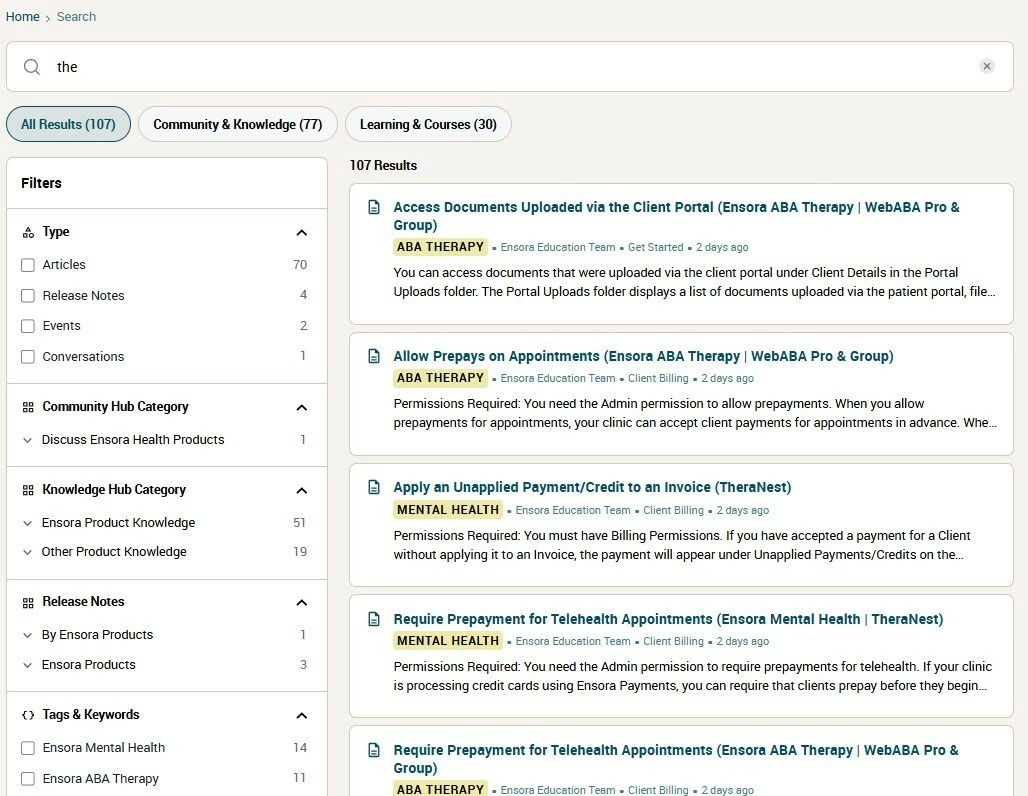
You can use the global search bar on the Experience Hub homepage to look for keywords, tags, or topics
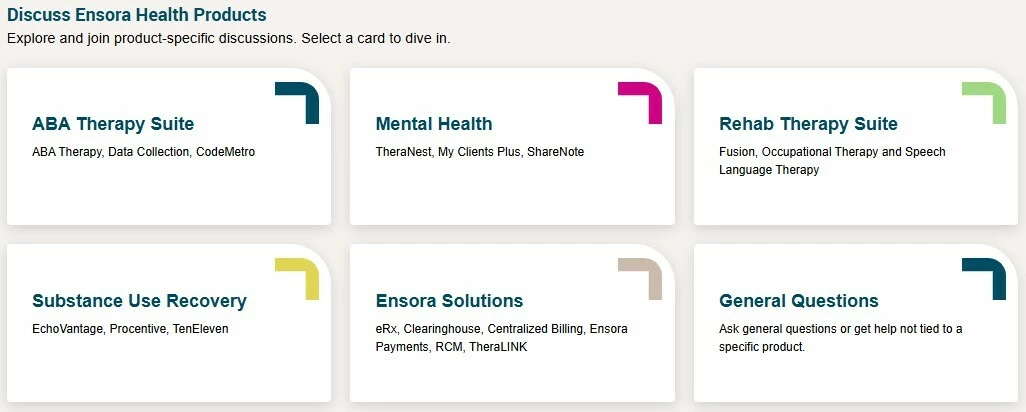
- You can also find threads by browsing product specific discussions in the Community Hub homepage
Step 3: Report the Content
Initiate the report for moderator review.
- Click the title of any question or discussion to open the full thread.
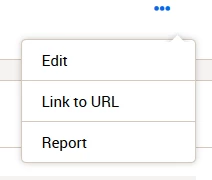
- Any post or reply can be individually reported to the community moderation team by clicking on the three dots in the bottom right corner of the content box.
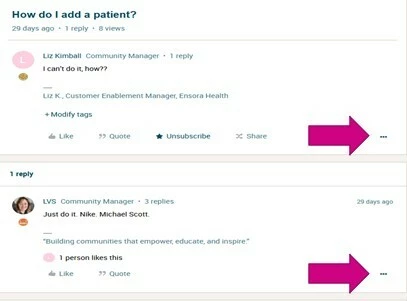
- From the drop-down menu, select Report.
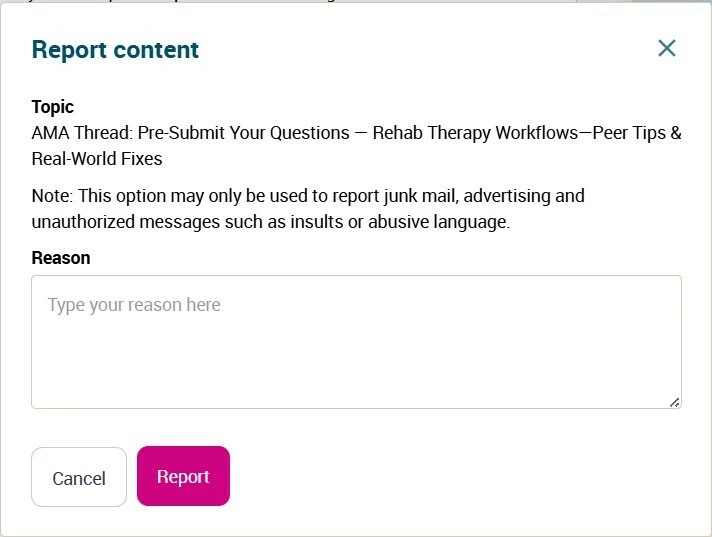
- Fill out the content reporting form to indicate the reason for reporting (e.g., Off-Topic, Inappropriate Language, Spam). If no reason is specified, the report cannot be submitted. Once you are finished, click the Report button to submit your report.
What Happens After Reporting?
Moderation flow and transparency.
- The Ensora Health Community moderation team will evaluate the report and content against community standards.
- If content violates rules, moderators can remove it.
- Depending on severity, there may be warnings or other actions for the content author.
- In many cases, the reporter will not receive a detailed follow-up due to privacy, but all reports help improve community quality.
Why Reporting Matters
Each flag keeps our community strong.
- Helps maintain trust and accuracy in community content.
- Removes or updates misleading or harmful information.
- Encourages higher quality contributions and respectful conversation.
- Lets the moderation team respond to patterns and trends.