


Use the articles and resources in this Transition Toolkit to help your clinic prepare for payment processing with Ensora Payments and Stripe.
Jump to Section:
Learn about Payment Processing with Ensora Payments & Stripe
- Transition FAQs: See answers to questions from customers transitioning from Vantage to Ensora Payments and Stripe.
- Manage Your Stripe Account with the Stripe Dashboard: Learn how to use the Stripe Dashboard to manage and configure your account, navigate to important resources like payment overviews and reports, review account activity and balance information, and more.
- Learn about Payouts to your Bank Account: Understand how Stripe sends money to your bank account.
ReCollect Client Credit Card Data
- If your agency uses a credit card consent form, you may pull a report based on that document to determine if you may have had a card saved for the client that you would need to recollect.
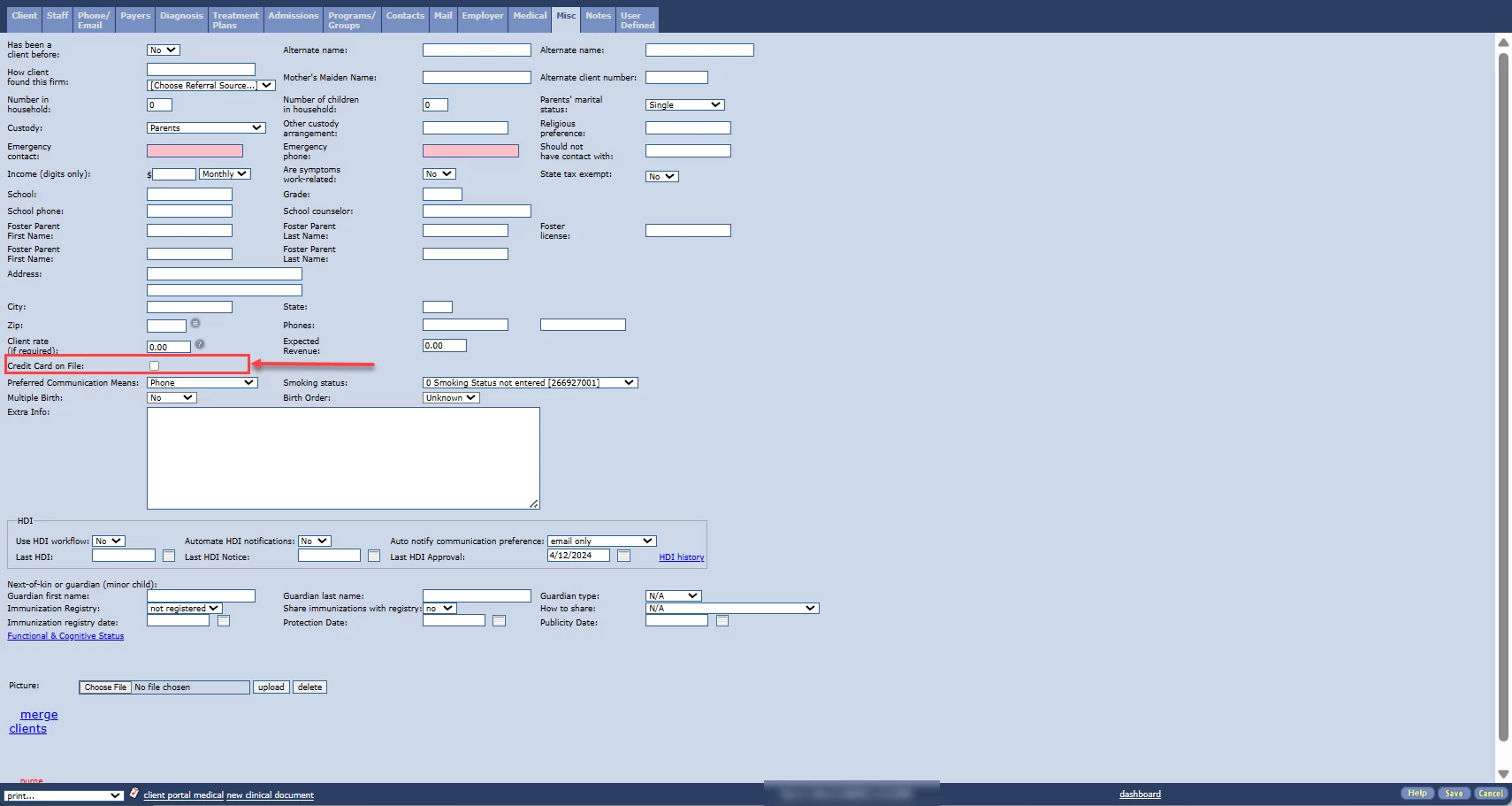
- If your agency uses the checkbox found in the Client Profile > Misc tab (as shown in the photo example below) to track whether you have stored a card on file for the client, you can reach out to our support team via the portal to request a data pull for the list of clients that have this checkbox checked.
Start Using Ensora Payments & Stripe
- Enroll in Payment Processing with Ensora Payments: You can enroll in both Ensora Payments and Stripe from within the system. If you have all the required information and documents ready, it usually takes less than 20 minutes to complete your application for enrollment.
- Save New & Recollected Payment Information in the system: Once your enrollment is complete, you can enter and save your client payment information in the system. You do not need to wait to process a payment in order to save complete payment information (including CVV codes). See Manage Saved Payment Methods for more information.
- Invite Clients to Make a Payment in the Client Portal or Save Payment Information in the Client Portal Prior to Making a Payment: Once your enrollment is complete, client portal users can save their payment information for future payments. See Client: Save a Payment Method in the Client Portal for more information.
Ensora Payments Team will be your primary support resource for transition and beyond. Stripe support is also available for management of your Stripe dashboard tools and additional services. Contact Ensora Payments at payments.support@ensorahealth.com or 877-288-5583 (option 2 then 6 for Payments)