


This article provides an overview of the experience your client will have when making a credit card payment through the Client Portal.
PERMISSIONS REQUIRED: In order for clients to be able to make credit card payments in the Client Portal, the Allow clients to make payments via client portal setting needs to be enabled in Client Portal Manager > client portal settings:

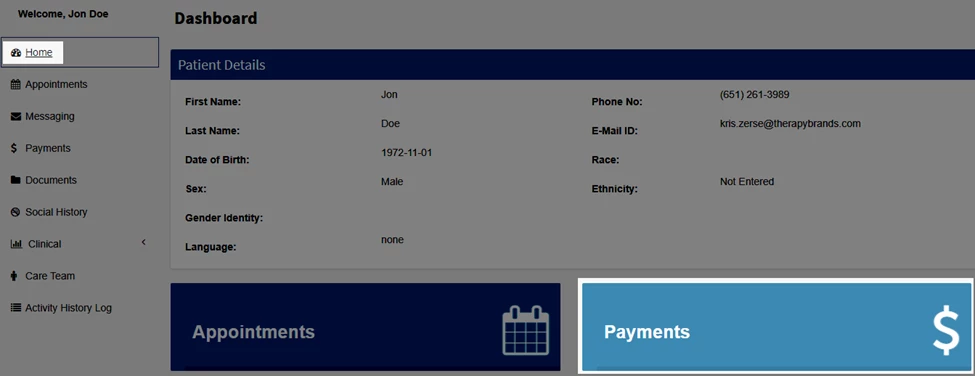
- Once logged into the Client Portal, the client can navigate to the Payments window one of two ways:
- Home > Payments module
- Payments module
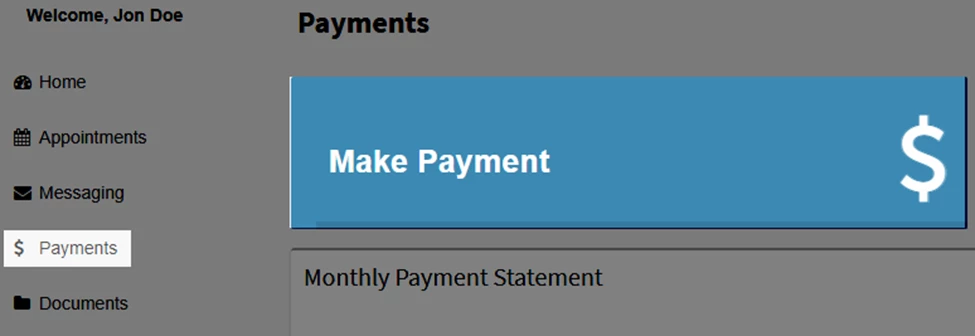
- Home > Payments module
- Click Make Payment.
- In the Make Payment window, the client will enter the Payment Amount, select a Service Location, if applicable.
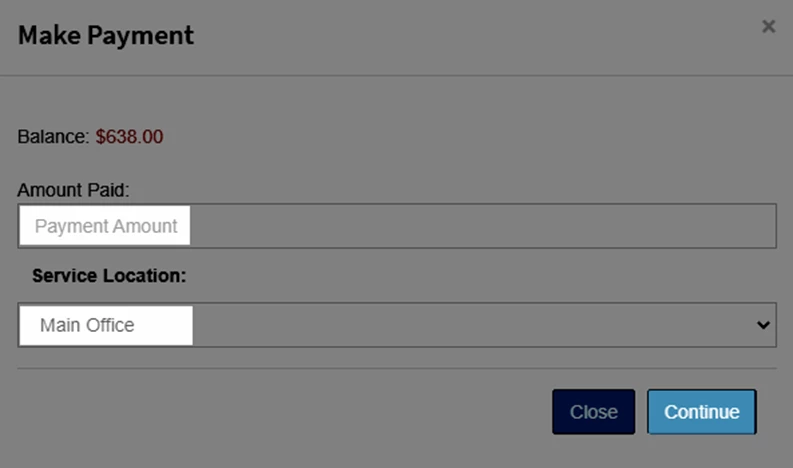
- The client will click Continue.
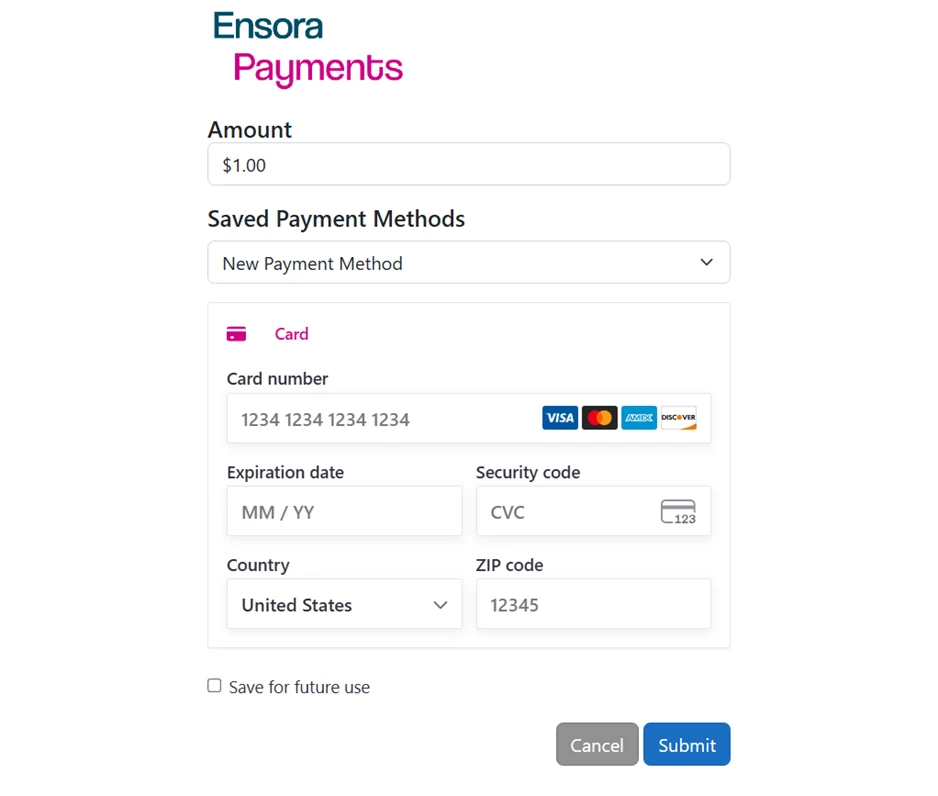
- The Payment Processing window will open.
- The Payment Processing window will open.
- The client will enter their card information.
- If the client wishes to save a new card for future use:
IMPORTANT: When a payment card is saved for future use, it becomes accessible to all associated parties, including the client, client representative, and agency staff. This means any of these parties can:
- Charge the saved card for future transactions
- Manage or update the saved payment method
This applies whether the card is saved by the client, client representative through the portal, or by agency staff in the system. If you do not want a card to be accessible to one or more of these parties, do not select the option to save the card for future use.
- They would select “New Payment Method” in the Saved Payment Methods dropdown field.
- The client would check the Save for future use checkbox.
- A new field will open that will allow the client to name the card they wish to save.
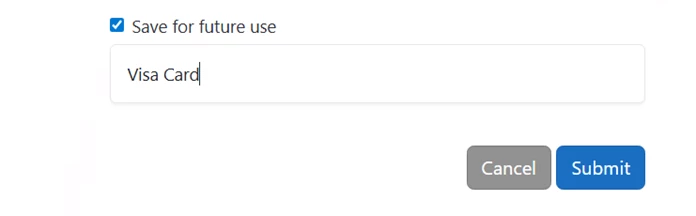
- A new field will open that will allow the client to name the card they wish to save.
- If the client wishes to use a previously saved card:
- They would select their card from the Saved Payment Methods dropdown field.
NOTE: If agency staff have previously saved payment methods for a client, the client will have those payment method options to select from when making a payment in the client portal.
- They would select their card from the Saved Payment Methods dropdown field.
- If the client wishes to save a new card for future use:
- The client will click Submit.
NOTE: If your clients are allowed to see their client balance in the Client Portal using the Hide client balance setting, the client’s balance will not update to reflect the payment until it is applied to a service line by your staff.
