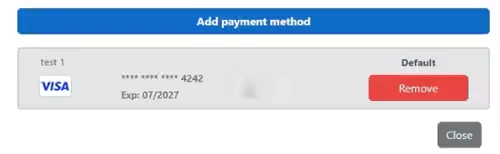
The system processes payments using Ensora Payments with Stripe. You can add and remove saved payment methods for your patients in their Client Profile.
Jump to Section:
Important Notice About Saving Payment Cards
When a payment card is saved for future use, it becomes accessible to all associated parties, including the client, client representative, and agency staff. This means any of these parties can:
- Charge the saved card for future transactions
- Manage or update the saved payment method
This applies whether the card is saved:
- By the client or client representative through the portal, or
- By agency staff in the system
If you do not want a card to be accessible to one or more of these parties, do not select the option to save the card for future use.
NOTE: For payment-related questions, please contact the payments team at 877-288-5583 Option 2 then 6 or payments.support@ensorahealth.com
Manage Saved Payment Methods: Ensora Payments & Stripe
You can add and remove saved payment methods for your patients in their Client Profile.
Add a Saved Payment Method
- Click on the Clients module in the navigation bar and locate the appropriate client.
- Open the Client Profile.
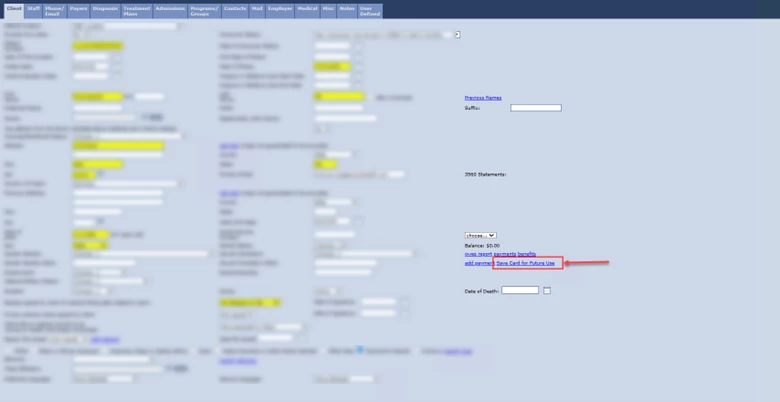
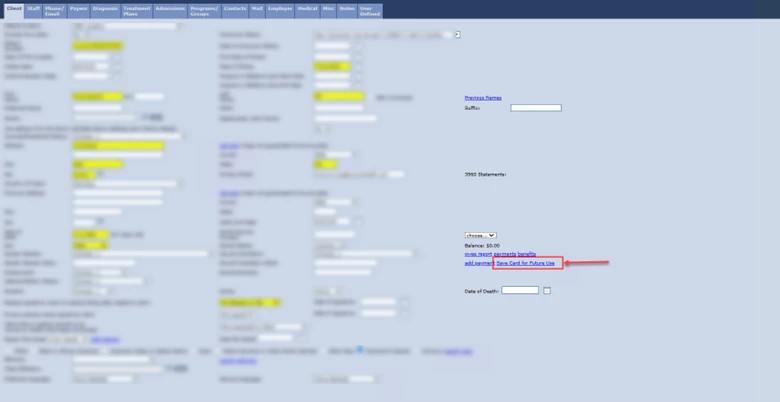
- Under the Client tab, click the Save Card for Future Use link.
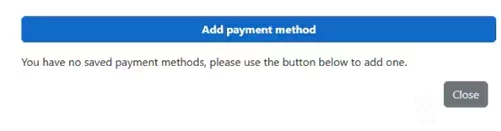
- Click Add Payment Method.
- Enter a Name for This Payment Method
NOTE: The name your enter for the payment method displays in the Saved Payment Methods list.
- Click Submit.
- The new payment method and displays in the Saved Payment Methods list.
NOTE: If you have multiple cards saved, you can choose which card will be the patient's default payment method.
Remove a Saved Payment Method
- Click on the Clients module in the navigation bar and locate the appropriate client.
- Open the Client Profile.
- Under the Client tab, click the Save Card for Future Use link.
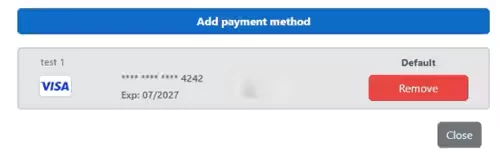
- Click the red Remove button to remove a payment method.