


PERMISSIONS REQUIRED: You must be Organization Administrator.
There are two ways that you can bill in the system:
- By Service Rate - When you create Service Types, you set the Rate to be charged. If you Bill by Service Rate, the Client will be charged this rate.
- By Income - Billing by Income uses the Service Rate set for each Service Type and applies a "sliding scale" based on the Client's income.
Bill by Service Rate
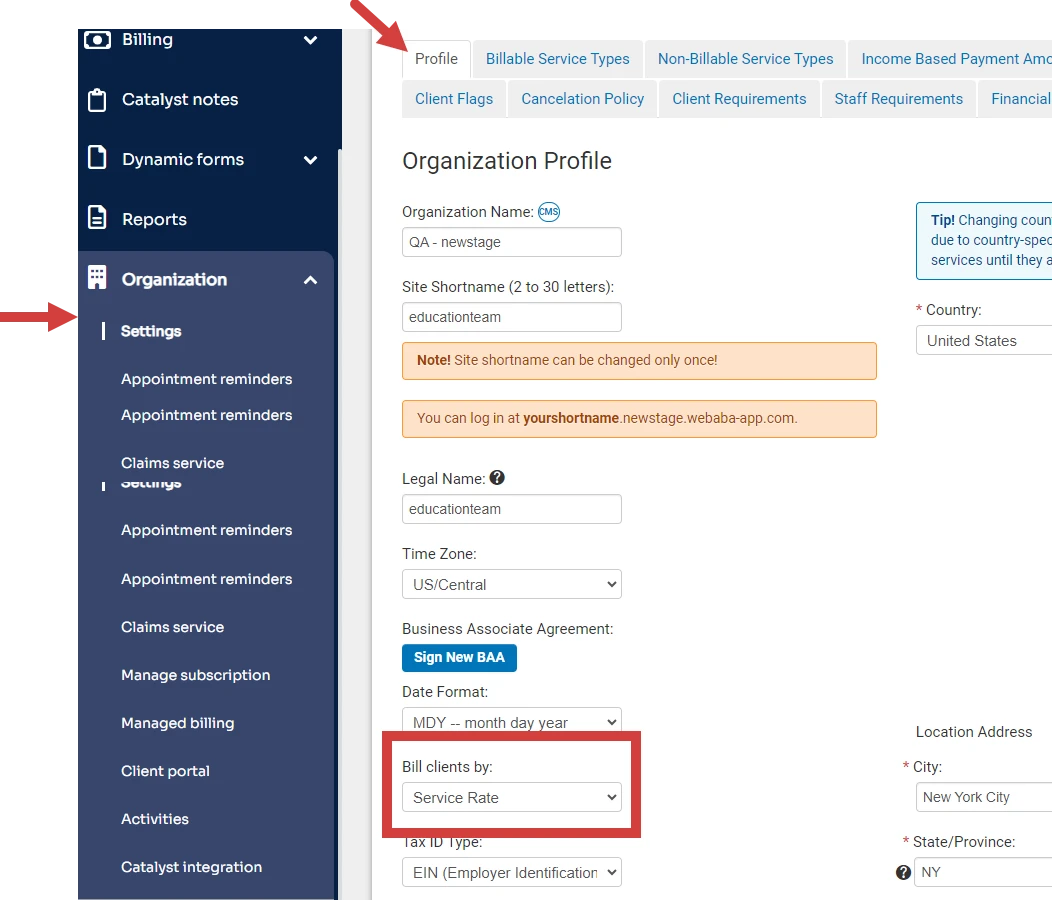
- Click the Organization and Settings in the navigation bar.
- Click the Profile tab.
- Select Service Rate in the Bill clients by field.
- Set up Service Types and set Service Rates. See Add & Edit Service Types for more information.
- Optional: Override Service Rate Amounts on a per Client basis to bill desired set amount. See Set Override Client Payment Amount for more information.
Bill by Income
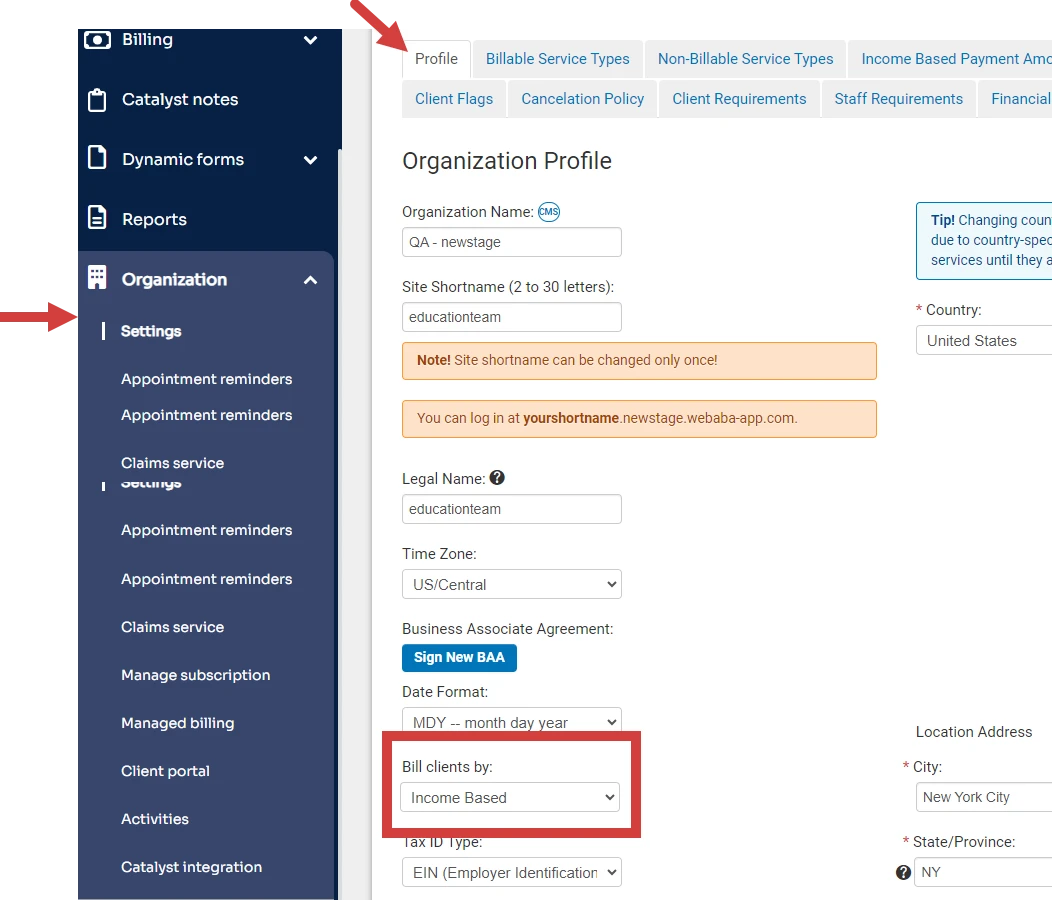
- Click the Organization and Settings in the navigation bar.
- Click the Profile tab.
- Select Income Based in the Bill clients by field.
- Set up Income Based Payment Amounts.
- Set Annual Family Income for Client.
- Optional: Override Income Based Amounts on a per Client basis to bill desired set amount.