PERMISSIONS REQUIRED: You must have Organization Administration Permissions.
Referral Sources are separate from Insurance Referrals. They let you know how your clients found out about your services.
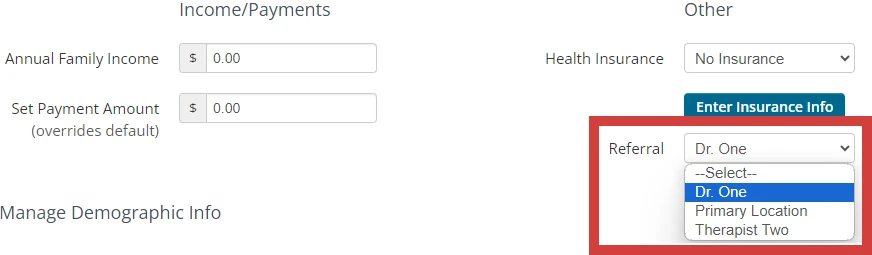
Add as many referral sources as needed. You can select a source for each client from their details page. See Referral Report for more information on referral source data.
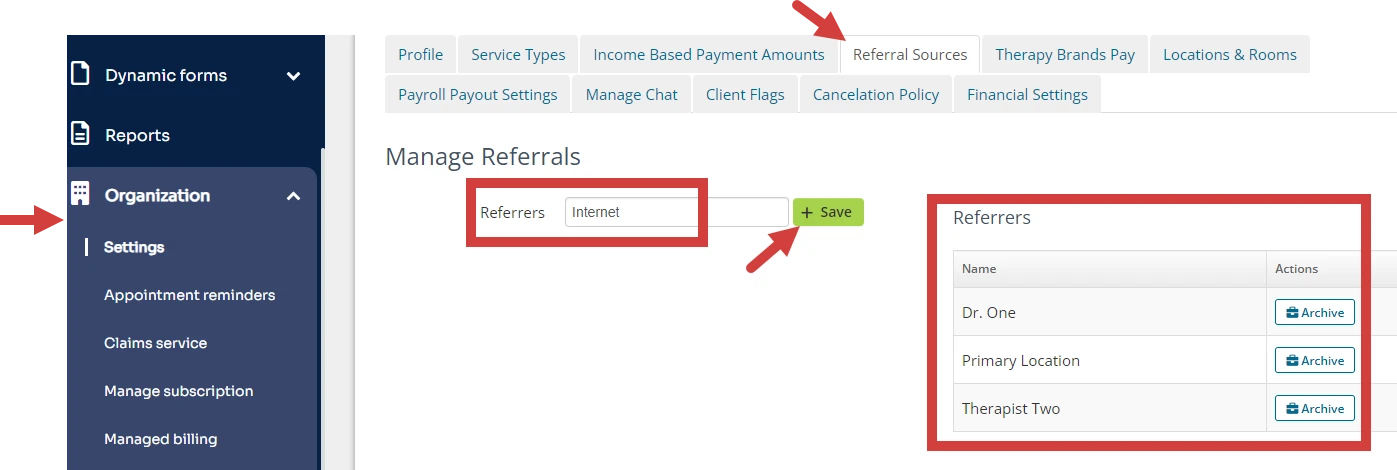
- Click Organization and Settings in the navigation bar.
- Click the Referral Sources tab.
- Enter appropriate Referrer and click Save.
- All Referrers display on right.
- Referrers now display on the Client's Details page.