


The Ensora Training Hub (located on the Ensora Experience Hub) offers a curated selection of self-paced courses and structured learning paths to support your success. Whether you're new to our products or looking to expand your knowledge, enrolling is simple. Follow the steps below to get started.
Enroll in a Course
Courses are focused, standalone learning experiences on a specific topic. Courses are ideal if you want to dive into a specific feature, concept, or workflow without committing to a broader curriculum. Each course is typically short and focused, often including videos, resources, and a short quiz.
-
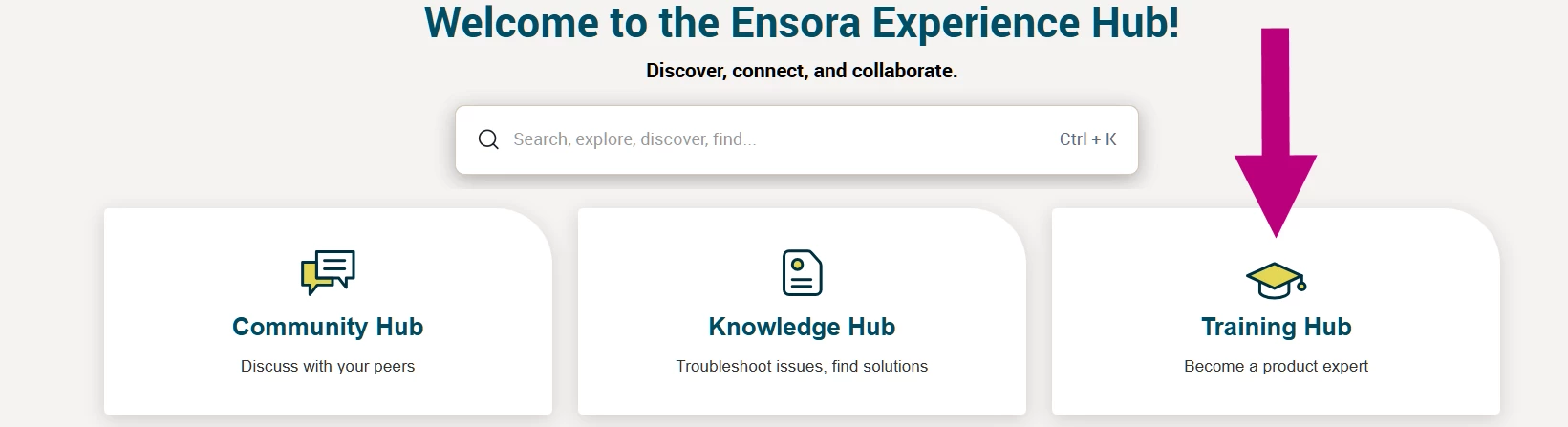
Navigate to the Training Hub from the Ensora Experience Hub dashboard. Don’t forget to login using your credentials.
-
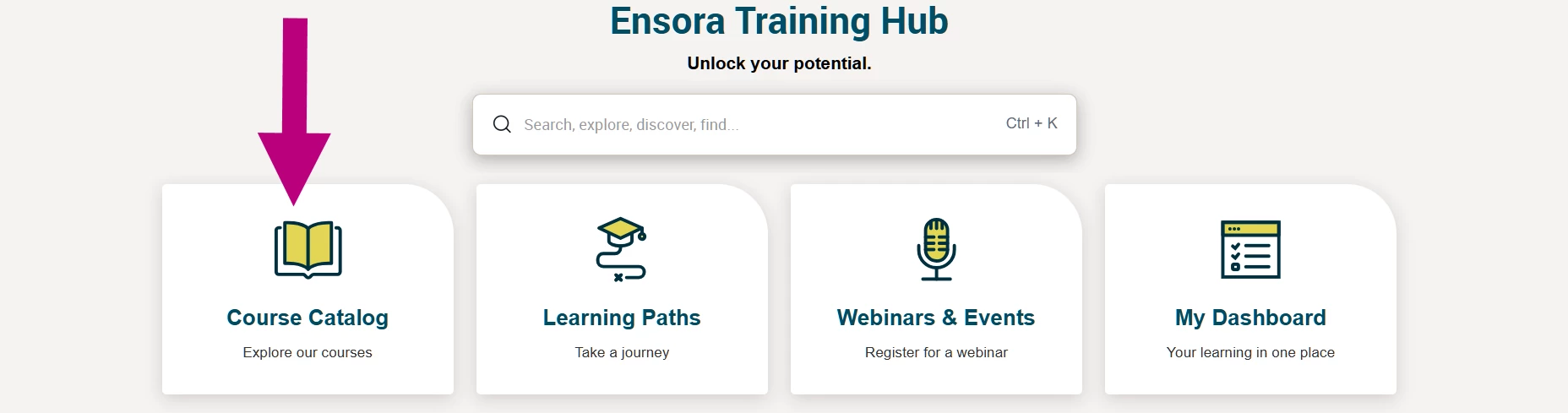
Select Course Catalog.
-
Use Filter by Product to choose your product from the drop-down.

-
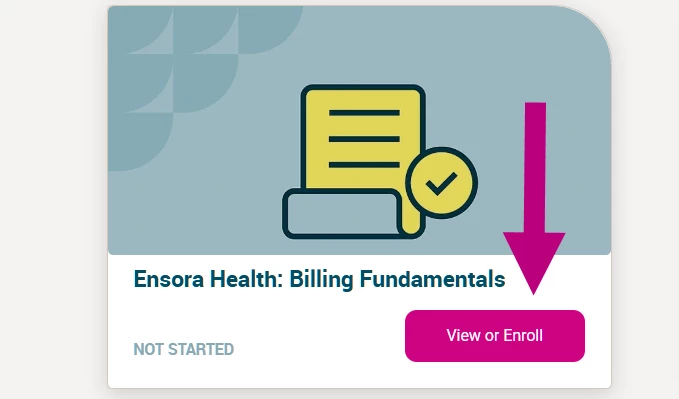
If you find a course that interests you, click the View or Enroll button. This will give you a chance to review the course description, objectives, and content outline. This helps you understand what you'll learn and how it applies to your work.
-
When you select a course you wish to take, select the Enroll button on the upper left of the course details page.
Once clicked, the Enroll button should change to say Start Course. Clicking on the Start Course button will launch the course content. Your progress will be saved automatically as you go.