


PERMISSIONS REQUIRED: You must have Organization Administration Permissions.
There are five general levels of Permissions in the system, but there is a lot of customization you can do with those permissions.
NOTE: Clinical documentation access requires a Provider license; an Admin license does not grant clinical access.
Jump to Section:
Default Permissions
By default, when a Staff Member is added to the system, they will automatically be given these permissions.
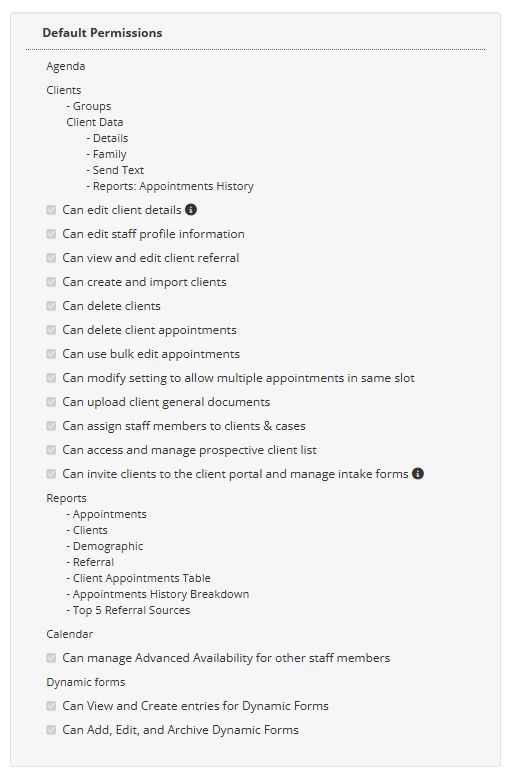
| Agenda
Clients
Optional - If selected User:
Reports
Calendar
Dynamic Forms
|
Billing
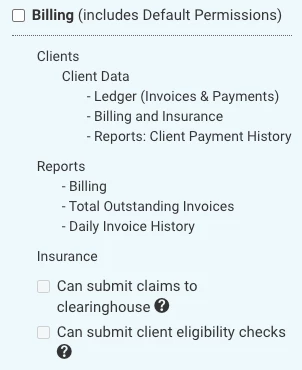
| Client Data
Reports
|
Optional - Insurance
- If selected, User will be able to submit Claims to the Clearinghouse. They will be able to see all tabs on the Billing > Claims tab (Awaiting Submission, Submitted, Rejected/Denied, etc.) and manage Claims in any state.
Therapist
Default Permissions will also automatically enable when you select Therapist Permissions. You can manually deselect certain Default permissions if desired.
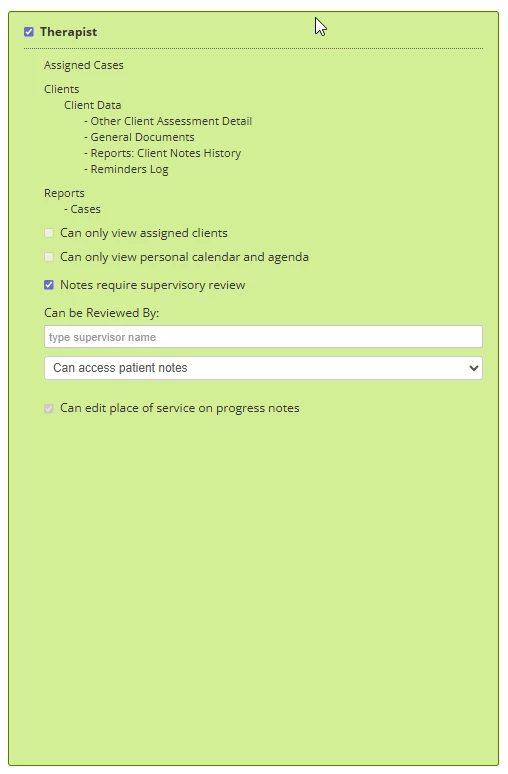
| Assigned Cases
Client Data
Reports
Optional - If selected, User:
|
Optional (Continued) - If selected, User:
- Can only view personal calendar & agenda - When selected, Therapist will only have access to their calendar and agenda and cannot see others' calendars or agendas.
- Notes Require Supervisory Review - When selected, you will enter their Supervisors name. Any Notes this Therapist writes will be submitted to their Supervisor.
NOTE: A staff member assigned as a Supervisor cannot also have a Supervisor. This will cause errors in the supervisory review process.
- Can Access Patient Notes
- Must Review and Approve all Notes - Supervisor will be alerted when there is a new Note to be reviewed. They will review and approve the Note. The Note will be sent back to the Therapist to make changes and then save and e-sign if applicable.
- Must Review and Co-Sign all Notes - Supervisor will be alerted when there is a new Note to be reviewed. They will review the Note and then co-sign the Note. It will be sent back to the Therapist, they will also co-sign the Note and save it.
- Can Edit Place of Service on Progress Note
NOTE: If Therapist also has Billing Permissions, this will be selected by default.
Dynamic Forms
- Can Add, Edit, and Archive Dynamic Forms - If selected User will be able to add and manage Dynamic Forms for your Organization.
- Cannot create Intake Forms. These require Administration or Organization Administration permissions.
Administration
Default and Billing Permissions will also automatically enable when you select Administration Permissions. In addition to those Permissions, Administrators will be able to access Organization level settings and Staff functions.
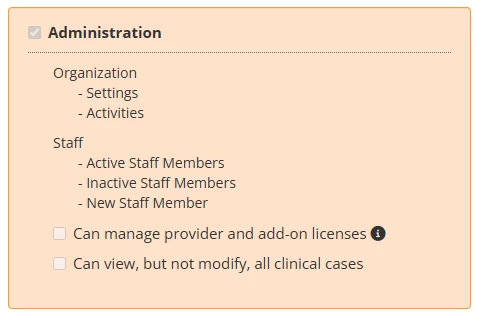
| Organization
Staff
Optional - If selected, User:
|
Organization Administration
Default, Billing, and Administration Permissions will also automatically enable when you select Administration Permissions. In addition, Organization Administrators will be able to do the following.
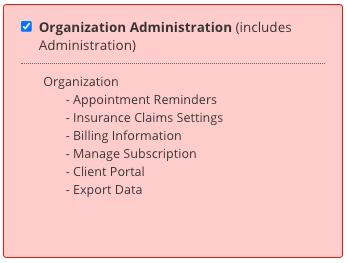
| Organization
|
- User will be able to enable and manage Subscriptions, including things like Telehealth, e-Prescribe, Wiley, etc.
- User will be able to enable and manage organization wide Client Portal settings.
- User will be able to Export Client Data from the system.