PERMISSIONS REQUIRED: Admin or higher.
Administrators can add or edit Position titles that are available to assign to Staff Members in the Position drop-down. Staff Positions titles is an Organization-wide setting.
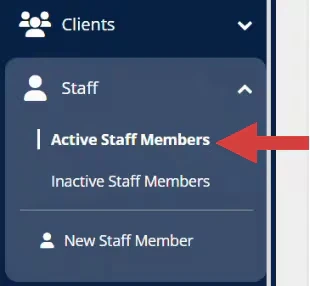
- Click Staff in the navigation bar, then select Active Staff Members from the drop-down.
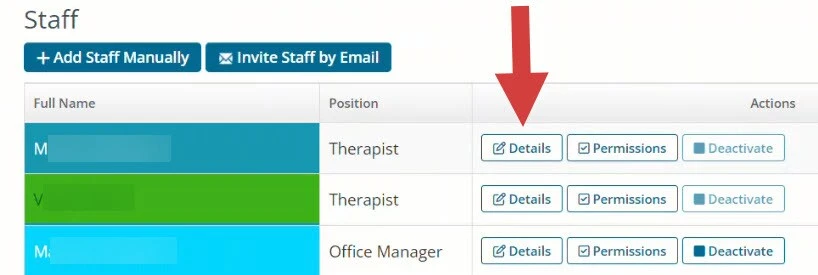
- Click the Details button for the appropriate Staff Member.
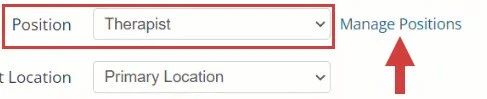
- Click the Manage Positions link next to the Position drop-down list.
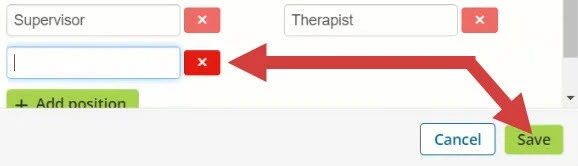
- Click Add Position to generate a position field. Adjust title.
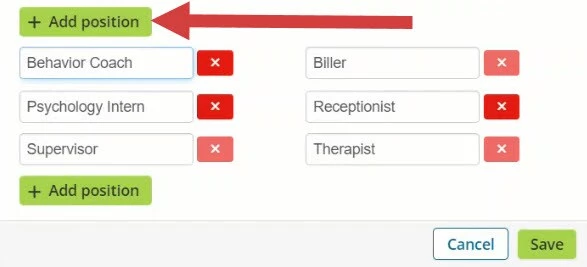
- OR click in any title field to edit.
- OR click the Red X to remove a position title.
- Click Save when done. The new position will be listed in the drop-down.