


PERMISSIONS REQUIRED: You must have Billing Permissions.
When a client has secondary insurance you can submit the balance of a claim to secondary insurance whether the claim has been process manually or automatically.
- Locate Client and open Client Profile.
- Click Client Ledger in side menu.
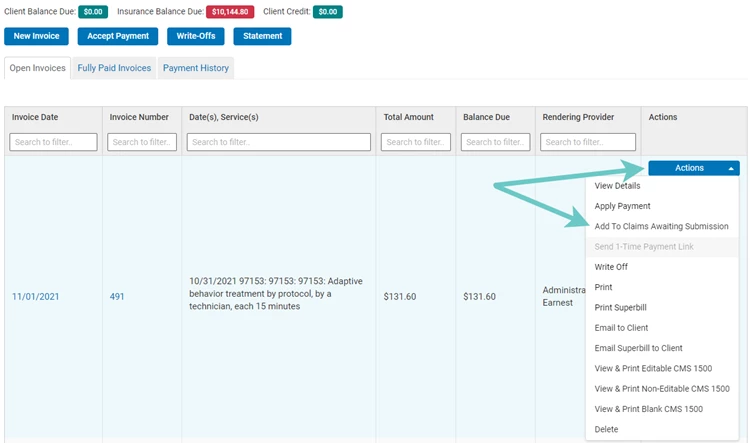
- Click Select an Action for appropriate Invoice.
- Click Add Claims to Awaiting Submission or View CMS 1500.
- You can then select whether to bill for to the Client's Primary Insurance or Secondary Insurance.
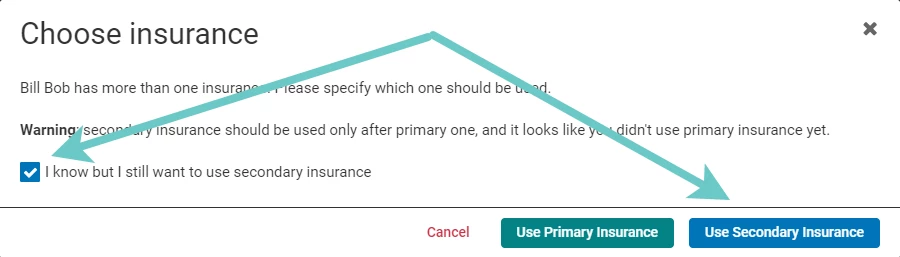
NOTE: After the primary insurance is billed, the remaining balance will show as Insurance Amount Due for the secondary insurance and will not be the patient's responsibility.