


Organizations with multiple Tax IDs can use organization, location, or staff billing information when creating claims. The invoice settings determine which billing information is used on the claim.
Jump to Section:
Store Tax IDs
A Tax ID can be stored in three areas:
- Organization Profile: Contains the organization’s default Tax ID.
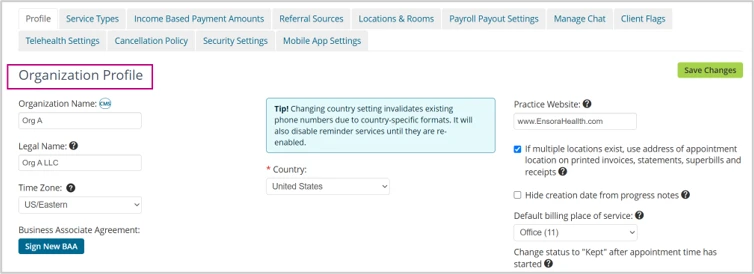
- Location-Specific Group Settings: Allows a location to use its own Tax ID and billing National Provider Identifier (NPI) instead of the organization defaults.
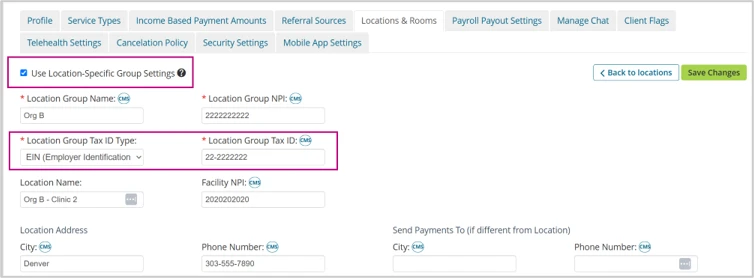
- Staff Profile: Contains the information used when a claim is billed under an individual provider.
How TheraNest selects a Tax ID
An invoice must be created before a claim can be created. The billing information on the invoice determines the billing information used on the resulting claim.
By default, the client’s Location determines the Provider’s Location on the invoice. If Location-Specific Group Settings are enabled for that location, the invoice uses the location’s Tax ID and billing NPI instead of the organization defaults.
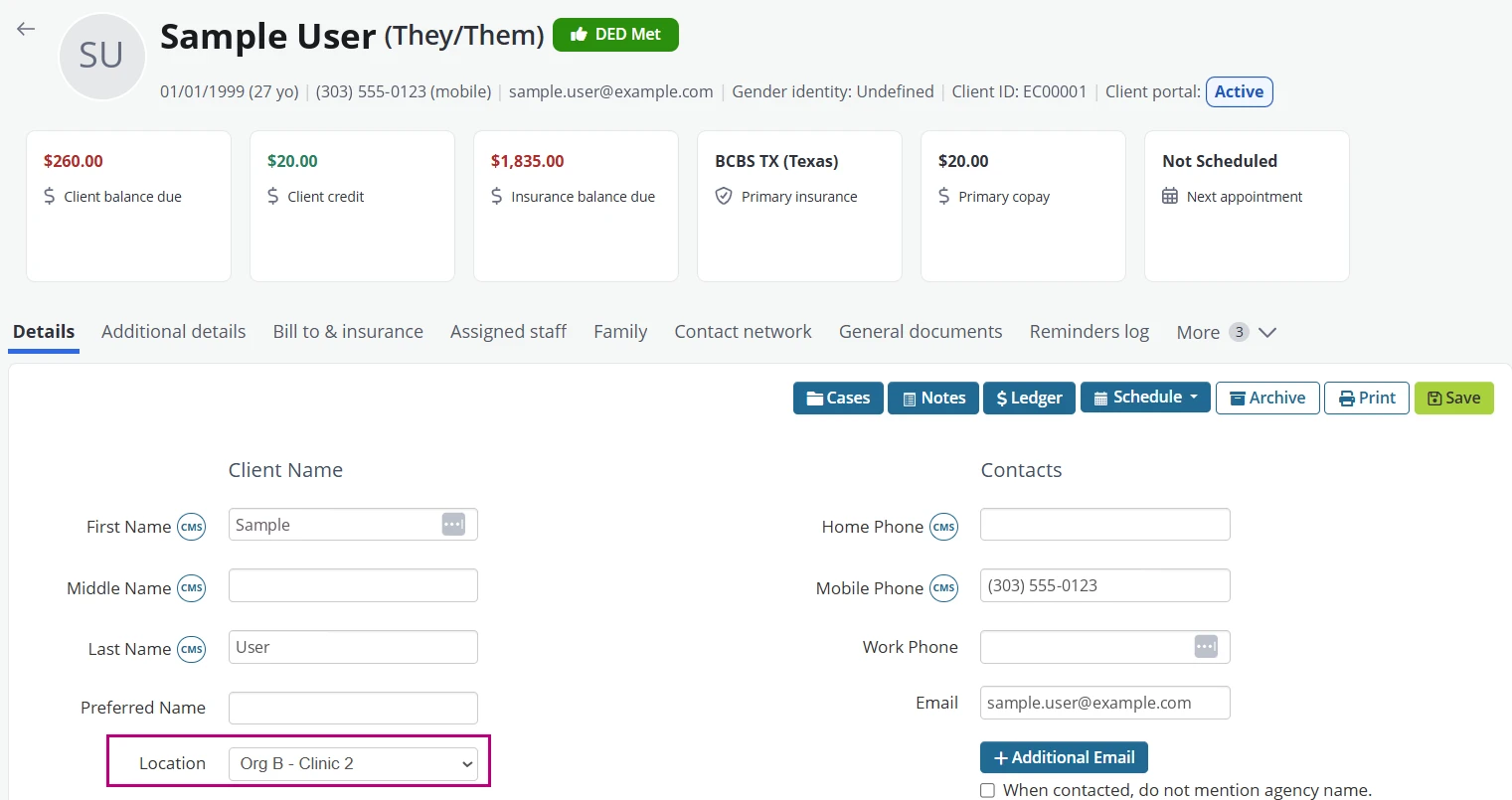
Unless you change the invoice before creating the claim, Provider’s Location determines the information entered in the following claim fields:
- Box 25: Tax ID
- Box 33: Billing Provider
- Box 33a: Billing Provider NPI
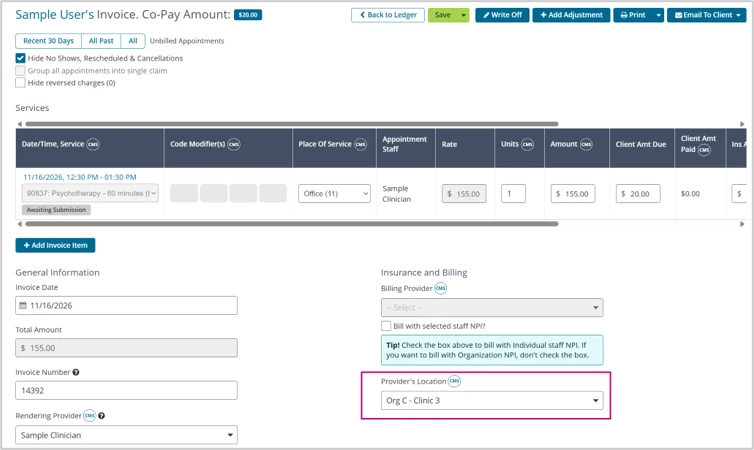
IMPORTANT: Despite its name, Provider’s Location does not represent the rendering provider’s assigned or default location. It identifies the location whose billing information is used on the invoice and resulting claim.
Bill under a different Location
IMPORTANT: Change Provider’s Location on the invoice before creating the claim. Changes made after claim creation are not automatically applied to an existing claim.
When a service needs to be billed under a different location’s Tax ID, change Provider’s Location on the invoice before creating the claim.
The selected location supplies the Tax ID, Billing Provider, and Billing Provider NPI used on the claim.
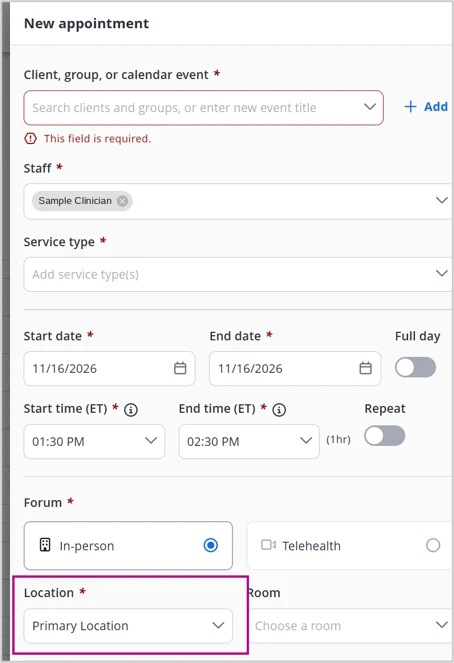
Understand Appointment Location
Appointment Location identifies where the service occurred. It does not determine which Tax ID is used for billing.
Appointment Location supplies information for the following claim fields:
- Box 32: Service Facility
- Box 32a: Facility NPI
The service location and billing location can be different. For example, an appointment can occur at one location while the service is billed under another location’s Tax ID.
Bill under an individual Provider
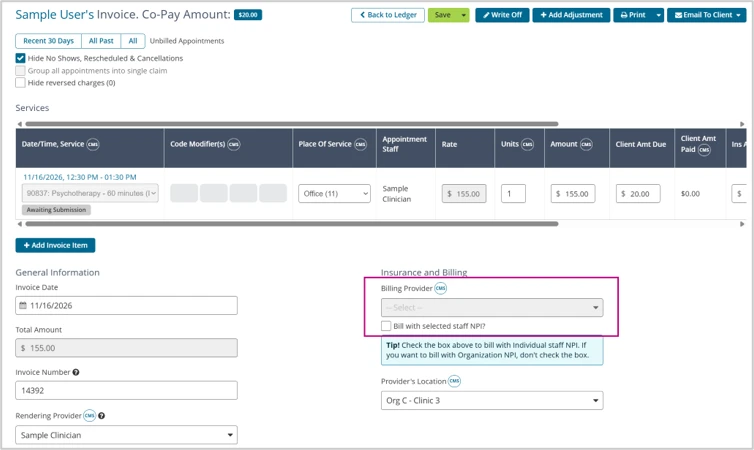
To bill a claim under an individual provider:
- Open the invoice.
- Select the appropriate Billing Provider.
- Select Bill with selected staff NPI?
- Save the invoice before creating the claim.
The claim uses the selected provider’s information in the following fields:
- Box 25: Tax ID
- Box 33: Billing Provider
- Box 33a: NPI
Manage Invoices with different Tax IDs
You can change Provider’s Location on an individual invoice or update selected invoices through Batch Invoicing.
Batch Invoicing does not include filters for Appointment Location, Client Location, Tax ID, or billing entity. Because these filters are not available, identify the invoices that require a different billing location before making the batch update.
If clients generally remain under the same Tax ID, assigning each client to the appropriate location allows the system to apply that location’s billing information automatically.
If clients regularly receive services that must be billed under different Tax IDs, review the invoices and update Provider’s Location before creating the claims.
Quick Reference
- Client Location: Sets the default billing location on the invoice
- Location-Specific Group Settings: Supplies the location’s Tax ID and billing NPI
- Provider’s Location: Determines the location-specific billing information used on the claim
- Appointment Location: Identifies where the service occurred
- Bill with selected staff NPI?: Uses an individual provider’s Tax ID and NPI for billing