


You can enable Billing Automation for Invoice Creation, Invoice Processing, Claims Submission & ERA Processing.
NOTE: Feature availability depends on your subscription plan.
Billing Automation Settings
- Click Claims Service under Organization.
- Click Automation Settings.
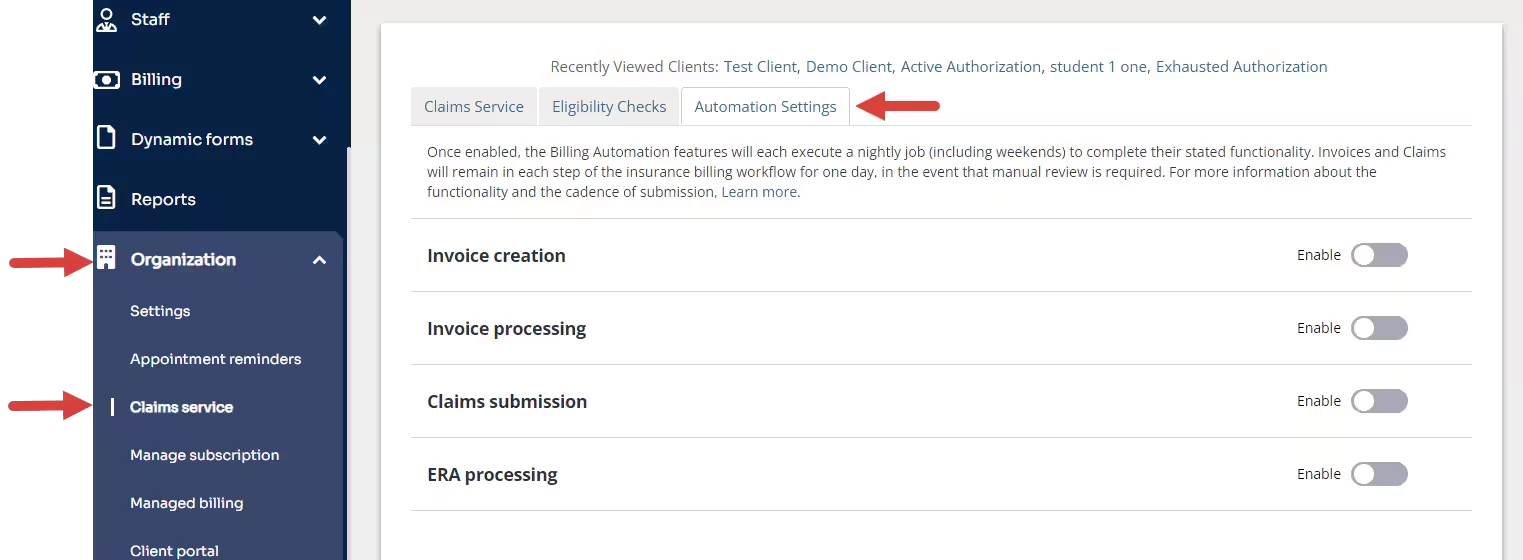
- Click the toggle to enable automation for each setting as needed. A confirmation window opens.
NOTE: If the setting is already enabled, move the toggle to the left to disable it.
- The confirmation window opens to explain the automation associated with each setting. Click Enable.
NOTE: Click Disable to cancel the action of enabling the setting.
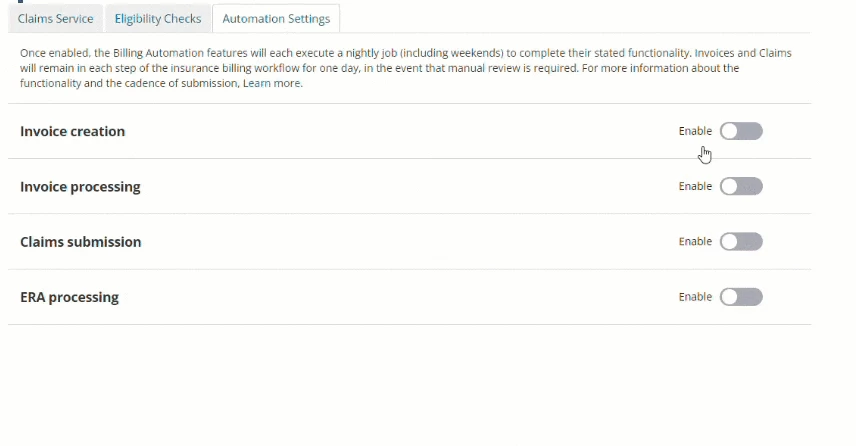
Once enabled, the billing workflow associated with the setting will be automated unless exclusion rules are created to prevent specific Invoices or Claims from being created, processed, or submitted to Payers.
You can configure exclusion rules to restrict the automation action for each setting. You can create as many rules as needed for your organization.
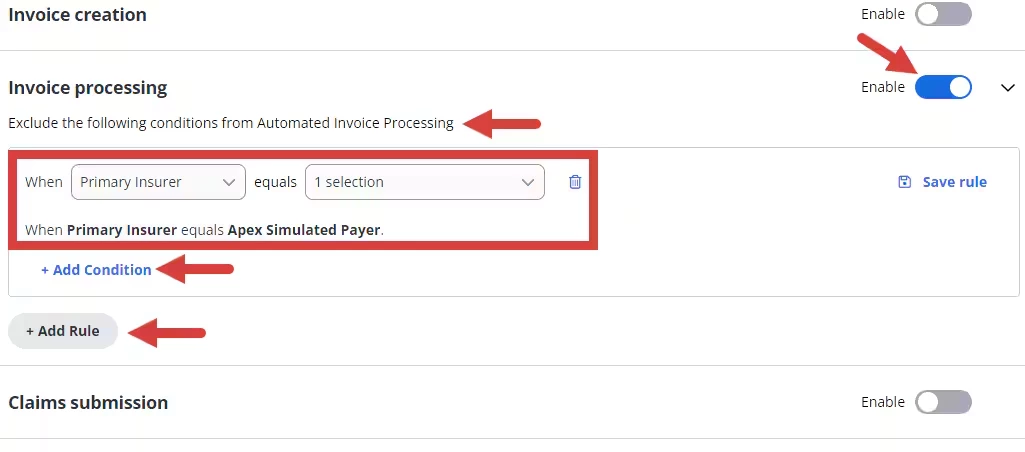
Click the down arrow to collapse or expand the Exclusion Rules window after the setting is enabled.
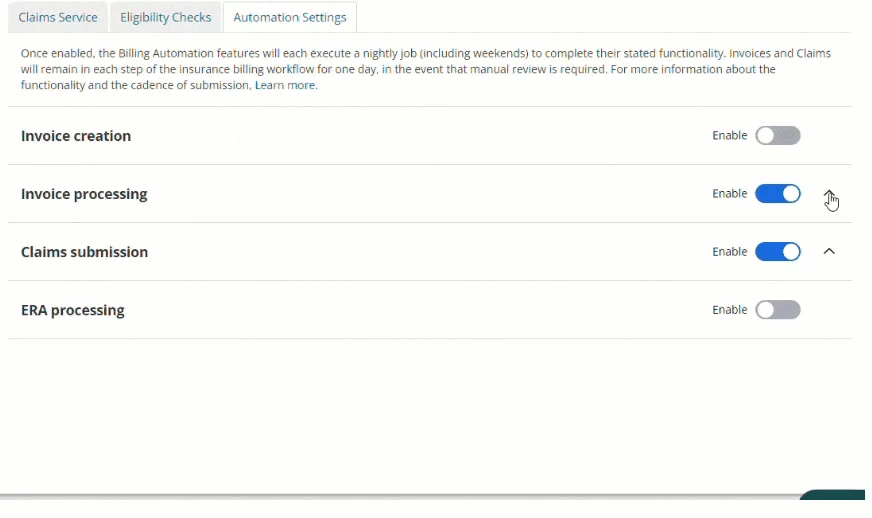
The Billing Automation Features, if enabled, will run nightly with the following schedule:
- Invoice Creation: 11:00PM Client Local Time
- Invoice Processing: 10:00PM Client Local Time
- Claims Submission: 9:00PM Client Local Time
Invoices and Claims will remain in each step of the automated insurance billing workflow for one day, in the event manual review is required. For example, if all automations are enabled, then the following would be the cadence of automation:
- Invoice created by Invoice Creation on Monday
- Invoice processed to Claims Awaiting Submission by Invoice Processing on Tuesday
- Claim submitted to the Claims Scrubber and (if no errors are present) submitted to the clearinghouse by Claims Submission on Wednesday