PERMISSIONS REQUIRED: You must have Billing Permissions.
Add Insurers
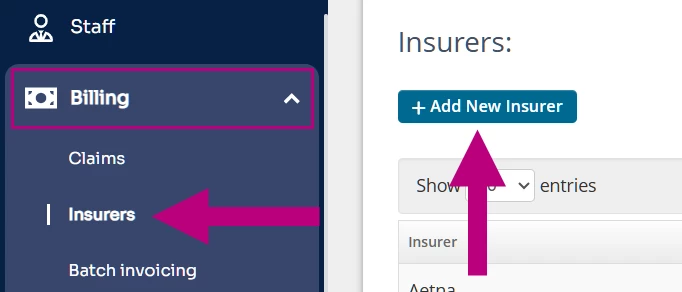
- Click the Billing tab in the side navigation bar.
- Click Insurers in the drop-down menu.
- Click +Add New Insurer.
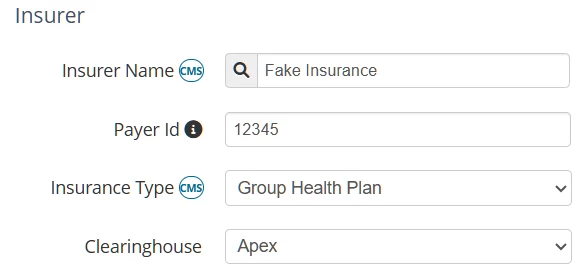
- Add Insurer Name and the Payer Id may auto-populate if you use a partnered clearinghouse. If not, enter the Payer Id.
NOTE: Reference the appropriate payer list to verify the payer ID: Ensora Clearinghouse or Claim.MD.
- Select the Insurance Type from the dropdown.
-
Complete the Address under Insurer Contact.
-
Click Save in the top-right.
Optional Payer Settings
- Enable Appointment Messaging for Authorizations
Turn on to enable messaging in the appointment window to notify about authorization status including how many units/sessions are available or remaining. The messaging you will receive on the appointment model related to the number of units/sessions available or remaining will depend on whether you have Use Kept and Upcoming appointments to calculate exhaustion for authorizations enabled or disabled. See Set a Reauthorization Reminder for more information.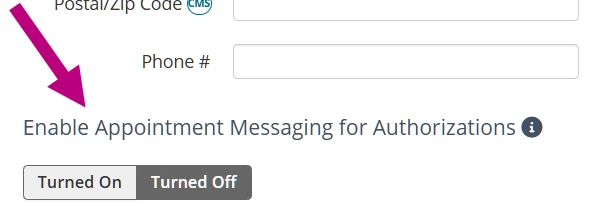
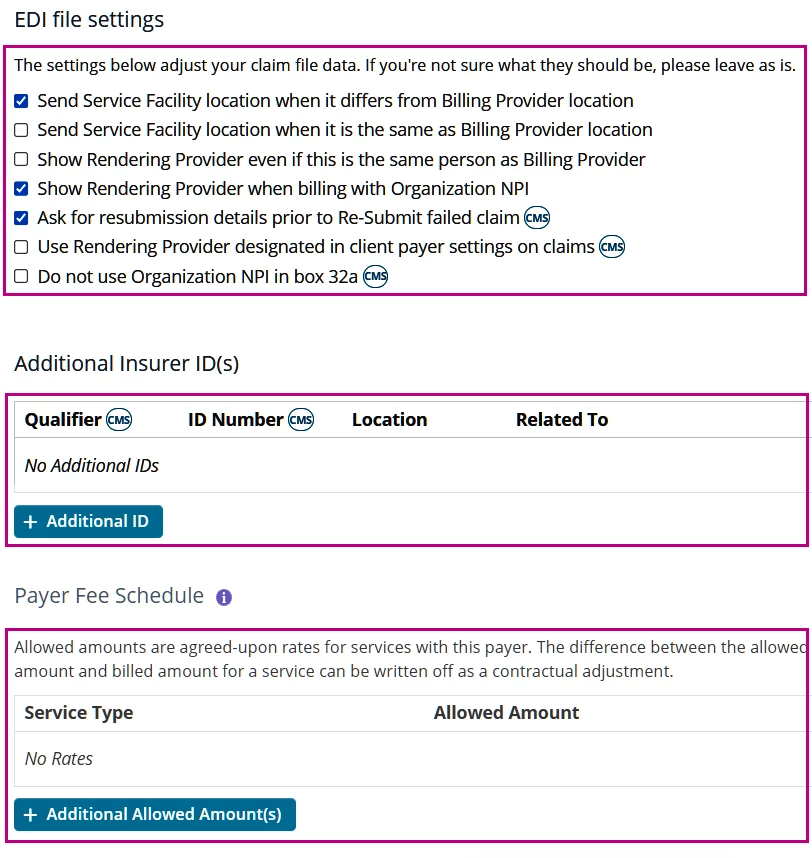
- Adjust EDI File Settings if desired, by selecting or deselecting checkboxes.
See Set Up EDI File Settings for more information. - Additional Insurer ID(s) for if you have legacy Insurer IDs, you can enter them here. (i.e., Taxonomy Code).
See Find & Enter My Taxonomy Code for more information. - Payer Fee Schedule
This documents allowed amounts for services on a per-insurer basis. - Click Save.