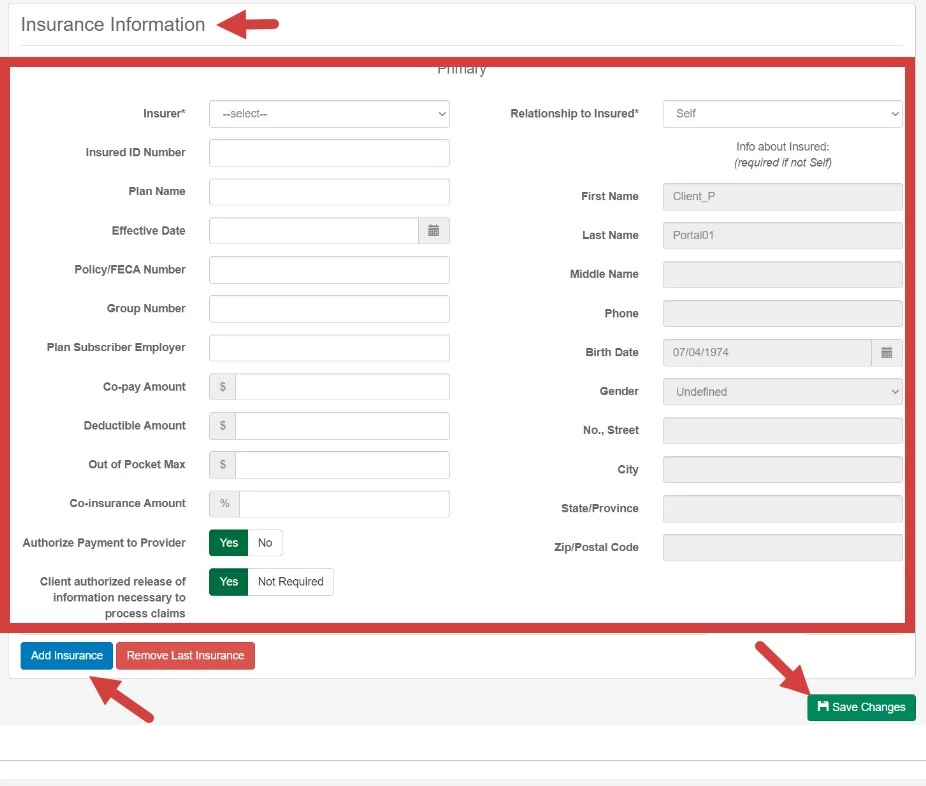
You can add all of your Insurance information in the Client Portal. Your Therapist will be able to access this and use it to Bill to Insurance for you.
- Login to your Client Portal Account.
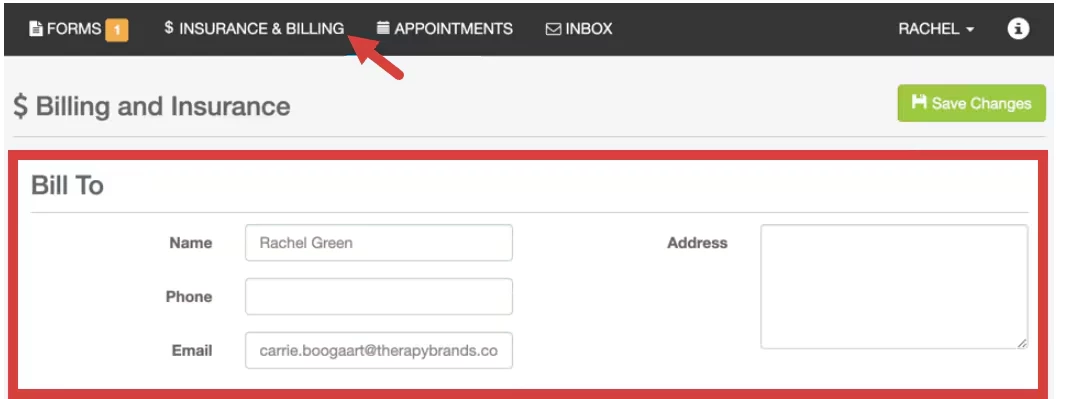
- Click $ Insurance & Billing tab at top.
- Enter Bill To information.
- Enter Insurance Information.
- Click Add Insurance button.
- Finally, click Save Changes.