


PERMISSIONS REQUIRED: Organization Administrators
NOTE: By default, all Clients can access the Client Portal with your subscription. With this default access, Clients can update their demographics and billing information, complete Intake Forms online, and make payments online through integrated credit card processing.
SUBSCRIPTION: To use additional Client Portal features, such as Secure Messaging and Client Self-Scheduling, an Organization Administrator must subscribe the selected Therapists.
Feature availability depends on your subscription plan.
IMPORTANT: If your subscription changes mid-month or mid-year, you are not charged on the date of the subscription change. Instead, charges are applied on your Renewal Date, which you can find on the Manage Subscription page. At that time, you receive credit for any unused time on the previous plan, are charged for the remaining time on the new plan and are charged with the full amount for the upcoming month or year. Subscriptions are billed in advance.
NOTE: For Self-Scheduling, at this time all Clients can schedule appointments with any Therapist who is subscribed to the Client Portal and has available appointment times.
Subscribe Therapist(s) to Client Portal
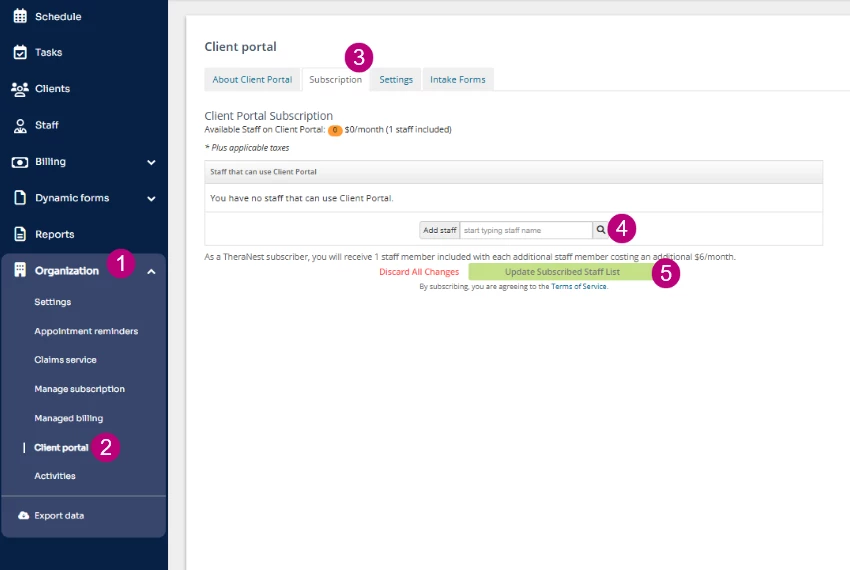
- Click Organization in the primary navigation bar.
- Client Portal from the side menu.
- Click Subscription tab.
- In the Add Staff search field, search for and select the Staff Members you want to grant access.
- Verify the staff member displays as Added.
- Click Update Subscribed Staff List to save changes.
If you do not see the Subscription tab
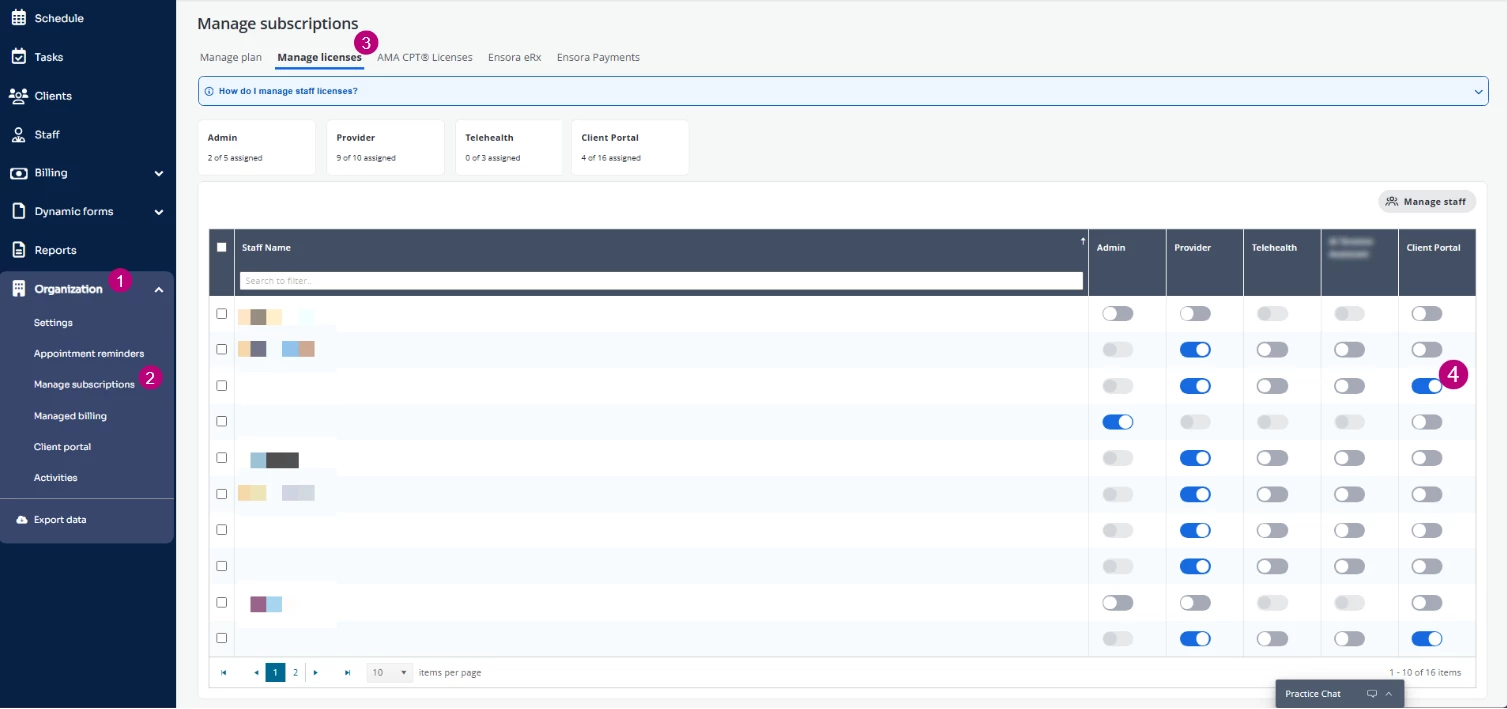
Use these steps if the Client portal > Subscription option is not available.
- Click Organization in the primary navigation bar.
- Click Manage subscriptions.
- Click Manage licenses.
- Enable the Client Portal License for the Staff members you want to grant access to.
Once you have subscribed your Therapist(s), you will need to enable these features in your Organization Settings.
Added Therapists can now access and send Secure Messages. For Clients to schedule with a Therapist, Client Self-Scheduling must be enabled in Organization Settings. The Therapist must also have Client Portal settings or Availability blocks configured, depending on how your organization manages availability.
Related Articles: