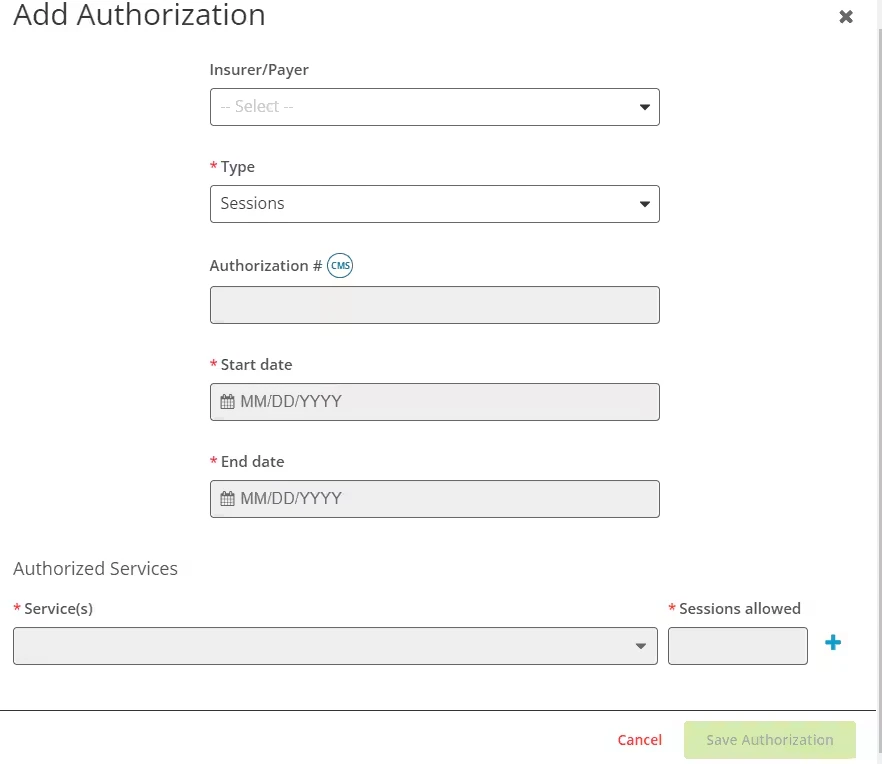
PERMISSIONS REQUIRED: You must have Billing Permissions.
Only the Staff Member(s) assigned to the Client will receive the Authorization reminders.
IMPORTANT: If you are a Biller or Administrator and you are not assigned to the Client then you will not receive the reminder notification.
The reauthorization reminders can be set to alert you when authorizations are nearing exhaustion, have been exhausted, and when they are nearing expiration and have expired.
- Exhaustion Reminders - You will receive a notification when 1 session/unit remains and when there are 0 sessions/units remaining to let you know when your authorization has been exhausted.
NOTE: The wording and timing of these exhaustion reminders will depend on if you are counting just Kept or Kept and Upcoming appointments towards exhaustion.
- Expiration Reminders - You can enter a date the Authorization expires. You will receive a notification and/or email 7, 30, and 60 days out from the Authorization expiration. One last notification will be sent when the current Authorization expires. It will be sent at 5:00 A.M. your local time.
Jump to Section:
Ensure You're Setup to Receive Alerts
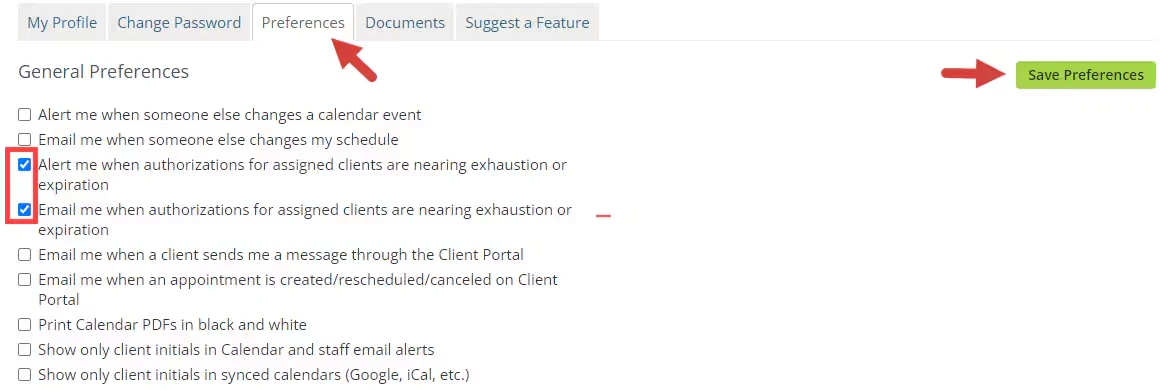
- Click your Name in top right corner and select My Profile.
- Click on Preferences tab.
- In the General Preferences, select:
- Alert me when authorizations for assigned clients are nearing exhaustion or expiration.
- And/or Email me when authorizations for assigned clients are nearing exhaustion or expiration.
NOTE: Although these mention Calendar changes, they also apply to Reauthorization Reminders.
- Click Save Preferences button.
Enter in Authorization Information
- Locate Client and open Client Profile.
- Click Bill To & Insurance Info tab.
- IF no Insurance is listed, Add Insurance.
- Click Edit or Add New Authorization for appropriate authorization.
- Scroll down and enter appropriate Authorization end date.
- AND/OR update number of sessions/units allowed to make sure you will receive notifications at the appropriate times.
- Click Save Authorization button.