PERMISSIONS REQUIRED: Organization Administration Permissions.
Appointment Notifications are notifications that the Client receives when Self-Scheduling. Appointment Notifications are separate from Appointment Reminders. If you have Email Reminders turned on your Clients will still receive those emails.
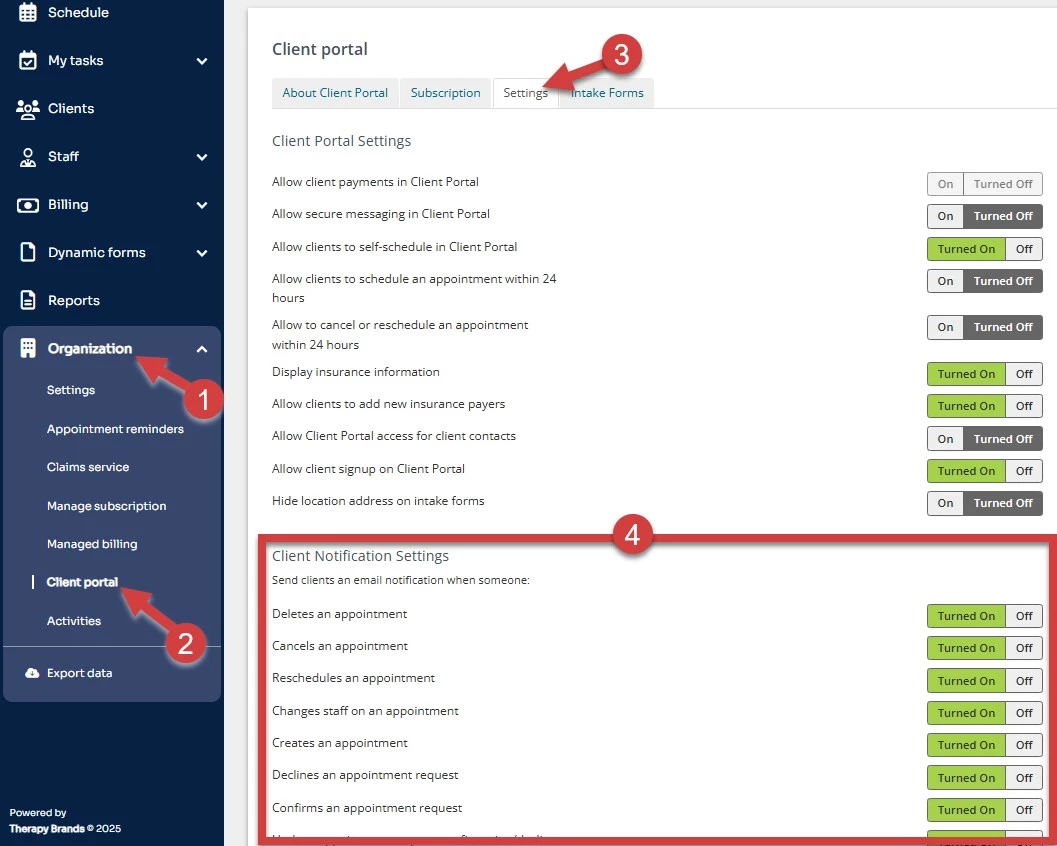
- Click Organization tab in primary navigation bar.
- Click Client Portal in side menu.
- On the Settings tab, scroll down to Client Notifications section.
- Mark the box next to the Appointment Notifications you want your Clients to receive.
- Settings will save automatically upon marking/unmarking.