PERMISSIONS REQUIRED:
Client Data - You must have Organization Administrator Permissions.
Individual Client Notes Data - Must be Therapists assigned to Case or Administrator.
Individual Client Billing - Must be Therapists assigned to Case, Biller, or Administrator.
You have the ability to export client data. This allows you to access demographic Information for mailing lists, newsletters, birthday cards and other business needs.
IMPORTANT: If you plan to contact a Client (email, text or phone) it is extremely important to verify that the Client does consent to be contacted. Check the Do Not Contact columns in the export to ensure contact permission has been granted. Be sure to never include personal or PHI in mass emails.
Jump to Section:
Client Data
To export demographic details, contact information, income, insurance and billing to an excel spreadsheet, use the Export Data page under Organization.
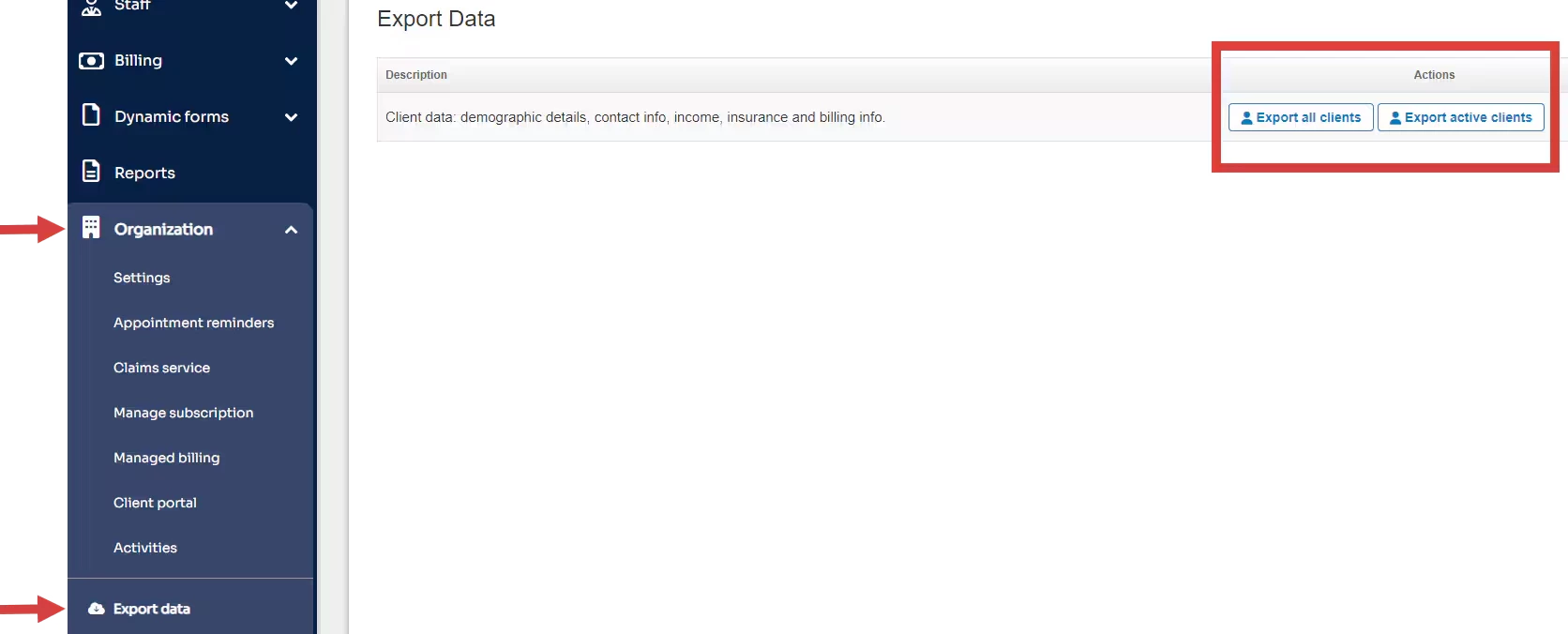
- Click Organization tab in primary navigation bar.
- In Export Data in side navigation.
- Select Export All Clients or Export Active Clients.
Individual Client Notes History
The Notes History for a Client can be found on their Client Profile and must be exported individually for each Client. There is no bulk export option for Client's Note History.
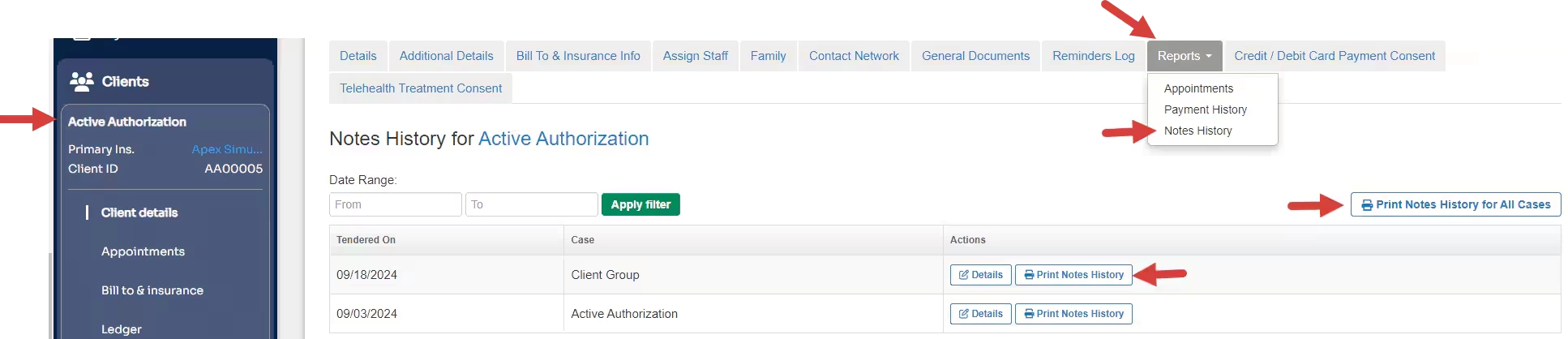
- Locate Client and open Client Profile.
- Click Reports tab and select Notes History.
- Click Print Notes History for All Cases or Print Notes History for appropriate Case.
Individual Client Billing Information
Export a Client Payment History.
- Locate Client and open Client Profile.
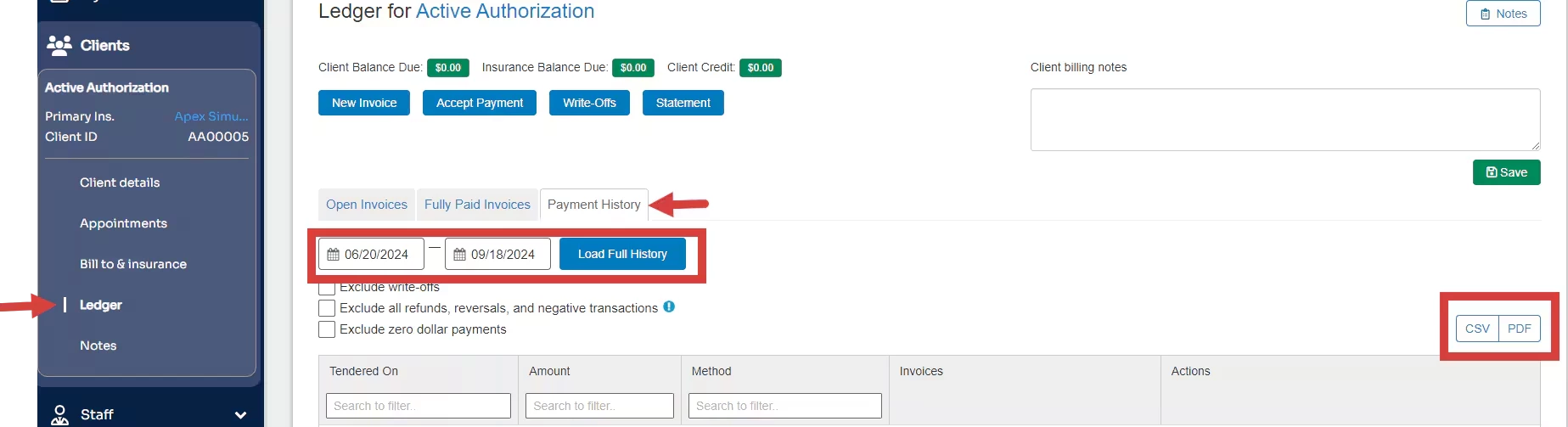
- Click Ledger in side menu and then Payment History tab.
- Select desired Date Range.
- Click CSV or PDF button.