We recommend that you Archive Clients (rather than deleting them). Archiving Clients removes them from your Active Clients list, but leaves associated Client data intact. Clients can be archived from the Clients tab or directly from the Client Details page.
- Archived Clients do NOT count towards your monthly Client Total, all their information and Notes are stored in the system free of charge when Archived.
- You are able to view but not edit the Client's information or Notes when they are archived.
Click the Settings drop-down to see available information fields.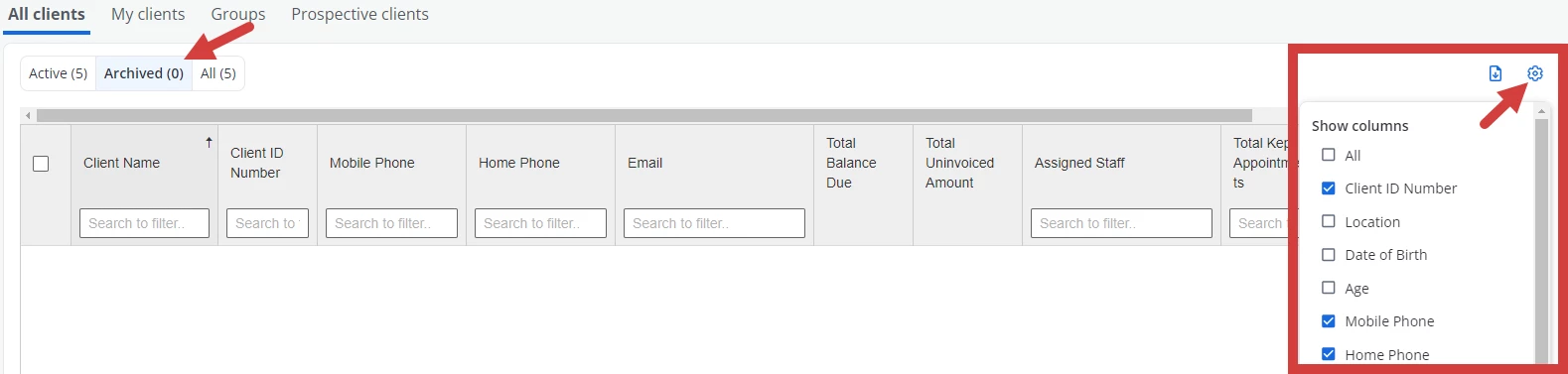
- You can archive and unarchive a Client at any time.
- You must have at least one active client at all times.
NOTE: When you archive a Client their Appointments will remain on the Calendar. If you do not intend to have any further appointments with the Client please delete the Appointments first then follow the steps below to archive.
Jump to Section:
Archive a Client from Clients Tab
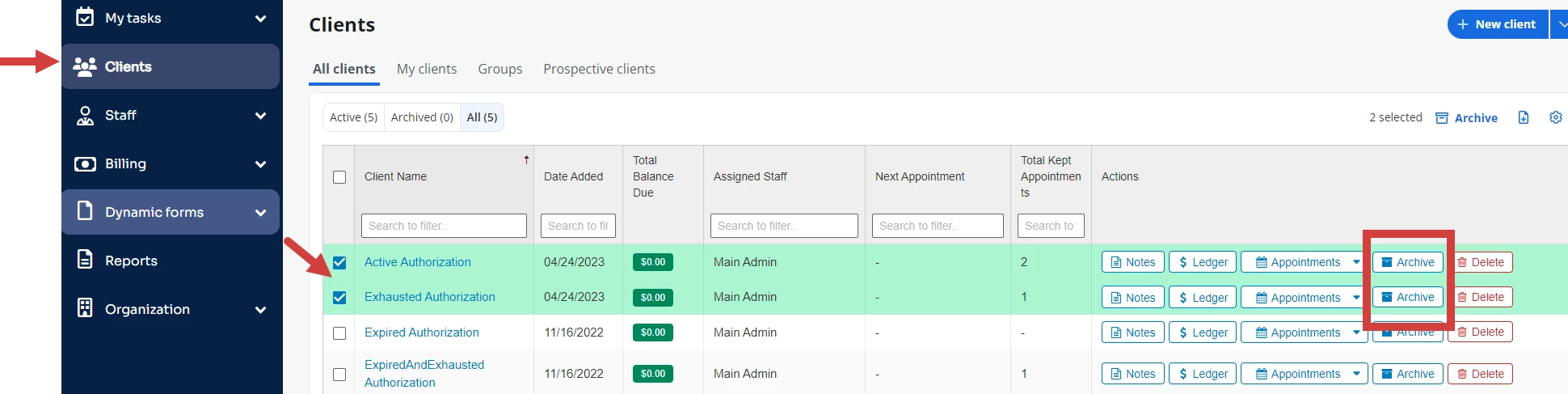
- Click Clients on the main navigation.
- Click Archived button for desired Client.
- OR select checkboxes for all Clients you wish to Archive and click Archive Client(s) button.
Archive a Client from Client Details Page
- Click Clients on the main navigation.
- Search for or find the desired client and click their name to open Client Details.
- Click Archive.

Unarchive a Client
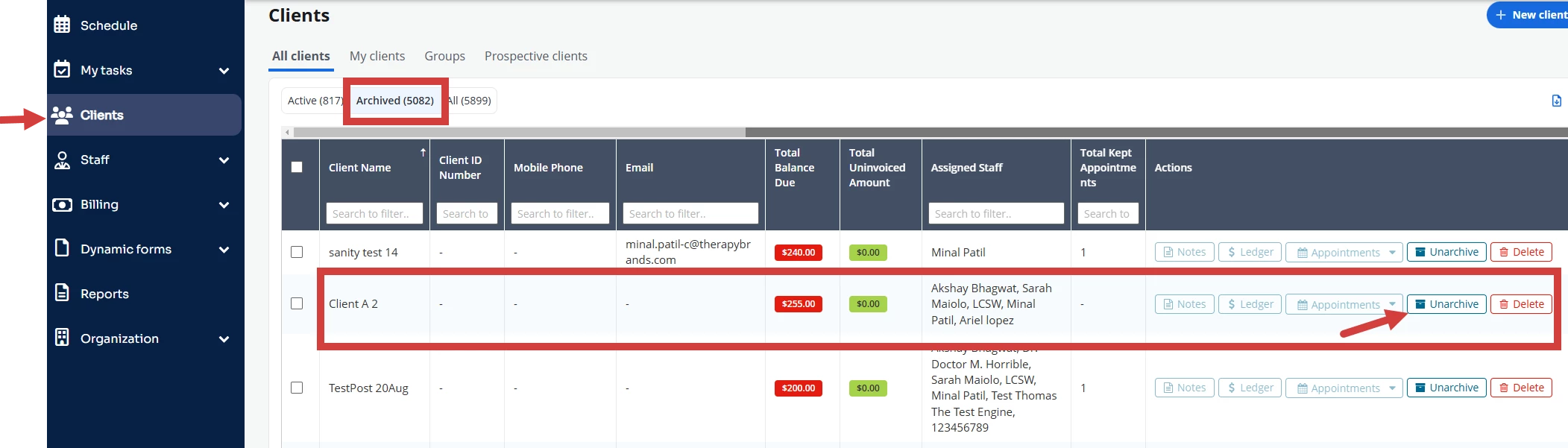
- Click Clients in the side navigation menu.
- Click the Archived button and locate the client.
- Click Unarchive button for the client.
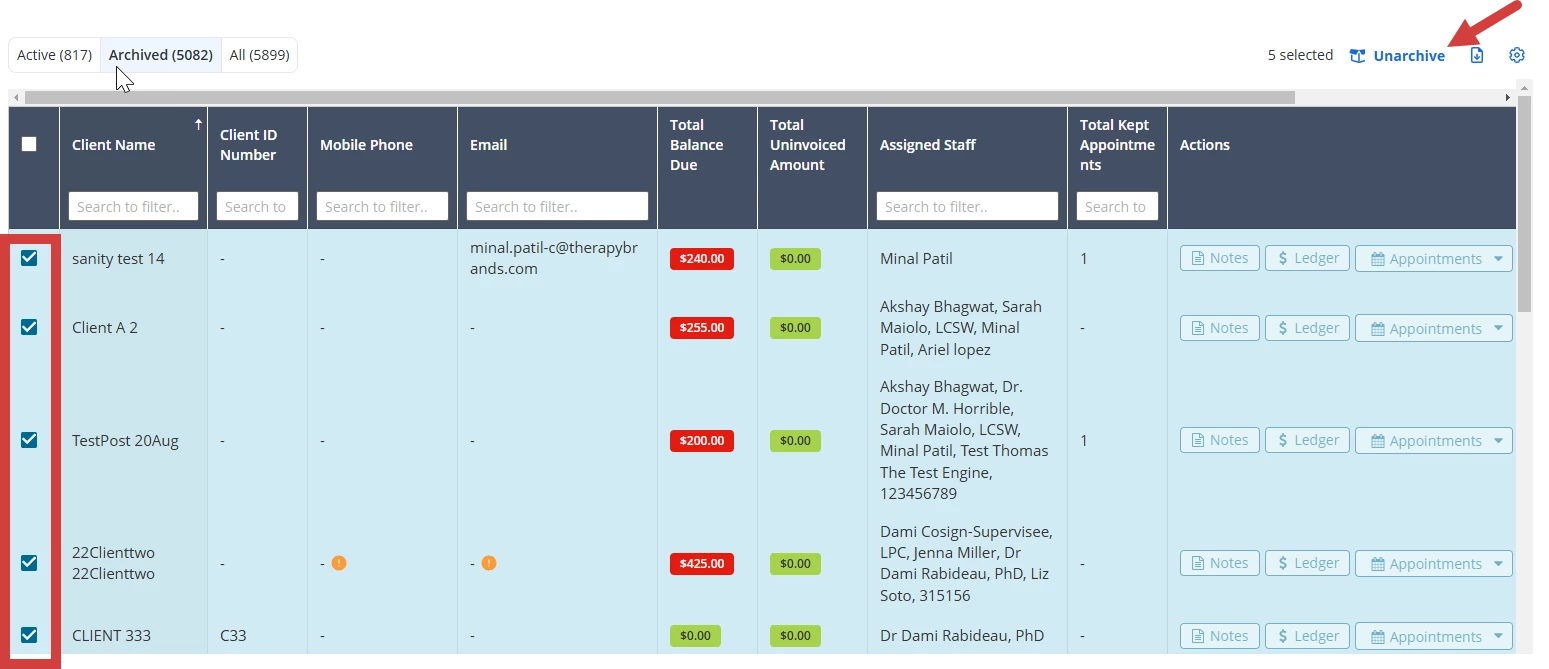
NOTE: You can unarchive multiple clients at one time. Select check boxes for the clients and click Unarchive.