PERMISSIONS REQUIRED: You must have Administrator Permissions to change Staff Permissions.
An Administrator must grant Staff Members rights/permissions to invite their Clients to the Client Portal. Once given, Staff can invite Clients to the Client Portal where they can then share, send, resend, and revoke Client Intake forms.
NOTE: You cannot invite a client to the client portal without having their email address on file. The checkbox next to the client's name is disabled to prevent invitations from being sent.
Grant Permissions
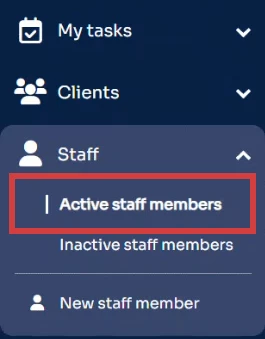
- Click Staff in the primary navigation bar.
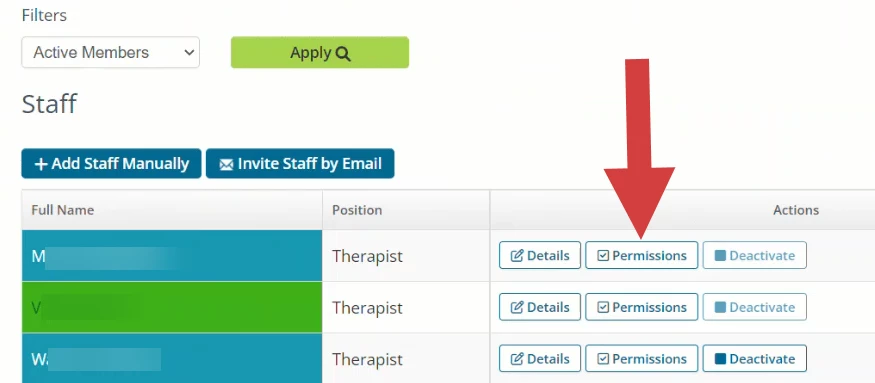
- Find desired Staff and click Permissions.
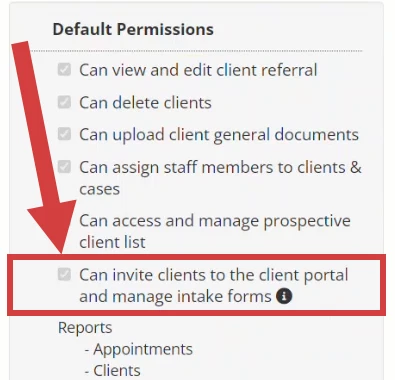
- Mark the box Can invite clients to the client portal and manage intake forms under Default Permissions.
- Click Save Permissions in the top right.