


PERMISSIONS REQUIRED: You must have Organization Administration Permissions.
SUBSCRIPTION: Feature availability depends on your subscription plan.
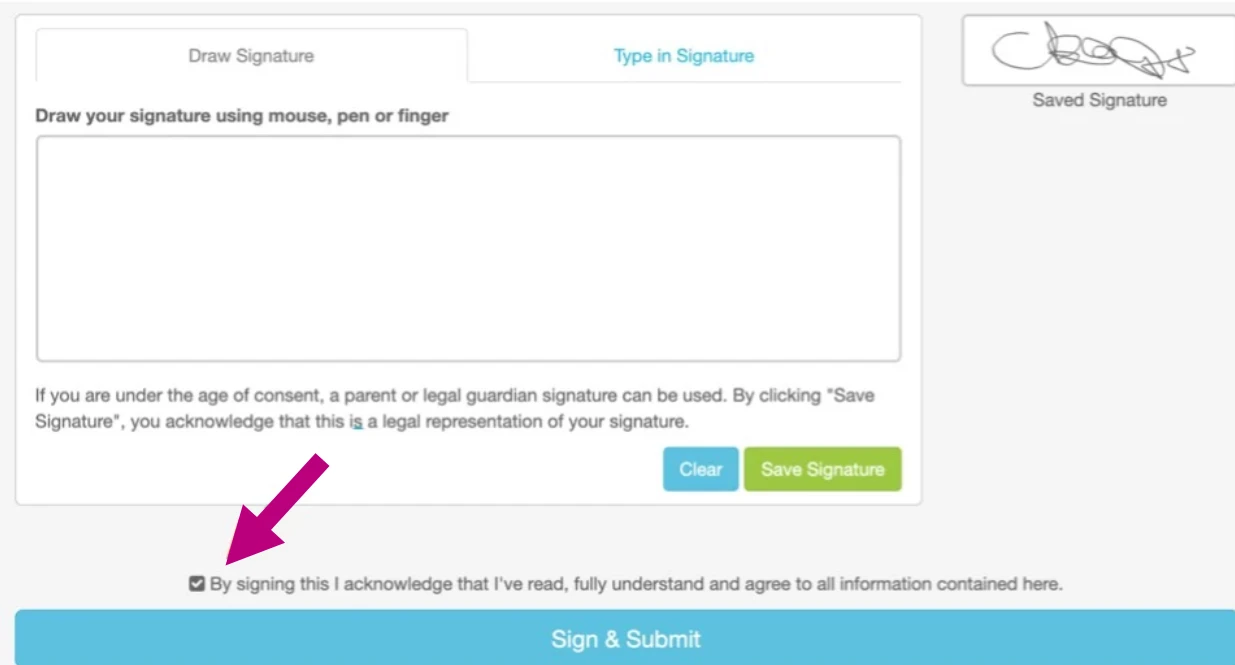
In the Client Portal, after filling out all intake forms, the client signs to finish intake. When printed, the client's signature appears on the last page of each form.
They can draw or type their signature, then click Save Signature and then Sign & Submit when finished.
See Client: Create Client Portal Account & Complete Intake Forms for the client’s instructions for signing intake forms including screenshots of what your client sees.
In addition to the default signature collected, if you desire Client acknowledgement on each individual Form in a group of default intake forms, you can edit each Form to include a mandatory Client acknowledgement such as Client Initials and Date using Short Answer field.
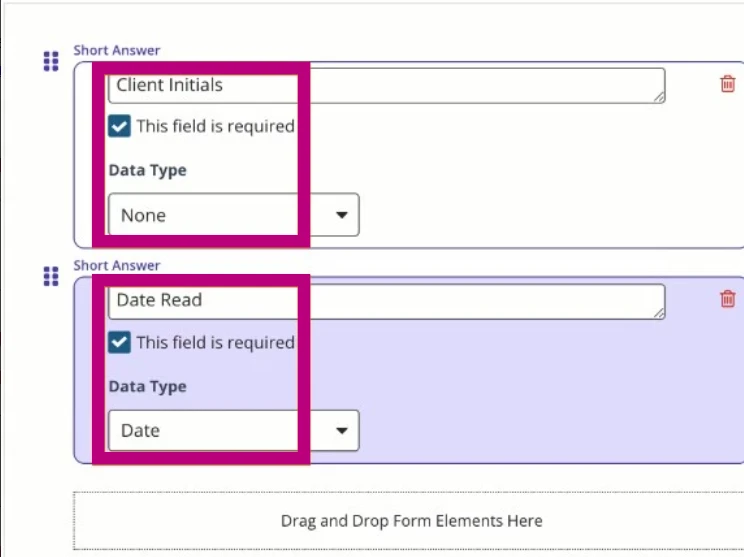
See Create Mandatory Client Acknowledgement Fields in Intake Form for more information.