If your clinic has enabled prepays for appointments, you can accept a client's payment for their appointment in advance by clicking the Mark as Prepay checkbox on the client ledger. You will be able to select the appointment to apply the prepayment to, and the prepayment will be recorded as an unapplied credit until the appointment takes place. Once an invoice is generated for the appointment, the client's prepayment will be automatically applied to that invoice.
An admin user must Allow Prepays on Invoices before you can accept prepayments. If your clinic is using Ensora Payments to process credit cards, you can also Require Prepayment for Telehealth Appointments.
NOTE: If a patient prepays for an appointment and the amount of the prepayment is more than the patient is billed for on the invoice, the remaining balance of the prepayment will remain on under Unapplied Payments/Credits and can be applied to something else.
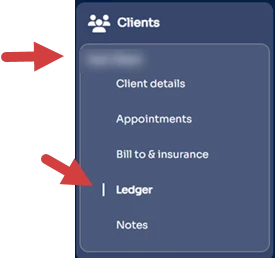
- Open the client Ledger.
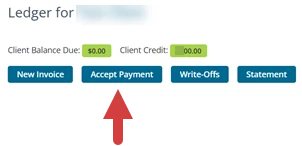
- Click Accept Payment.
- Click the Mark as Prepay checkbox.
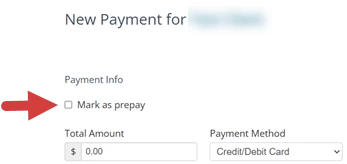
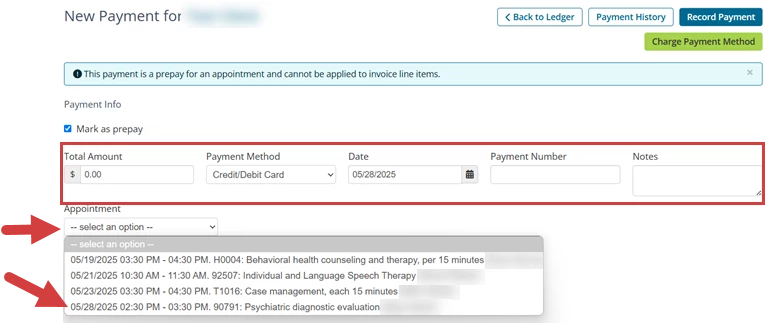
- Enter payment information:
- Total Amount: the amount that the client is prepaying
- Payment Method: Cash, Check, Credit/Debit card, or Other
- Date: Date of Payment
- Payment Number
- Notes
- Click the Appointment drop-down and select an appointment. This is the appointment that the prepayment will be applied to.
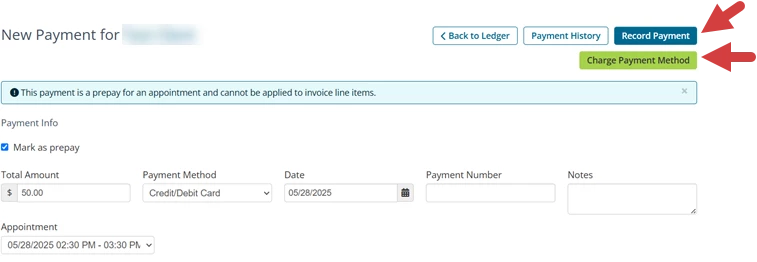
- Record or Process the prepayment
- Click Record Payment to document that you have received the payment.
- Click Charge Payment Method to process the payment. This is an option for clinics that are enrolled in Payment Processing.
- The Prepayment is listed in the ledger under Unapplied Payments/Credits and Refunds. When the invoice is generated, the prepayment will be applied to that invoice.
Prepay is listed in Unapplied Payments: 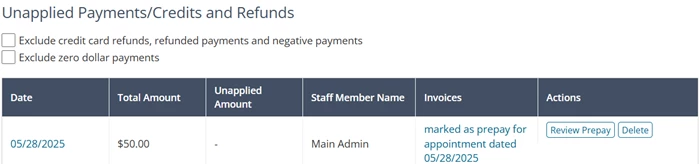
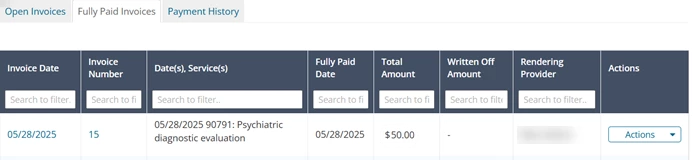
Prepay has been applied to an invoice: