


PERMISSIONS REQUIRED: You must have Billing Permissions.
You can create Client Batch Statements in the system. Before you print, you can choose to include Superbill level details. See Batch Client Billing Statements: Create, Print, or Email for more information.
Batch Email Superbills
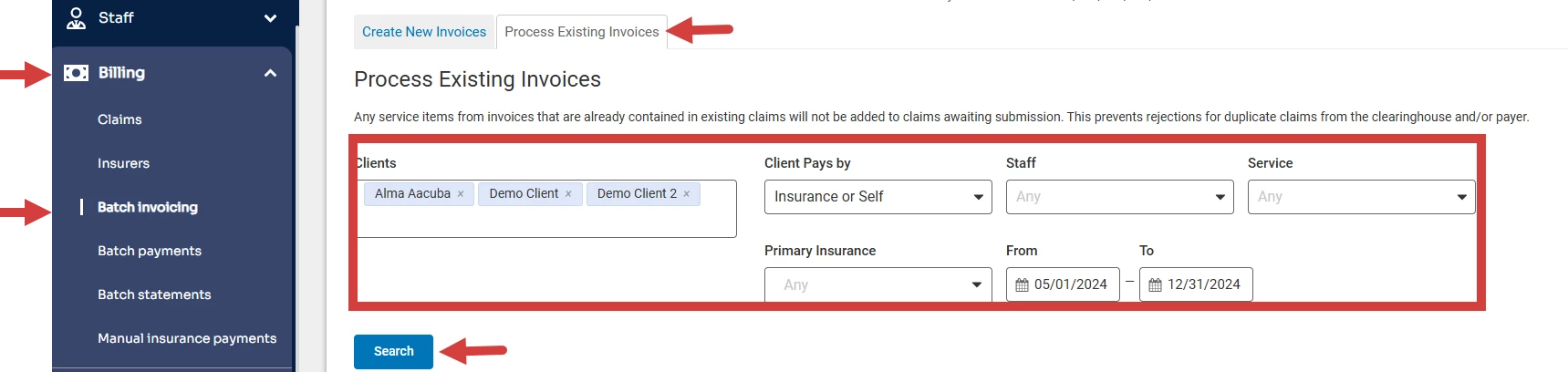
- Click Billing and Batch Invoicing from the side navigation menu.
- Click Process Existing Invoices.
- Enter Client Name and Date Range. Set appropriate Exclusions as needed.
- Click Search.
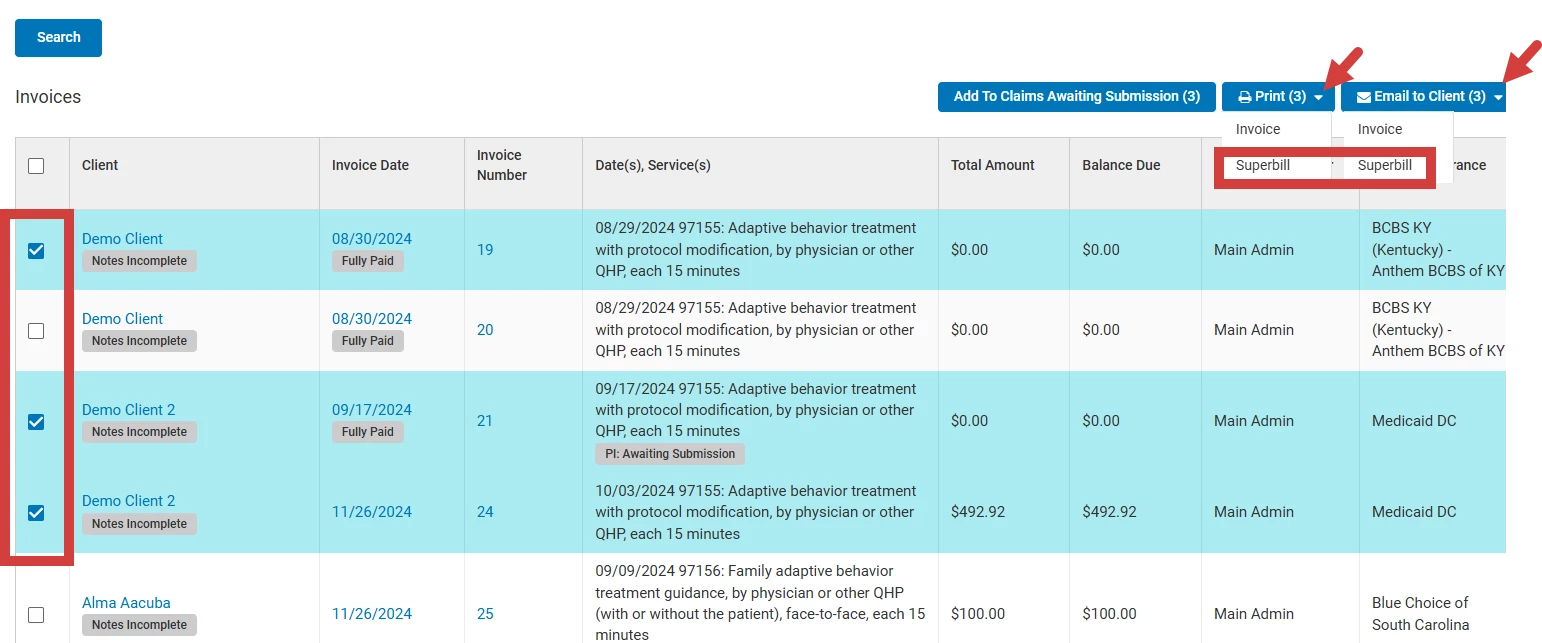
- Check box next to the clients you want to email the Superbills.
- Click Print or Email to Client button.
- Select Superbill from the dropdown.
Related Articles:
- Create Client Statements Individually: Client Billing Statement: Create, Print, or Email
- Superbill-Level Details for Client Statements: Superbill for Multiple Dates of Service: Create, Print or Email