The Parental Verification Form will allow you to generate the Parental Verification for Receipt of Behavioral Services form that is required to submit to Regional Centers.
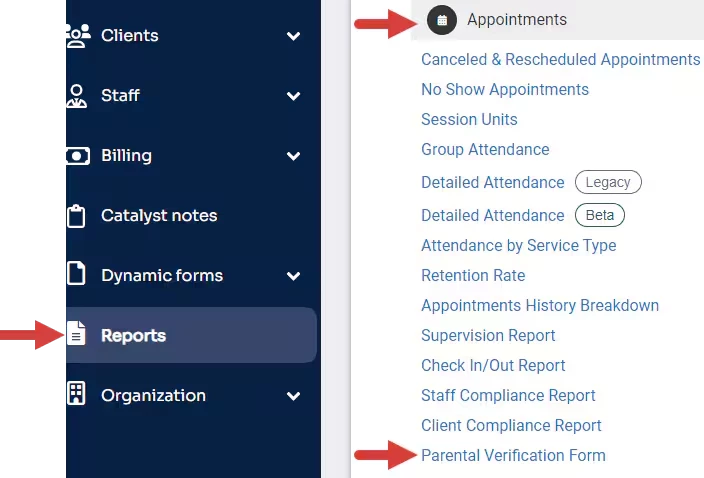
Click Parental Verification Form under the Appointments section.
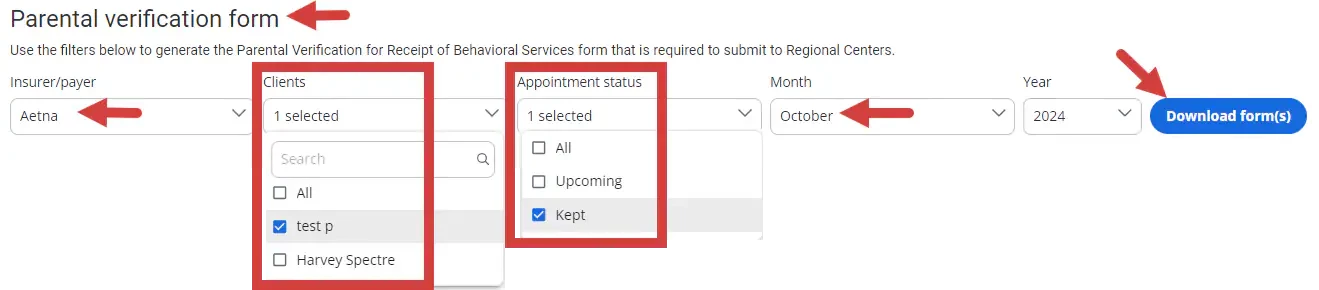
Select the Insurer/Payer for the clients you want to download the form for. If the insurer/payer is active for the client, then it will populate in the client drop-down menu after choosing their insurer/payer.
Select the Clients filter after you have chosen the insurer/payer. The list of clients generated are those that have the selected insurer/payer as an active one under their Bill To & Insurance Info tab. You can select multiple clients or select all in the drop-down menu.
Select the Appointment Status for the appointments you want to pull into the form. You have the option to select upcoming appointments, kept appointments, or all, to pull in both upcoming and kept appointments.
Select the Month/Year. The Parental Verification form is completed on a monthly basis so this form can only be generated individually per month.
NOTE: You can only generate this form from the month this feature was enabled for your organization and going forward. You can generate this form for some months in the future if you want to collect the parent signatures on paper and have just the appointment information for the upcoming months printed out.
Click Download Form(s).
NOTE: Forms will be automatically downloaded into a .zip file from which you will have to extract the individual PDF files. Make sure that the type of program that is used to open up this .zip file is linked to your file folder app (may be called Windows Explorer on a PC) so that you can access these documents.
When viewing the form, you will see the following fields above the table:
Consumer Name -Populates from the clients first and last name from Client Details
UCI # - Populates from the clients ID number from Client Details
Vendor name - Populates from the Organizations name under the Organization tab
Vendor # - Populates from the Payer ID number from the Insurer that was chosen when downloading the form.
Vendor phone # - Populates from the Organizations phone number from the Organization tab.
For services provided Month and Year - Populates from the month and year chosen when downloading the form.
When viewing the table, you will see the following information for each column:
NOTE: Only appointments that have a billable service type attached to them within the selected Month/Year range will be displayed here. Additionally, only appointments in either the Kept or Upcoming status for that month/year will be displayed on the form based on the filtered selections.
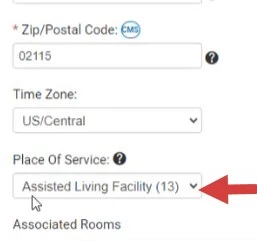
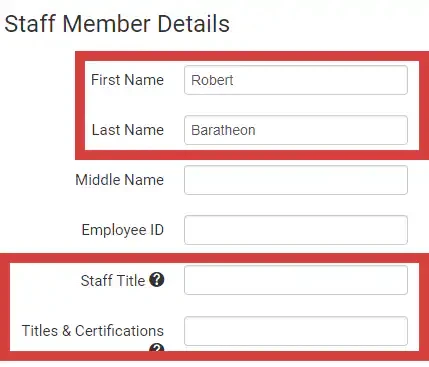
Date - Date the appointment took placeLocation of Services - Name of the Place of Service from the Location Name & Credential of Person Providing Services - Staff member that is assigned to that appointment along with their staff title and titles & certifications if listed.
Description of Service Provided - Name of the billable service type(s) that are connected to the appointment. Service Code - Code field from the Service type(s) that are connected to the appointment. Start time - Start time of the appointment in the Organizations time zone.
End time - End time of the appointment in the Organization's time zone.
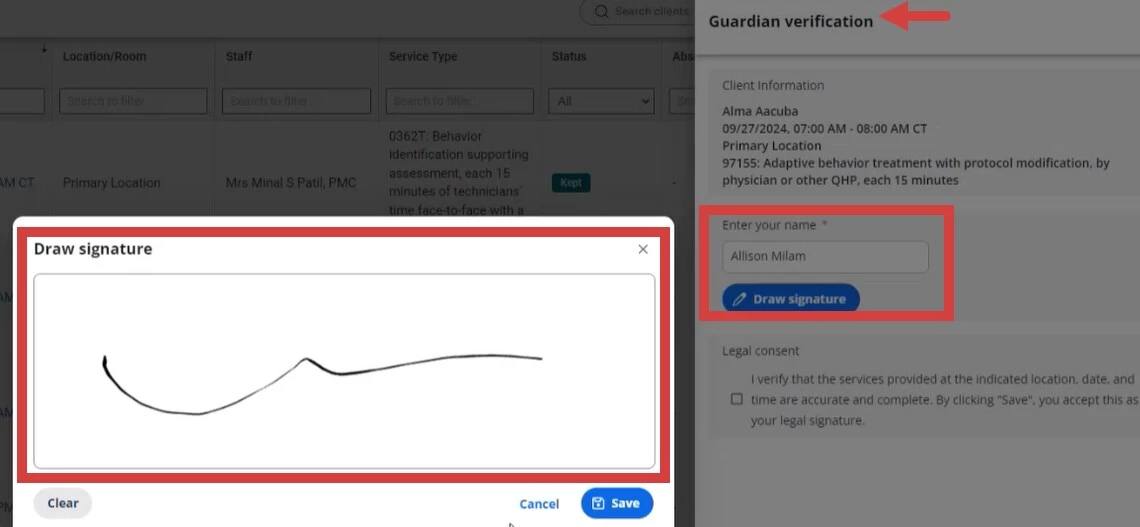
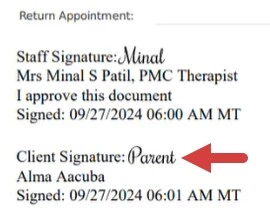
Signature of the Parent or Legal Guardian - Will display one of two signatures.
Will first display if there has been a Guardian Verification Signature collected for that appointment. See Guardian Verification Signature for more information.
Or, it will display the Client signature that was collected on the progress note that was attached to the appointment if there is one. This can be useful especially if guardian signatures are collected in Catalyst and pulled into the Ensora ABA Therapy progress note. If both of those signatures are present, the guardian verification signature on the appointment will be displayed. If neither of those signatures are present, this signature field will be left blank.
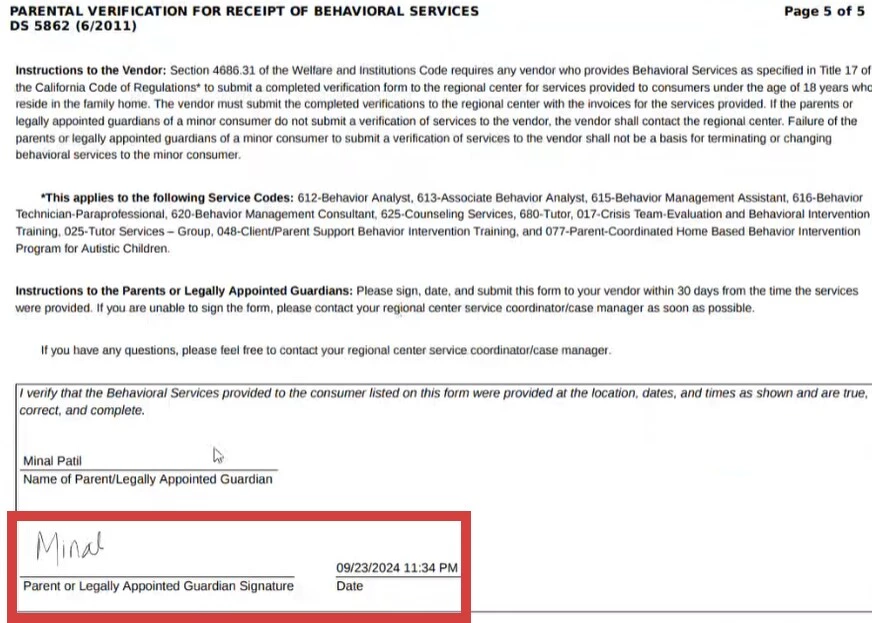
3. When viewing the last page of the report you will see the final page of the Parental Verification for Receipt of Behavioral Services form that includes the final signature that has to be collected from the guardian to verify the appointments that took place for the client for the month. This comes from signing in the Collect Monthly Guardian Signature window on the Clients appointment history page. The date and time stamp and the name that is inputted from this window will also be displayed at the bottom of this page if one is collected.