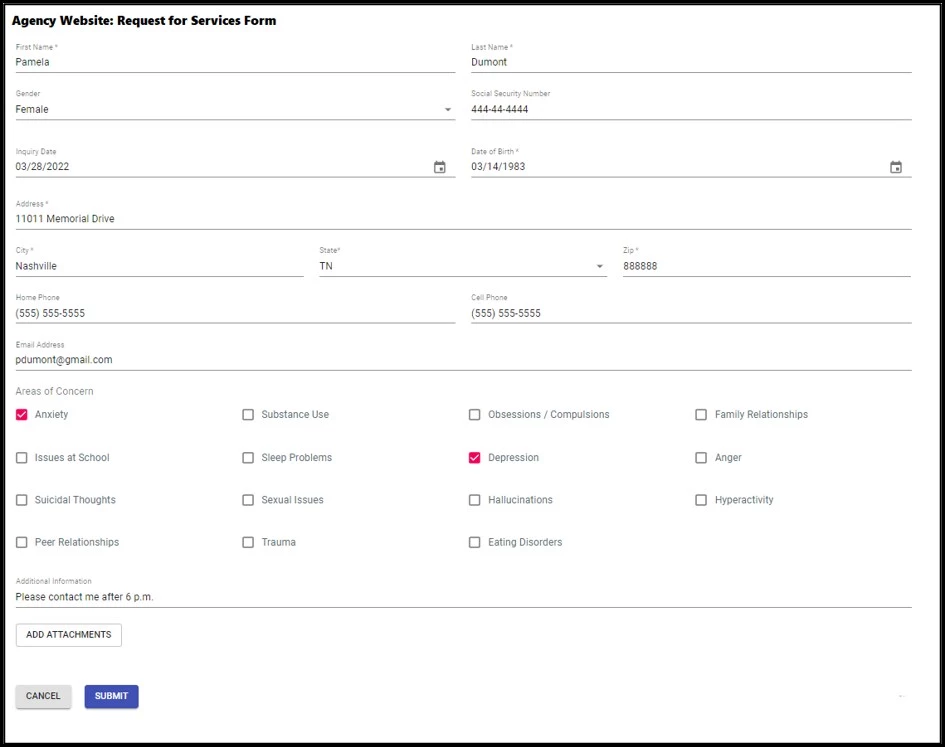
Web Forms can vary in length, format, content, and appearance to match whatever your agency needs. You can use any field type (e.g., textboxes, drop-downs, checkboxes, etc.) and can even allow users to upload attachments. Web Forms are embedded right into your website, making it easy for users to provide information. Spam is reduced by using Google’s reCAPTCHA v3, which is based on Artificial Intelligence, eliminating end-user interaction or the need to identify numbers/letters or objects in a picture.
As always, security is a priority and calls are restricted via client origin and rejected if the client domain is not approved. Data is then encrypted in transit to the backend via HTTPS and from the backend to the database. Data in the database (Cosmos DB hosted in Azure) is encrypted at rest using AES-256 encryption.
This system helps you collect and manage the information you need easily and efficiently. Once a form is completed, the information is available in the system and ready to be reviewed. From there, the information can be used to create other records, such as a client file, for example. Staff can be notified of new submissions, and you can track follow-up information like staff responsibility and follow-up date.