


The Forms menu option allows access to forms not tied to one specific client. These may be forms such as staff detail to update contact information, a Paid Time Off request, or an Eligibility report like a Medicaid 270/271. The Categories and Forms available are defined in Configuration - Setup > Forms. The access to view and use these forms is defined by User Group Menu Options in Configuration - Staff/Users > User Groups.
Get started by selecting the Forms main menu icon.
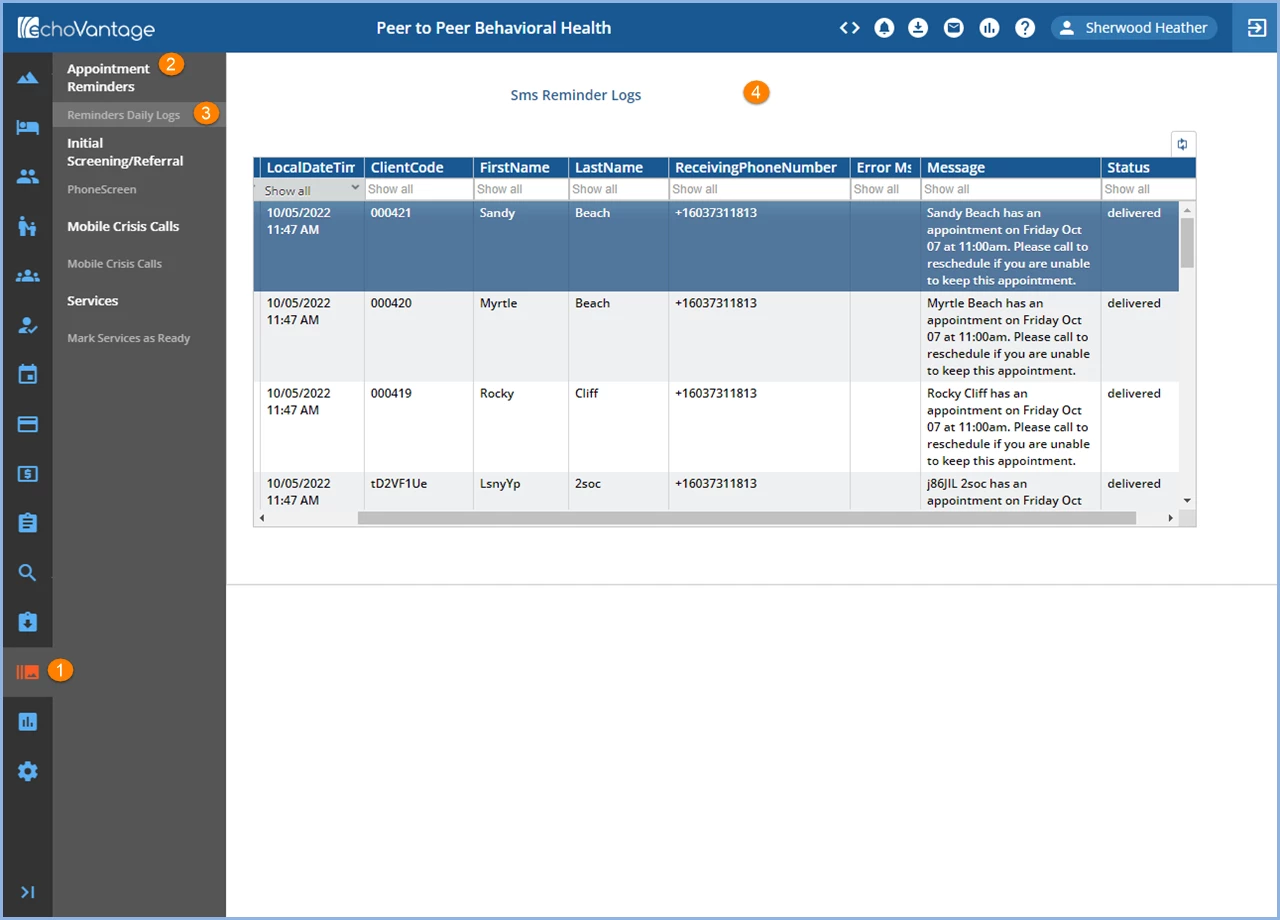
1. The main menu icon is orange to indicate it is the current selection.
NOTE: A form must be selected before the menu icon will turn orange.
2. Category - The Categories defined in Configuration - Setup > Forms are displayed in bold.
3. Forms - The Forms uploaded in Configuration - Setup > Forms are displayed beneath the Categories that they were uploaded into. These need to be created in FormDesignEHR.
4. View/Add/Edit a Form by clicking on the Form name. Each form will function based on the design created in FormDesignEHR.