


Users can now add and manage Documents for Spaces in Placements. Select the ellipse (three dots) to open the overflow menu.
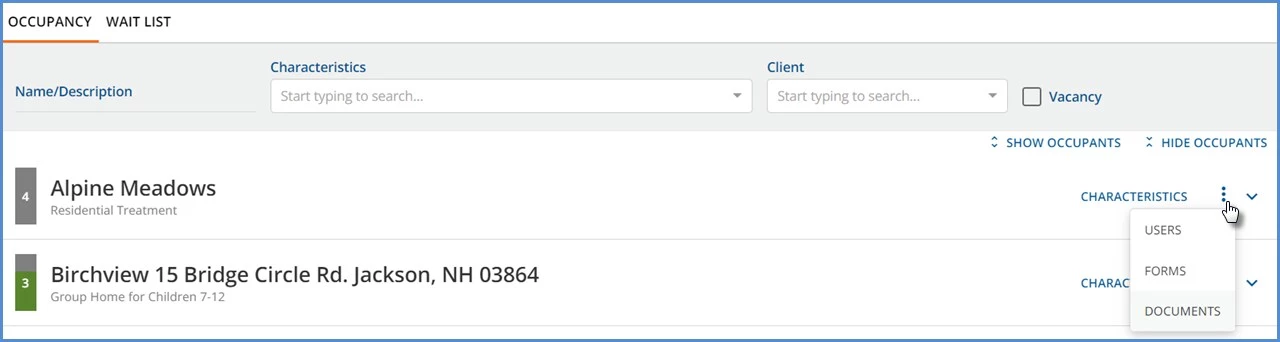
Then select DOCUMENTS to open the document management modal.
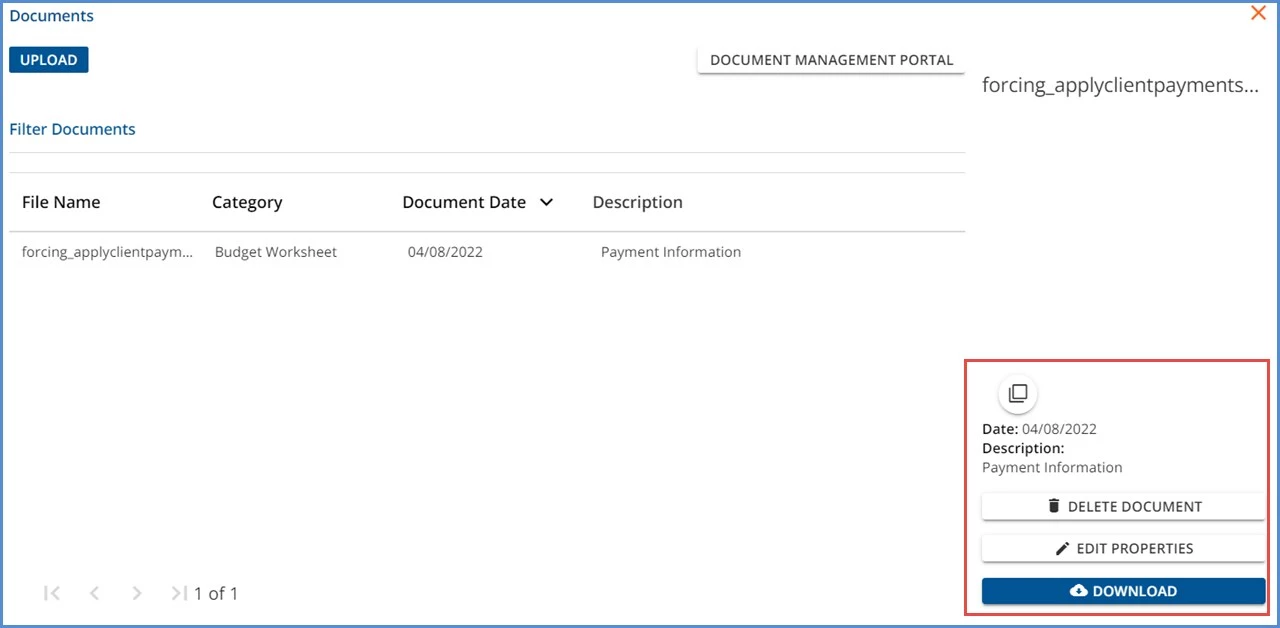
- The modal displays the documents specific to the selected space only.
- User Group members with access to Placements have access to the Documents modal; the Document Category permissions still apply just as they do in Client or Family Documents.
- New documents can be uploaded, or existing ones may be edited, deleted, or downloaded. However, there is no option to set a profile picture.
- If a Space is renamed, a new folder is created in Alfresco but it is associated with the same owner ID, allowing documents from both folders to display for the newly renamed Space.
- The application associates a document with a Space via an owner ID in Alfresco.
- The Owner Id identifies the Space which has a Name and Description.
- The Folder is stored with the Name.