


Administrators can create a variety of Forms (Create & Build Forms) that will be available for users to complete in the app (Complete a Form - App) or in the Portal (Form Entry Subtab).
Once a Form has been completed it can be viewed in the Portal.
View Form Responses in the Portal
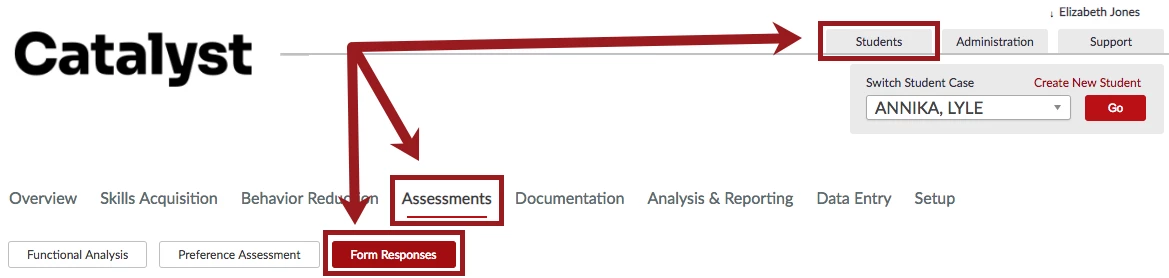
Access the Form Responses subtab from the Assessments tab in the Student Section.
- Locate the desired Form.
- Click Actions.
- Select View.
NOTE: Users can also download Form Information to a PDF or Excel spreadsheet by clicking PDF or Excel (respectively).