


Service Definition Display Message
Additional information is provided during service entry to help resolve overlapping Service Definition components.

Now if the PLAAR components selected are not unique, a warning message displays to indicate the number of matching Service Definitions found.
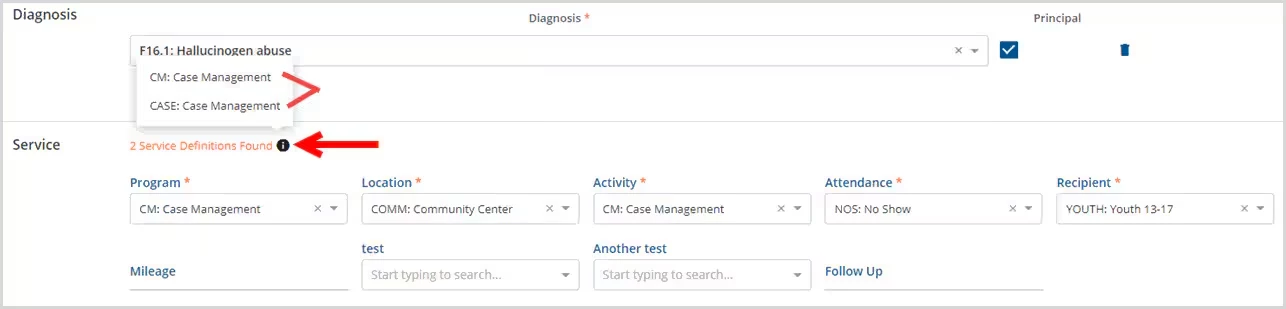
A clickable information icon produces a list of up to five matching service definitions. The list displays both the code and name so that the setup for each can be reviewed and corrected as needed in Configuration - Services/Payers > Service Definitions > Components.
Service Definitions Configured Based on Duration
Service Definitions can be configured based on duration. This allows the same set of component combinations to be used for multiple Service Definitions that are kept unique by the duration. This also allows the same service to bill with the appropriate codes during processing.
In Service or Event entry, the application returns the correct service definition by locating matches to the component code combinations first and then refining the selection by the duration entered.
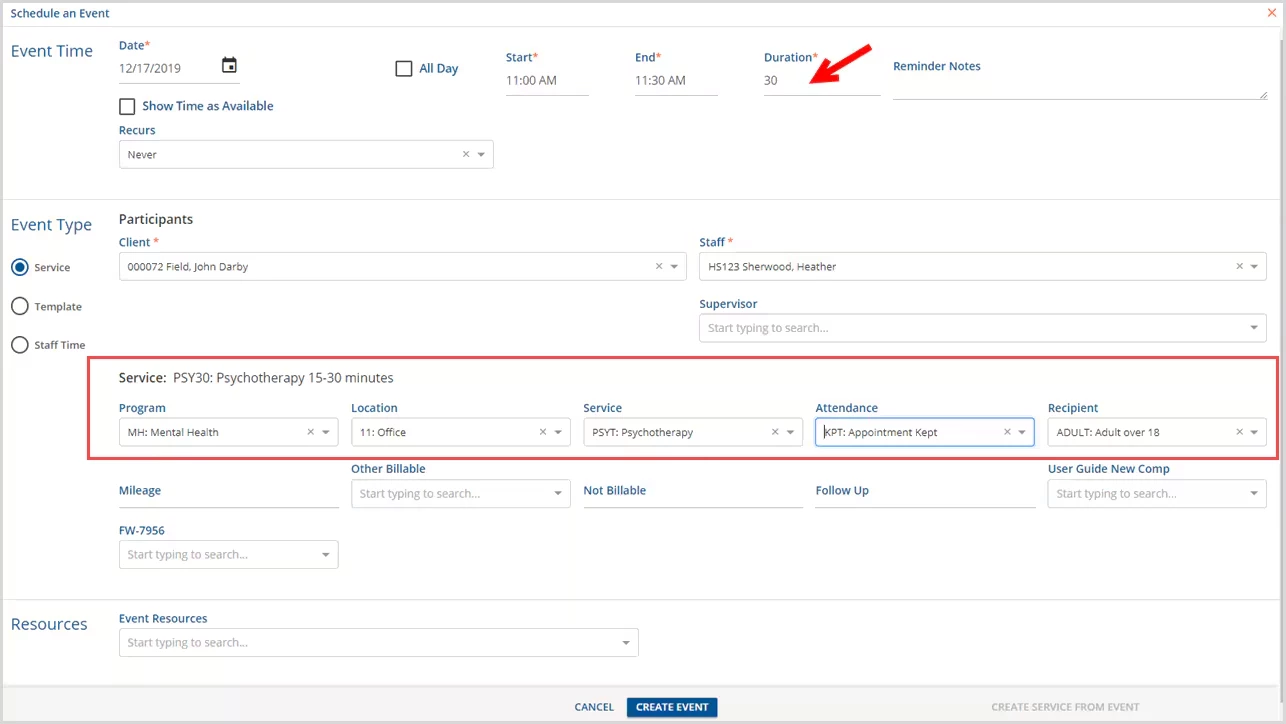
In the example above, an Event is create for a 30 minute Psychotherapy appointment.
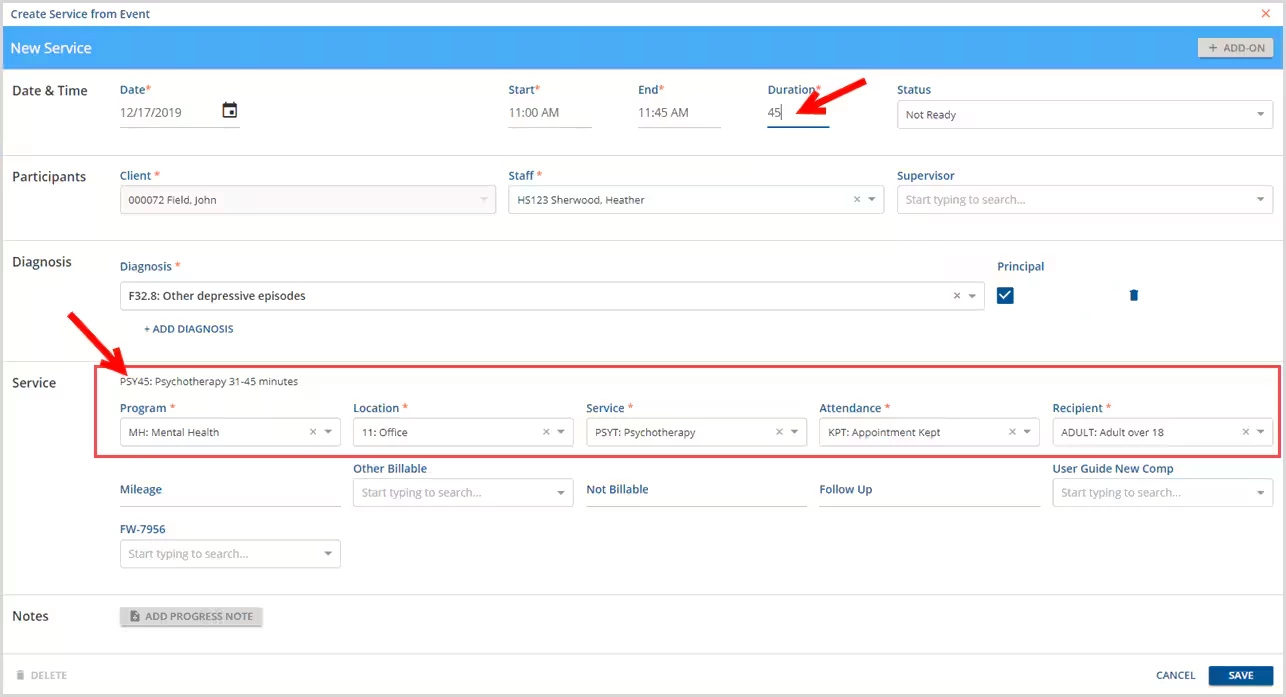
In the next example above, a Service is being created from the Event. The duration was changed to 45 minutes.
NOTE: The Service Components have not changed but that the Service Definition is now PSY45. The Service Definition was updated based on the change in Duration.