| Permissions Required: Every Staff Member has the ability to set their own Calendar Preferences. |
Preventing double booking is set at the User level. It prevents double booking for you. Each Staff Member will need to update their own settings.
Turn Off Double Booking
NOTE: Use the Can modify setting to allow multiple appointments in same slot permission in Default Permissions to control who can edit this setting.
- Click your Name in top right corner and select My profile and settings.
- Click the Preferences tab.

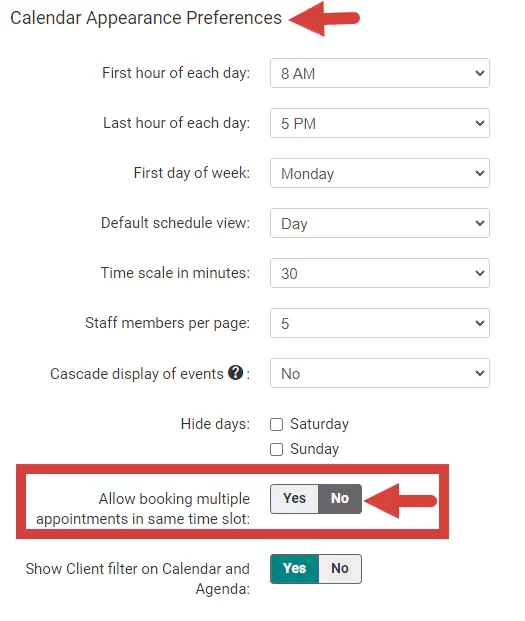
- Scroll down to Calendar Appearance Preferences.
- Toggle No for Allow booking multiple appointments in same time slot.
- Click Save Preferences at the top of the page.