


You can edit single occurrences of an Appointment or a series of Appointments (recurring).
Jump to Section:
Edit Single Appointment
Changes made to a single Appointment (whether it is part of a series or not) only makes changes to that specific Appointment.
- Locate desired Appointment on the Calendar and double click it.
- Click Edit Occurrence if the Appointment is part of a recurring Appointment Series.
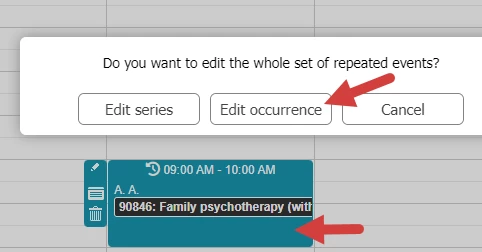
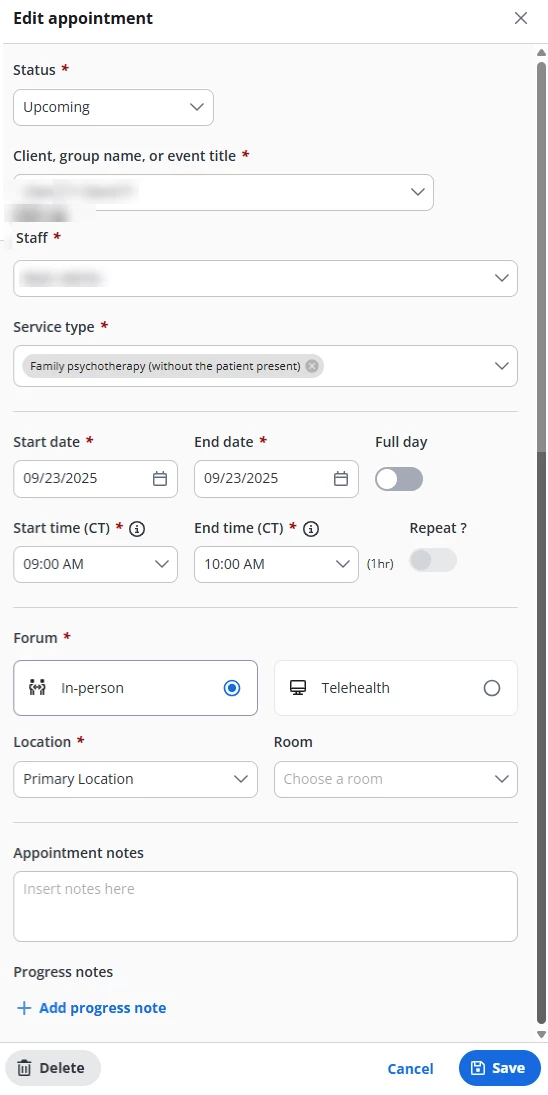
- Or the Appointment window will open.
- Make desired changes and click Save.
NOTE: When you open an existing appointment from the calendar, you can click the Add Progress Note link at the bottom to create a new progress note for the appointment. If there is already a progress note linked to the appointment, you will see an Edit Progress Note link.
Edit Recurring Appointments
Changes made to an Appointment in a series, will be effective for all future occurrences of that series.
- Locate desired Appointment on the Calendar and double click it.
- Click Edit Series if the Appointment is part of a recurring Appointment Series.
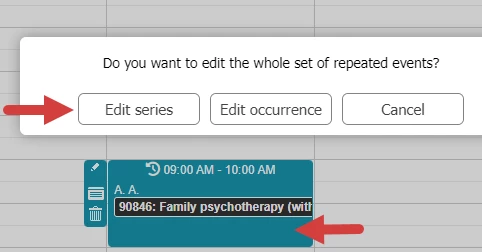
- The Appointment window will open.
- Make desired changes and click Save.