


Permissions Required: You must have the Can edit travel and drive time appointments permission.
You have the ability to manually create non-billable Drive Time (System) service-type appointments if your travel is not tracked by an automatic travel appointment. If you want to have your mileage and drive time calculated automatically, learn more about the automatic drive time subscription.
Jump to Section:
Create Drive Time (system) Appointments
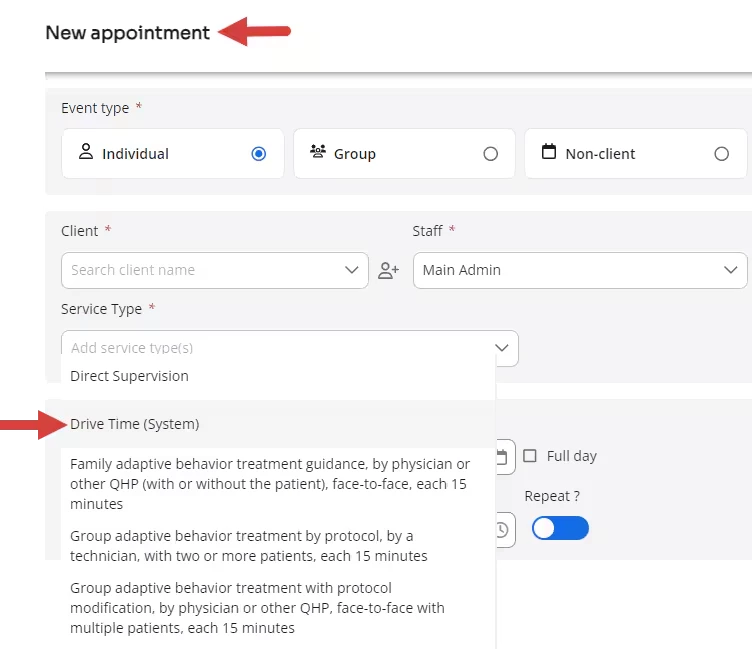
- Create a New appointment.

- Select the Drive Time (System) service type.
NOTE: All other service types are disabled.
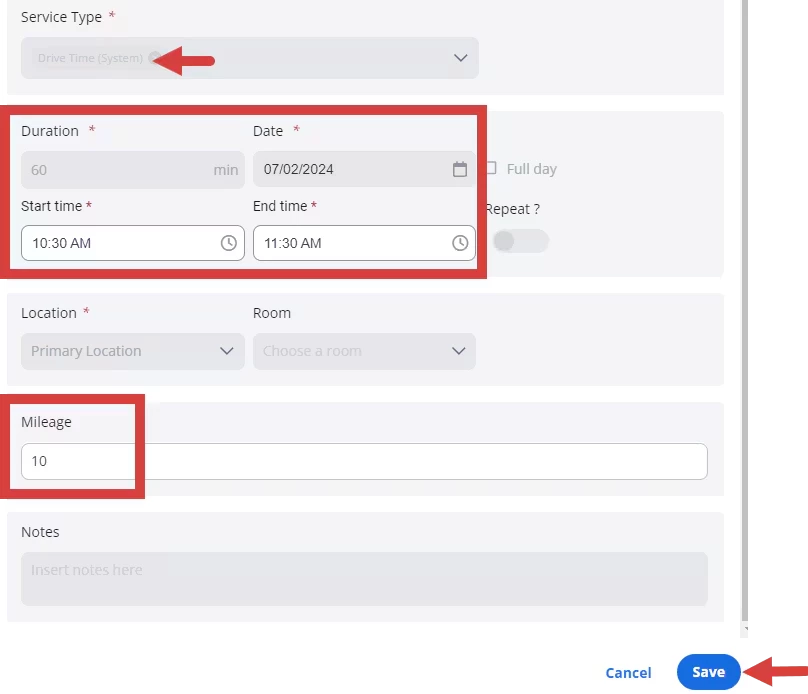
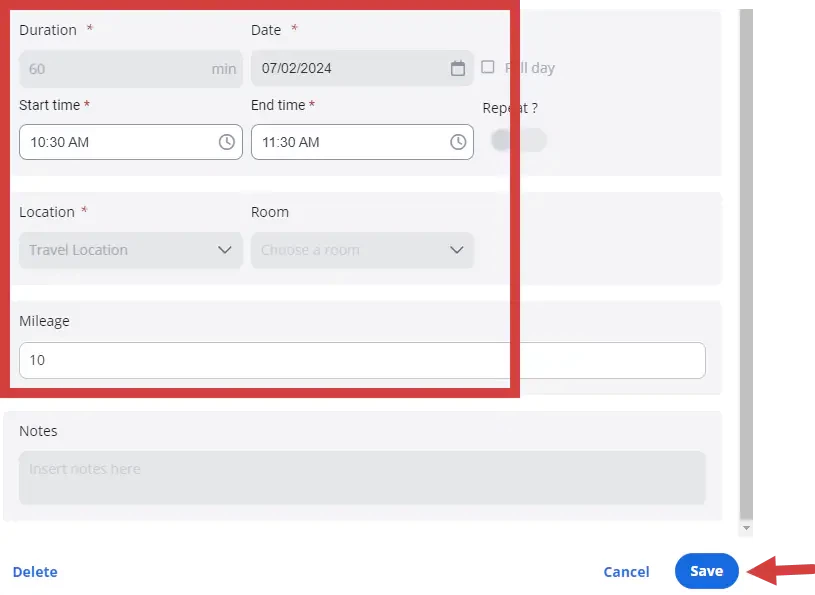
- Confirm the date and times.
- Enter the Mileage.
NOTE: These fields will be hidden Group Appointments, Repeat Event, Location, Room & TeleHealth - Click Save.
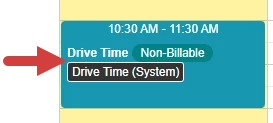
- The appointment displays on your calendar.
Edit Drive Time (System) Appointments
- Click on the appointment to open or click the edit icon.
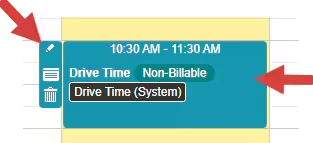
- Make your edits and click Save.
Related Articles
Manually Track or Edit Mileage
[Back to the Top]