| PERMISSIONS REQUIRED: Users can set their own Calendar Preferences. |
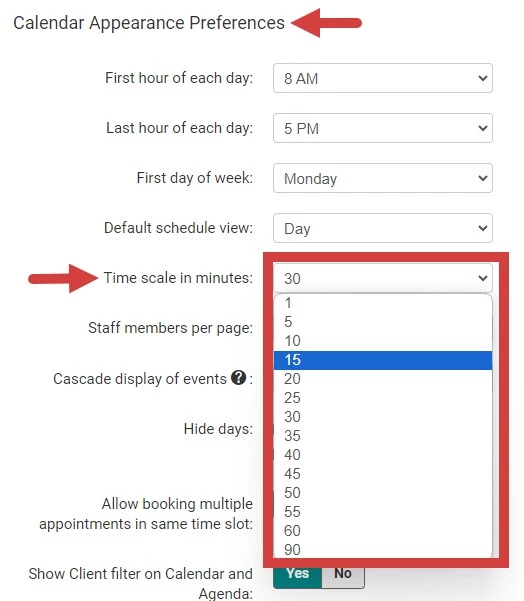
By default, you can schedule Appointments in 30-minute increments. Each User can set their own Appointment time increments. For example, select 15-minute increment and then schedule Appointment for 15 minutes, 30 minutes, 45 minutes, etc.
Appointment time increments are set on the User level; it is not an Organization wide setting.
- Click your Name in top right corner and select My profile and settings.
- Click the Preferences tab.

- Scroll down to Calendar Appearance Preferences.
- Click Time Scale in Minutes dropdown and select appropriate increments.
- Click Save Preferences at the top of the page.