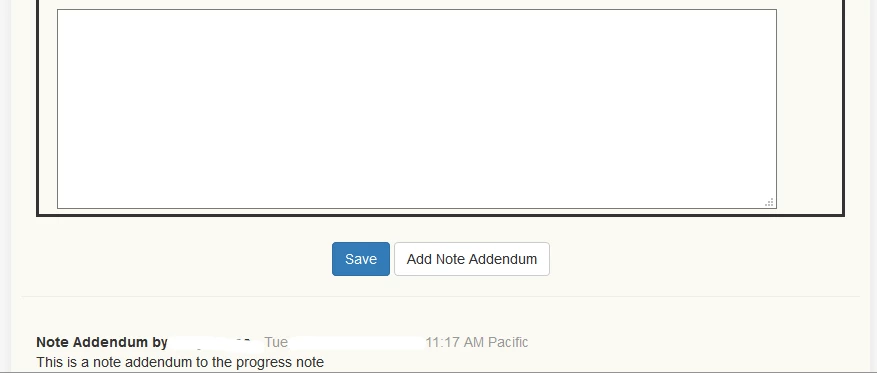
A Progress Note Addendum may be added to an existing Progress Note that has been saved whether it has been Signed and Locked or not. There are 4 types of Note Addendums that can be added:
- Note Addendum
- Note Correction
- Supervisor Note
- Supervisor Approval
Add Addendum
- Select Client from drop down list and click the green Progress Note (pencil) icon.
- Click on appropriate Progress Note.
- Scroll down and click Note Addendum button.
- Select appropriate Addendum Type.
- Add the text for Addendum.
- Click Save.
Progress Note Addendum is now visible at the bottom of the Progress Note. The Progress Note Addendum is locked, signed and automatically dated.