


If you are able to subscribe to Wiley Treatment Planner AND Jituzu Client Portal, you will be able to create Homework for the Client using data saved in their Wiley Treatment Plan.
NOTE: If you are note subscribed to Wiley Treatment Planner, learn how to make Custom Homework.
Jump to Section:
Create Homework with Wiley
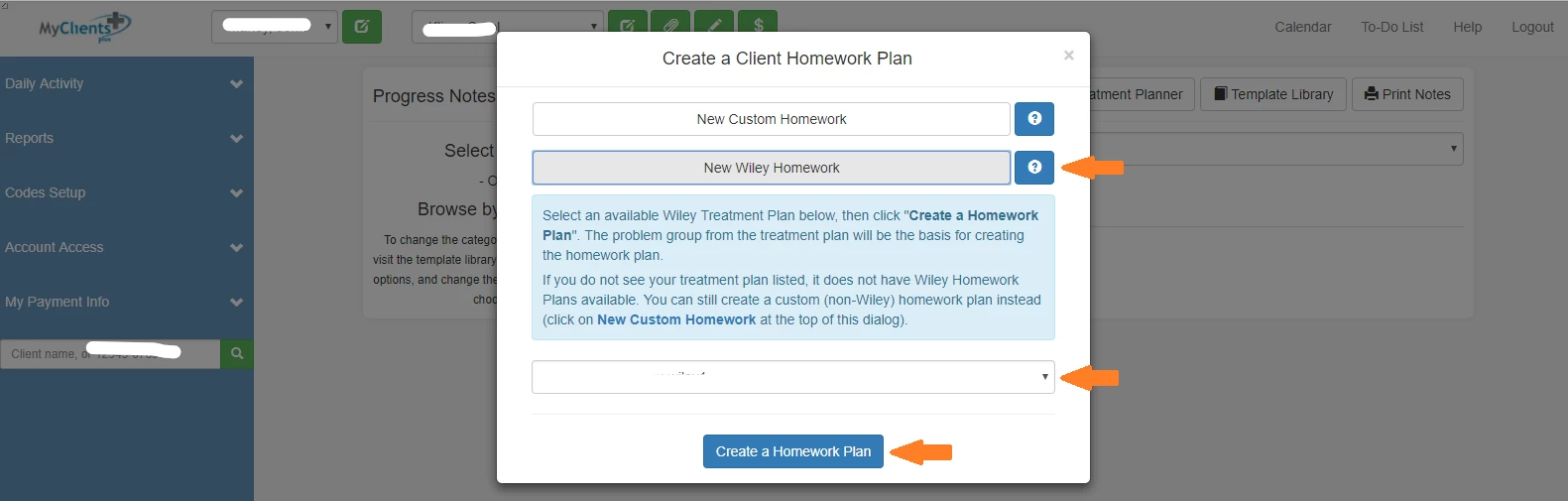
- Select Client from drop down list and click the green Progress Note (pencil) icon.
- Click Homework button and click New Wiley Homework.
- Click the drop down to associate the new Wiley Homework with a Wiley Treatment Plan.
- Click Create a Homework Plan.
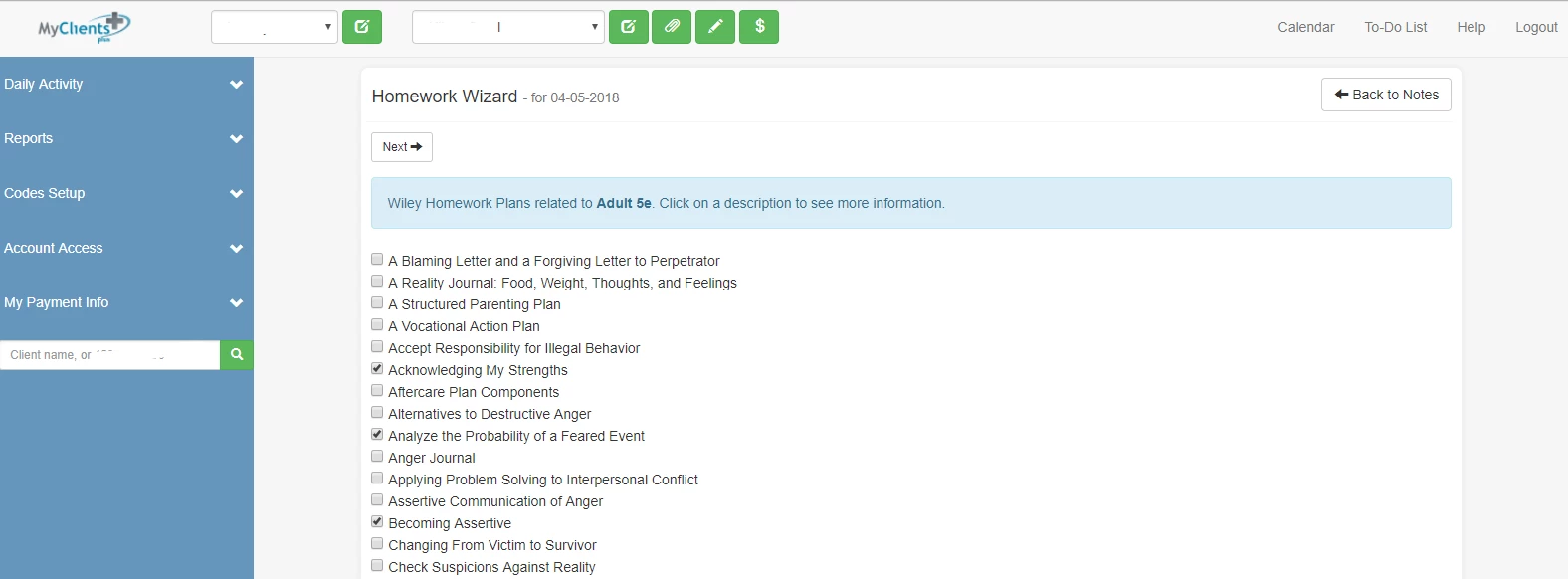
- In Homework Wizard, select all appropriate homework and click Next.
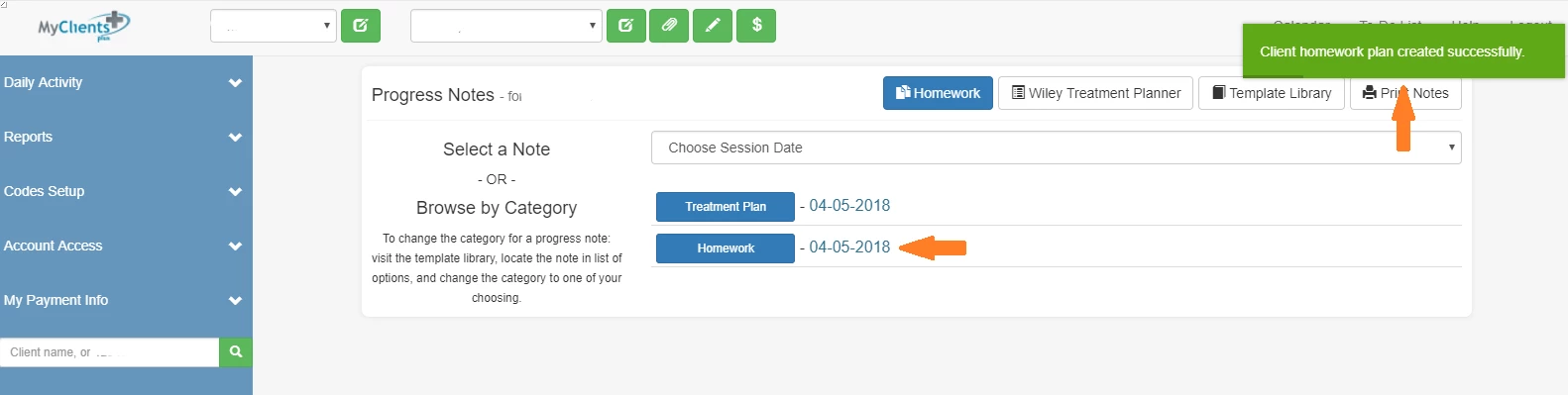
- Enter Custom Homework Name and click Create Homework Plan
NOTE: Click Previous button if you would like to change your homework selections
Assign & Manage Homework
Once homework is created, you can manage (edit) or assign it to the Client.
- Select Client from drop down list and click the green Progress Note (pencil) icon.
- Click Homework button or recently created homework link.
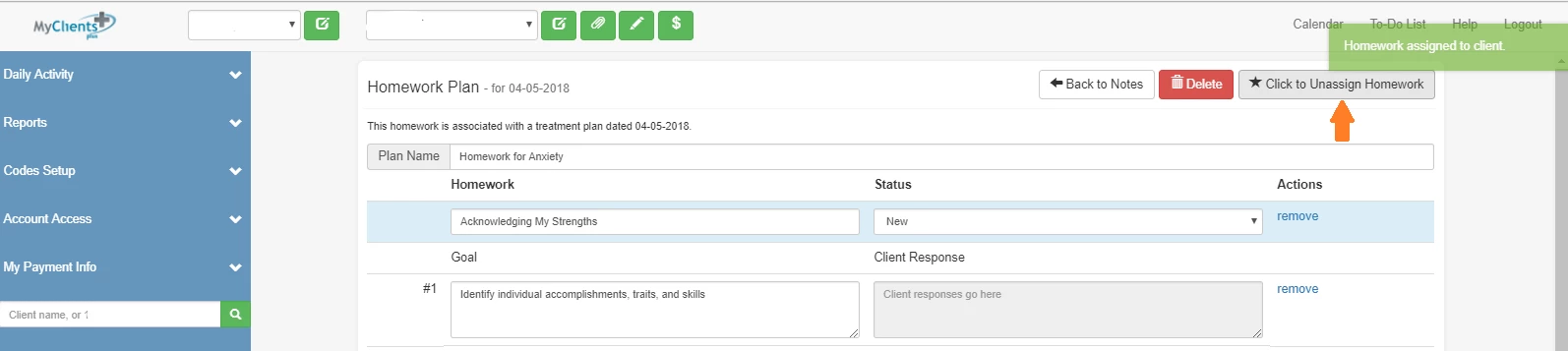
- From this screen you can edit the Homework.
- Rename
- Add or Remove Homework or Goals
- Add Provider Note
- Delete Homework
- Additionally, you can Click to Assign Homework to Client button to assign it to Client.
View Homework Responses
Once a client has entered responses, you will be able to view this in your Account