


Permissions Required: Must be Organization Administrator.
You will need set up your Organizations income based payment ranges in order to bill based on a Client's Income ("sliding-scale").
Be sure that you have set your Organization to bill by Income, and then establish your payment ranges.
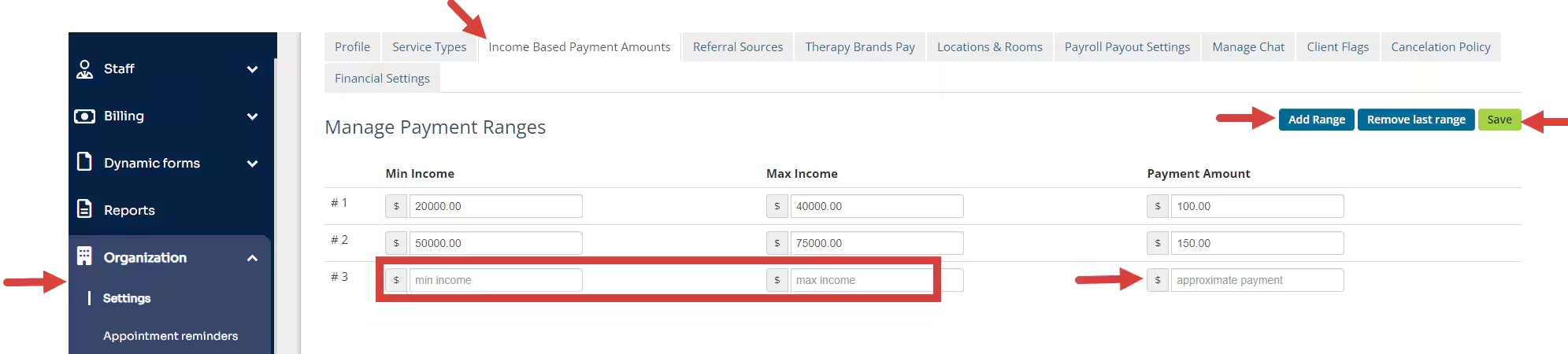
- Click Organization and Settings in the navigation bar.
- Click Income Based Payments Amounts tab.
- Click Add Range to add new range level. You can add as many ranges as needed.
- Enter your minimum and maximum income range starting with the lowest range in the #1 field.
- Enter your Payment Amount for that Range.
- Enter additional minimum and maximum income ranges for each with their desired set Payment Amount.
- Click Save when complete.
Related Article: