


Permissions Required: You must have Billing Permissions.
You can bill by Service Rate or by Income ("sliding-scale" based on Service Rate and Client Income).
You can override the default Service Rate or Income Based Rate on a per Client basis. This override amount will be charged no matter what the Service Type and Client Income is.
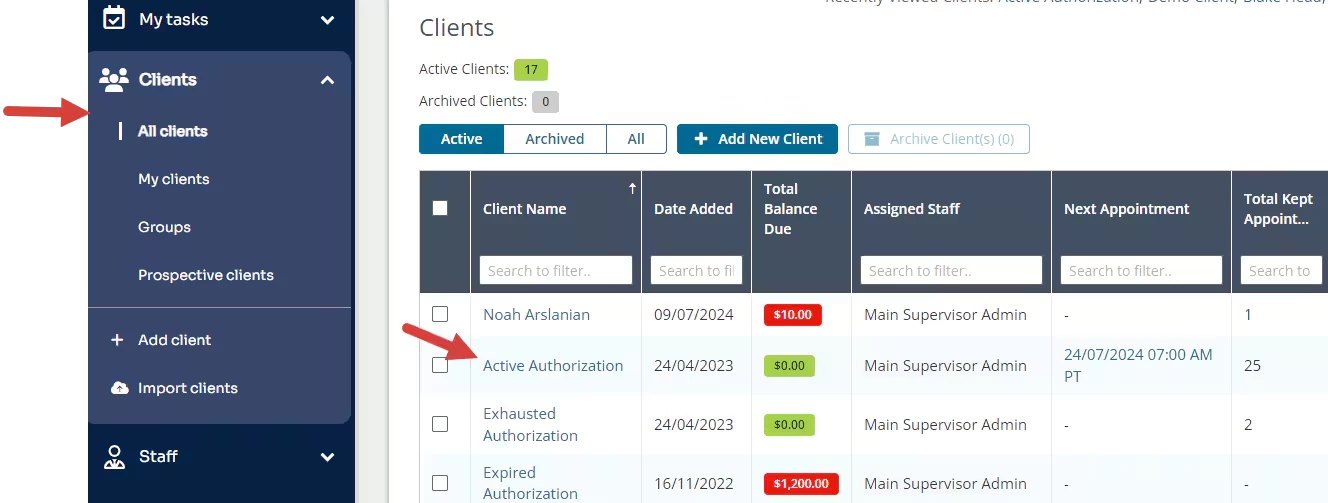
- Click Clients in the navigation bar, and select All Clients.
- Click on appropriate Client to open the Client Profile. The Details page opens.
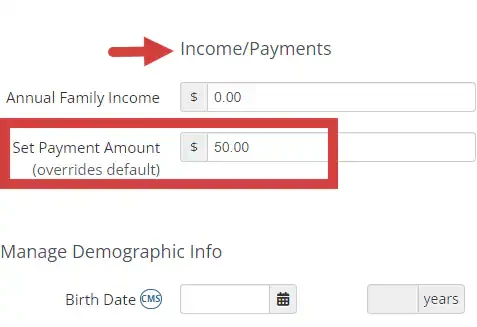
- Scroll to Income/Payment section.
- If you bill by Income and there is an Annual Family Income entered, the Set Payment Amount will default to a set payment based on the sliding-scale.
- Enter desired amount in Set Payment Amount field, this will override the the Income based and Service Rate amount.
- Click Save.

Related Article: