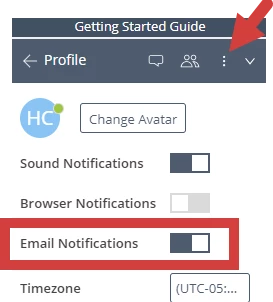
My Clients Plus by Ensora Health created email alerts to ensure you do not miss a message from a colleague. You can manage your email alert preferences from your chat profile.
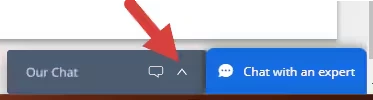
- Click on the Practice Chat in bottom right corner.
- Click the three vertical dots and select Profile.
- Ensure the Email Notifications toggle is selected. Blue = Email Alerts are active.