This Report allows you to see all events for In-Progress Claims by date.
NOTE: This Report includes Archived Clients.
Jump to Section:
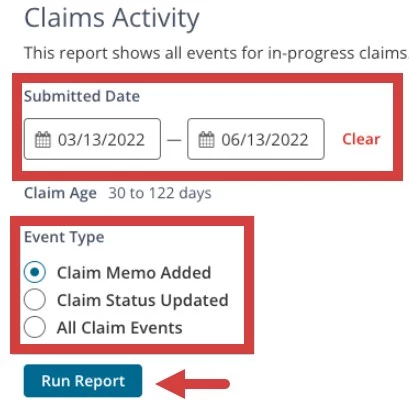
Set Report Parameters (Filter)
- Click Reports in the primary navigation bar and click Claims Activity under the Advanced Reporting section.
- Set Filters:
- Set Date Range (you can view at max, a 90 period).
- Select Event Type.
- Click Run Report.
NOTE: Change the number of Clients shown per page (10, 25, 50 or 100) by clicking desired unit at top of report.
Read the Report
- You can Search the Report from any column.
- Customize the Grid to select what columns of information you would like to display. You may select any of the following:
- Client ID
- Client Name.
- Date the Claim was Submitted. This is the original submitted date.
- Submission Type will show if the claim was submitted electronically or externally if using he External Claims Submission feature.
- The Date the Claim was Last Submitted On.
- Last Event Date
- Service Dates listed on the Claim.
- CPT Code(s) listed on the Claim
- Internal Claim ID
- Payer
- Event
- Event Date
- Event Status
- Current Status of the Claim.
- Claim Details.
- Invoice Number
- Amount Submitted on the Claim.
- The percent of No-Shows from Clients who were referred from that source.
- The percent of Cancellations from Clients who were referred from that source.
- The Total Revenue from Clients who were referred from that source.
- Average Invoice Aging (days).

Download Report
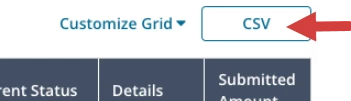
Once you have run the Report, you can copy or download the CSV version directly to your computer.
- Click the CSV button on the upper right tab.