


PERMISSIONS REQUIRED: You must have Administrator Permissions or higher.
Service Types cannot be deleted. This is to maintain the integrity of the Client EHR. Service types that are no longer being used can be Archived. Archived service types can be Unarchived if they are to be reused in the future. This keeps the Service Type in the system and maintains the integrity of the Client EHR and organization records.
Jump to Section:
Archive Service Type
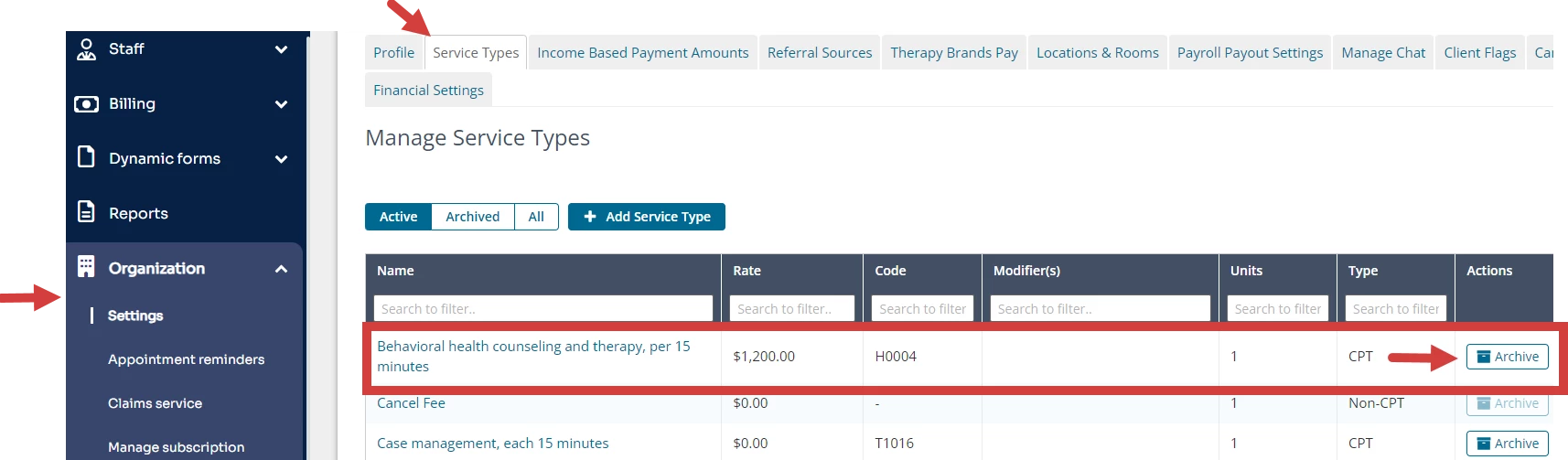
- Click the Organization and Settings in the navigation bar.
- Click the Service Types tab.
- Locate desired Service Type.
NOTE: You may search for service types by entering the desired text in the field at the top of a column. More than one column may be used to narrow the search.
- Click Archive in the Actions column.
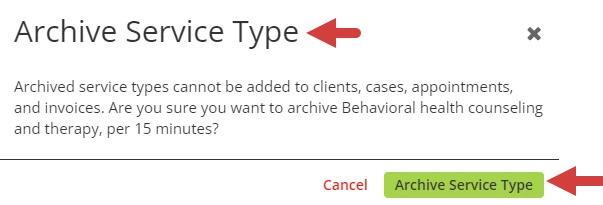
- Click Archive Service Type in the confirmation dialog box.
Unarchive Service Type
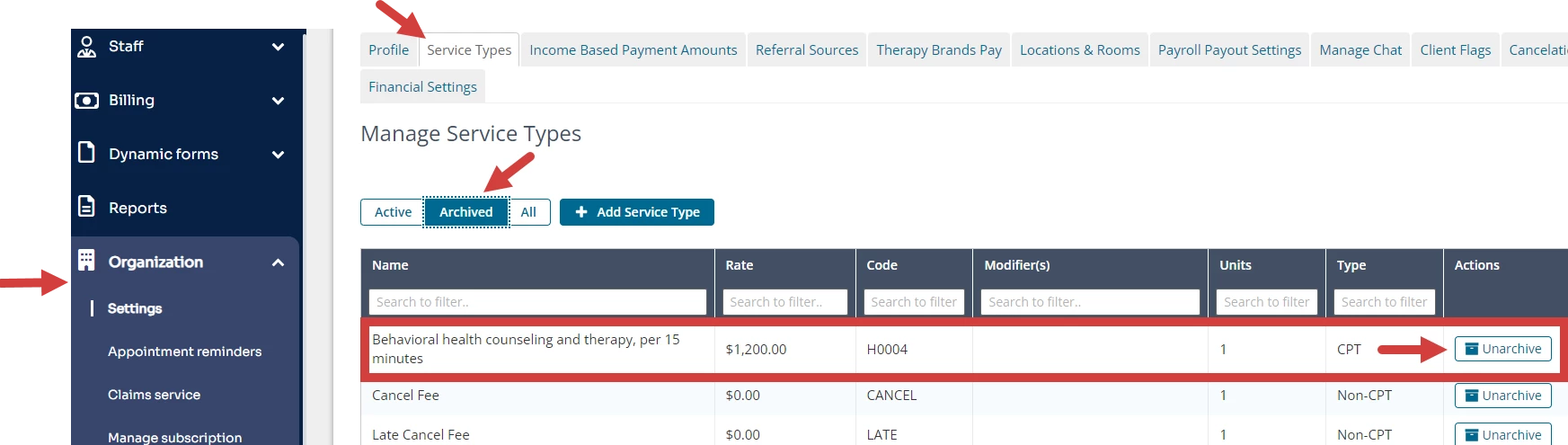
- Click the Organization and Settings in the navigation bar.
- Click the Service Types tab.
- Click Archived under Manage Service Types to display all archived service types.
- Locate desired Service Type.
NOTE: You may search for service types by entering the desired text in the field at the top of a column. More than one column may be used to narrow the search.
- Click Unarchive in the Actions column.
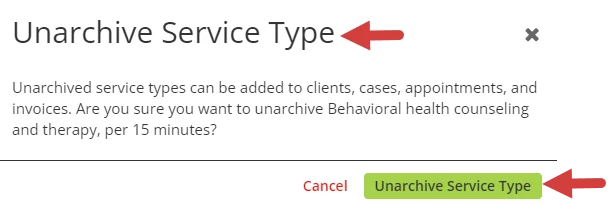
- Click Unarchive Service Type in the confirmation dialog box.
[Back to Top]