Add Taxonomy ID numbers for insurers. Payers require a Taxonomy ID number on the CMS 1500 claim form. It is a 10 character code that designates the Organization and Provider classification and specialization. After entering the ID Number into the system it will automatically pull into the CMS 1500 form.
Jump To Section:
Add Taxonomy ID Number
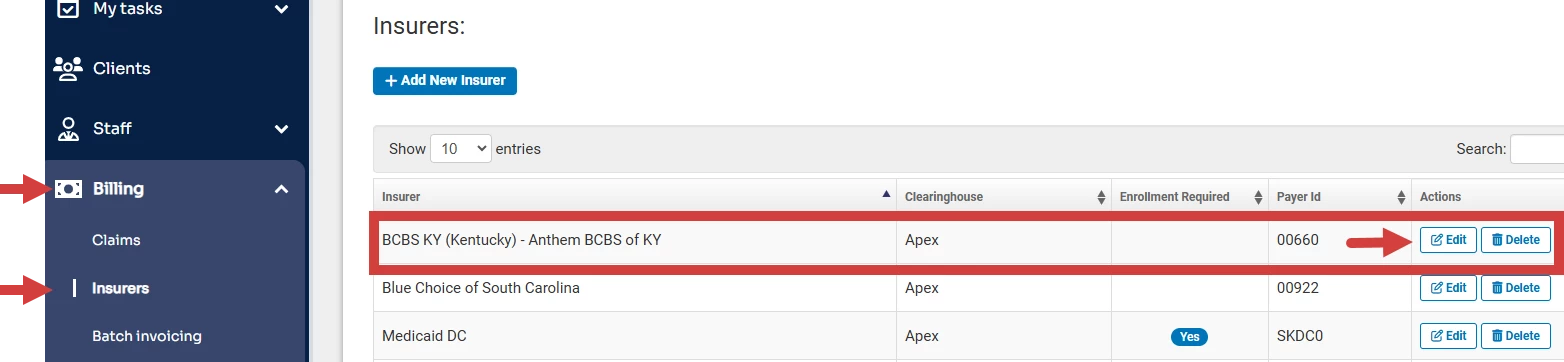
- Click Billing and Insurers in the side navigation panel.
- Click Edit for the correct insurer.
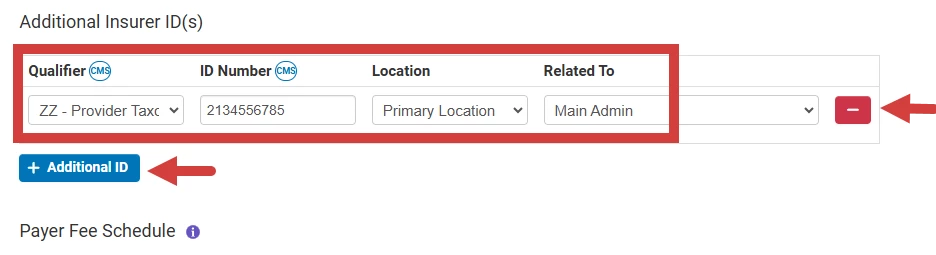
- Click the Additional ID button under Additional Insurer ID(s). A taxonomy is required for:
- All providers who will be on claim forms (Box 31 & Box 24J)
- The organization that will be on claim forms (Box 33B)
- Enter ID information:
- Qualifier - Select ZZ-Provider Taxonomy.
- ID Number
- Location
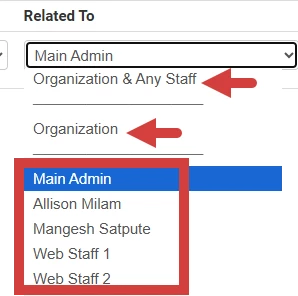
- Related To - Select either Organization or individual staff member.
NOTE: The Provider & Organization Taxonomies are rarely the same so do not select Organization & Any Staff.
- Click the Delete icon to remove the entry.
How to Find a Taxonomy Number
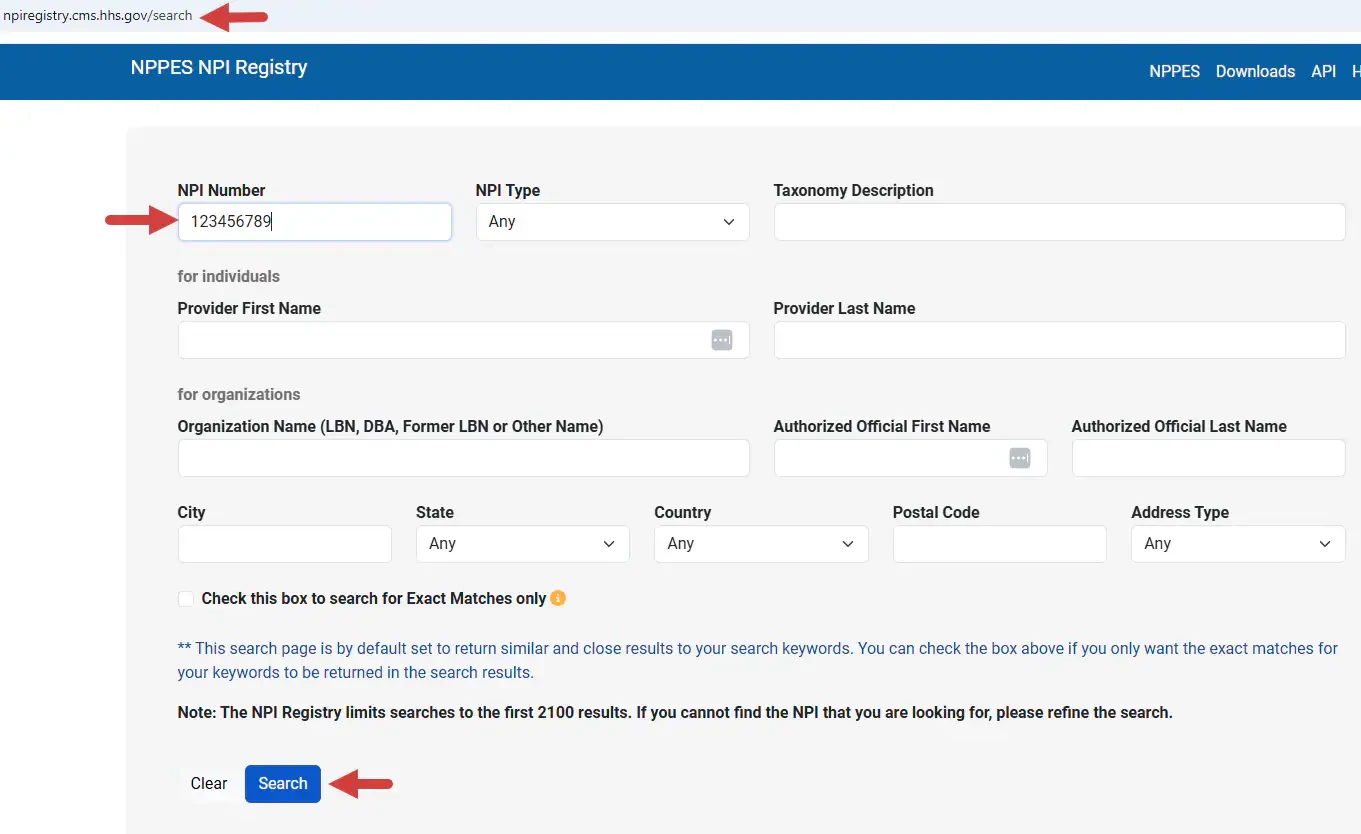
- Go to the NPPES NPI Registry website: https://npiregistry.cms.hhs.gov/search
- Enter the Individual NPI for a provider and
- Click Search.
- Scroll down to the bottom of the screen.
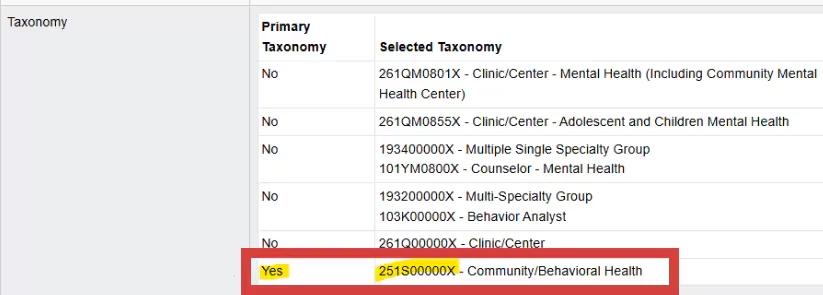
- Â The correct Taxonomy number is marked as Yes in the Primary Taxonomy field.
Example for - Individual Provider NPI
- Example for - Group/Organization NPI