Permissions You must have Billing Permissions.
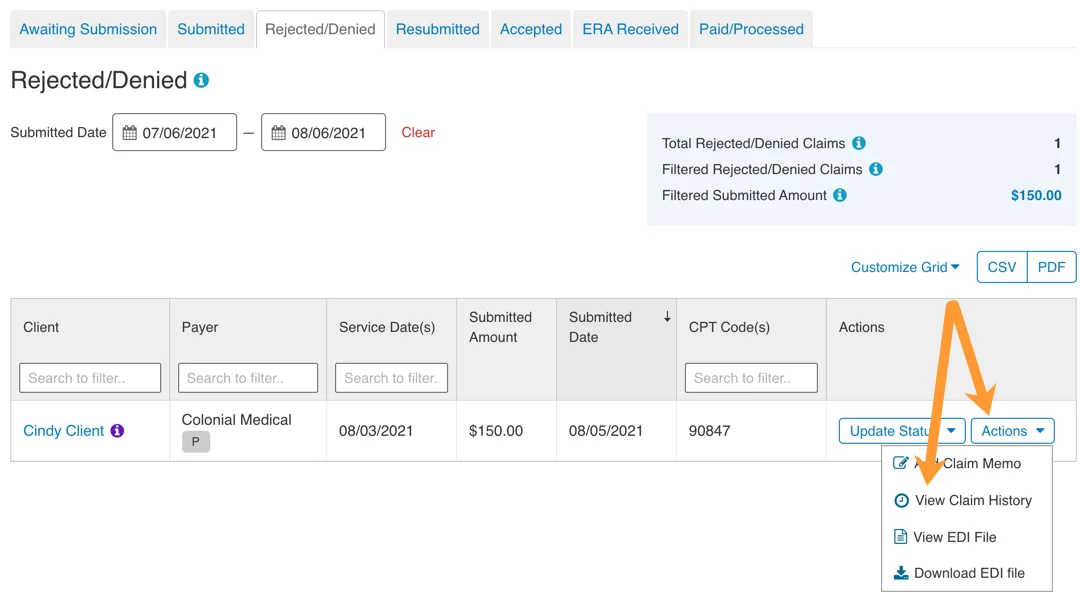
If you submit Claims with Apex you will be able to view a Claim History in My Clients Plus.
NOTE: You cannot view Claim History for Claims that are Awaiting Submission.
- Click Billing tab in primary navigation bar.
- Click Claims in side navigation.
- Locate Claim in appropriate Status.
- Click Actions and select View Claim History.