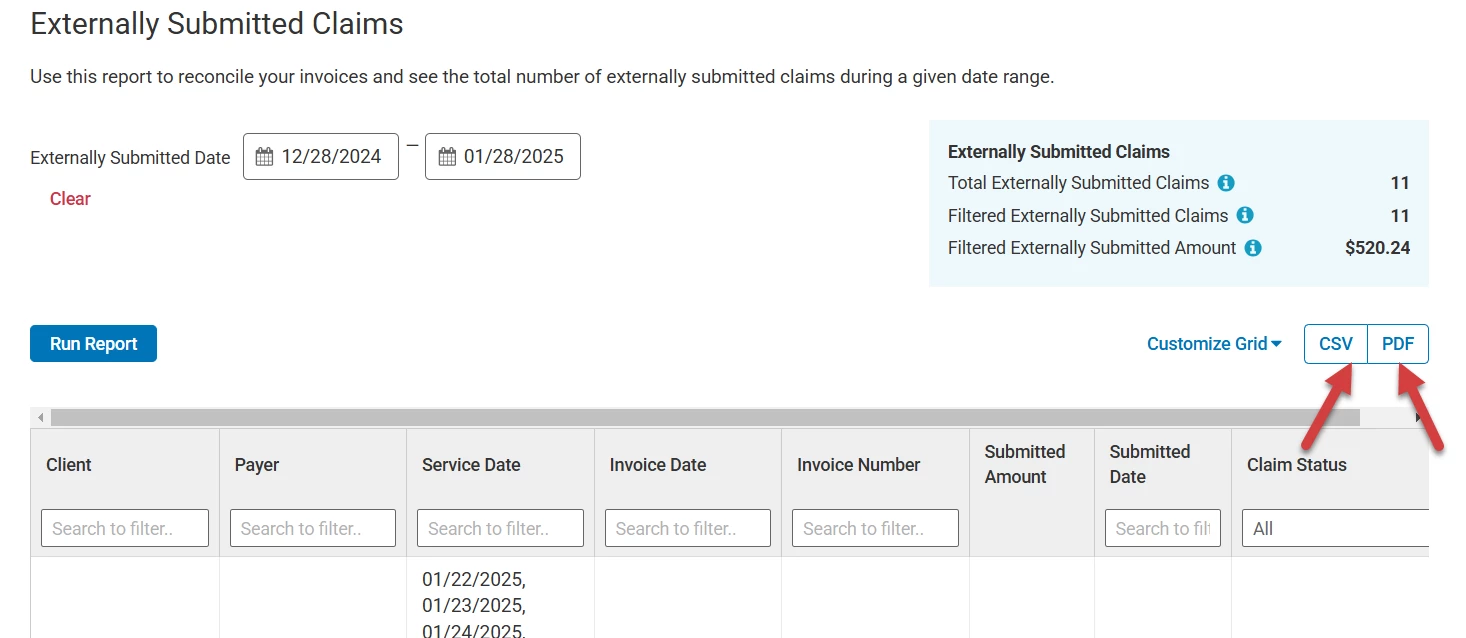
PERMISSIONS REQUIRED: You must have Billing Permissions or higher to view this report.
Use this report to reconcile your invoices and see the total number of externally submitted claims during a given date range.
NOTE: To view this report, you must enable the ability to mark claims as externally submitted first.
Jump to Section:
Set Report Parameters (Filter)
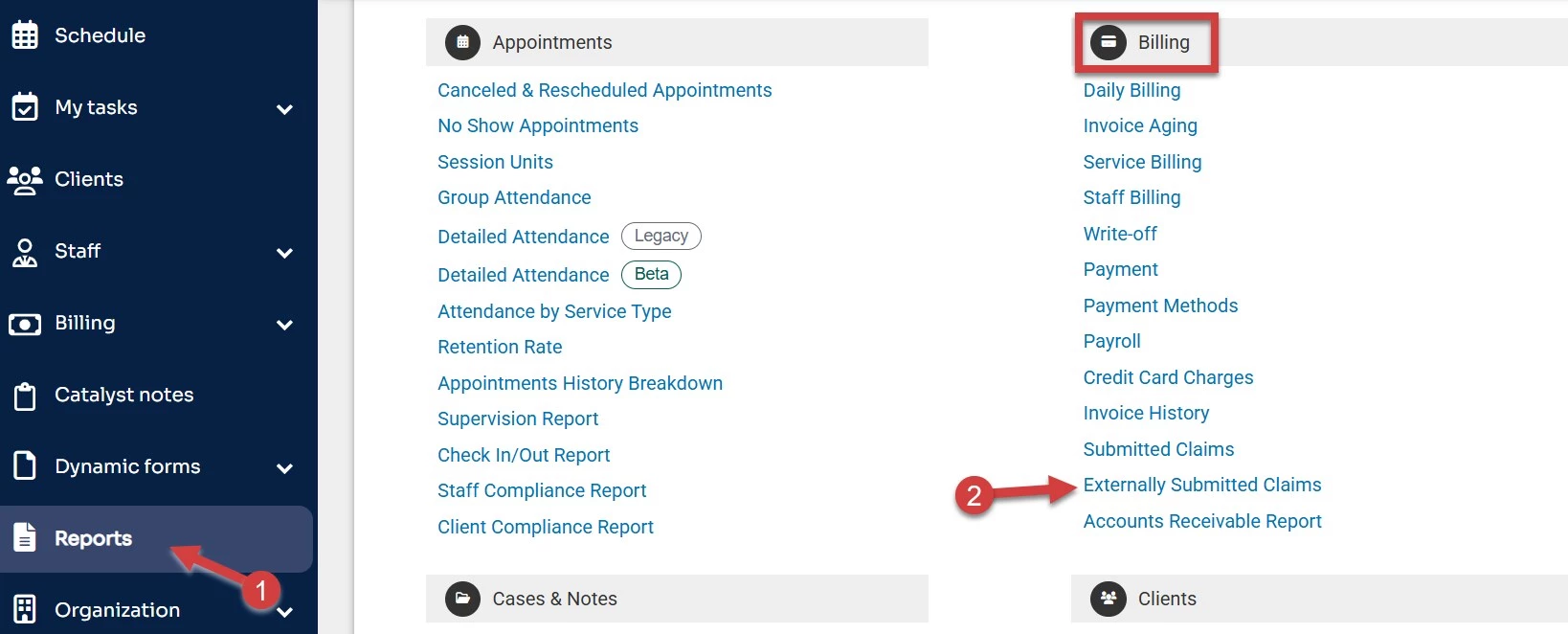
- Click Reports in the primary navigation bar.
- Click Externally Submitted Claims under the Billing section.
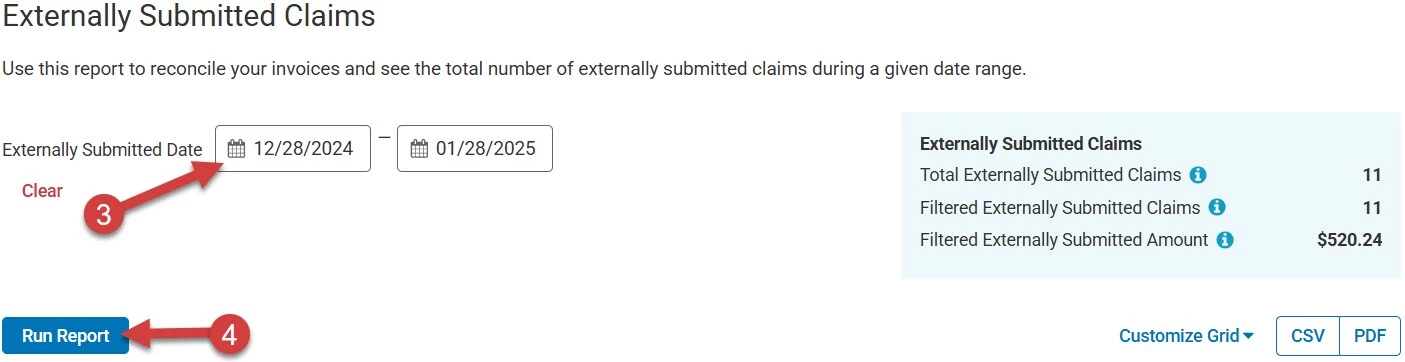
- Set the date range for Externally Submitted Date. This can be run in six-month increments.
- Click Run Report.
Read the Report
The following columns available in this report include:
- Client
- Payer
- Service Date: Displays the date(s) of service for the claim.
- Invoice Date: Displays the date the invoice was created.
- Invoice Number
- Submitted Amount: Displays the amount that was submitted from the invoice.
- Submitted Date: Displays the date that the claim was marked for external submission.
- Claim Status: Contains a multi-select drop-down option to filter the claims based on their current status.
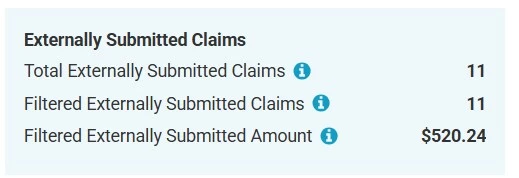
You can view additional information about your Externally Submitted Claims within the blue totals box in the upper right.
- Total Externally Submitted Claims: Displays the total number of claims externally submitted, regardless of the date range selected.
- Filtered Externally Submitted Claims: Displays the total number of filtered claims that are externally submitted.
- Filtered Externally Submitted Amount: Displays the total submitted amount of filtered claims that were externally submitted.
Download Report
Once you have run the report, you can download the CSV or PDF version directly to your computer by clicking either CSV or PDF.