


Jump to Section:
What is contained in Clients?
The Clients screen is accessed from the green menu bar at the top of the screen.
When you click on Clients, you can search for a client, add a new client and see the client list. If you also have a My Clients Plus account, you can see the client's outstanding balances.

To view a client, simply click on the client name. From this screen, you can:
- See upcoming appointments
- Process a client credit card payment if the practice has a merchant account through the system
- Invite the client to the Client Portal if the provider has a Client Portal subscription
- Access and/or enter the client information
Personal

Contact
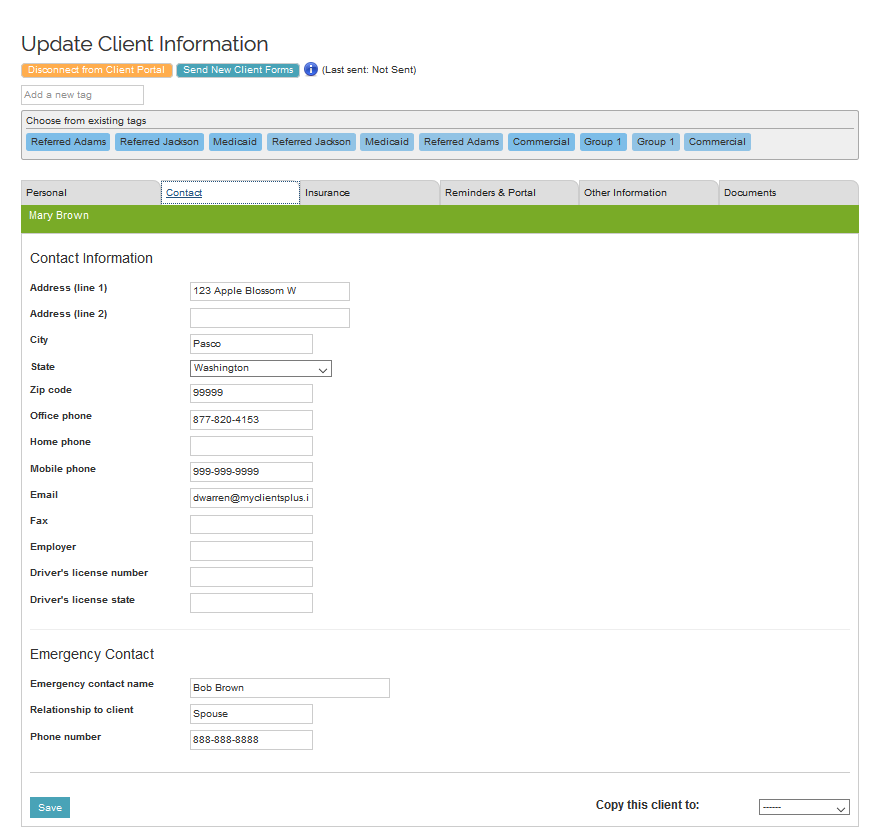
Insurance
If the provider also has a MyClientsPlus by Ensora Health account with electronic billing, the client can be set up with an electronic or paper payer from that system. If the account is not synced to a MyClientsPlus by Ensora Health account, then an insurance payer name can be entered.

Reminders & Portal
If the provider has subscriptions for Reminders and Client Portal, the provider default settings will control the Client settings unless there are overrides in the Client Reminders & Portal tab. The provider can configure custom settings for a client here, that will override the provider settings.

Other Information
If the provider has a Client Portal subscription and has configured Anonymous Signup, they will have the option to add custom questions for the Client Intake. Once a client signs up anonymously and completes their Intake document, the information provided will populate these fields.

Documents
If the provider has added a custom email with attachments (no PHI) in Settings under Portal, they can Send Client Forms to the client. In this case, the client did not have a client portal account, so the forms were sent via email, and the date and time were noted.
