Selecting the envelope icon from the blue application information bar displays a list of the logged-in user's messages. Messages is also the default list displayed on the Clinical Home page. The following pages provide detailed information for working with messages.
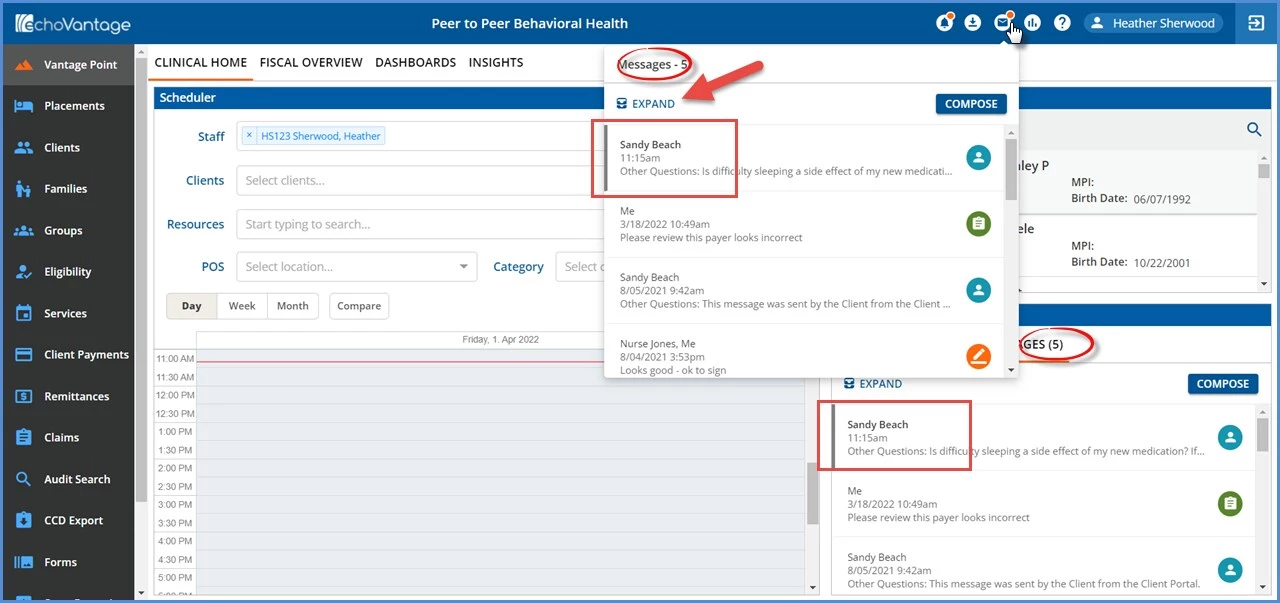
- A red notification dot displays when the user has new, unread messages. (Messages sent by a user to themselves are not considered as new for the notification dot.)
- Push notifications are used to trigger the notification dot which centralizes the polling to the backend services and reduces network traffic from logged-in users.
- Push notifications have the added benefit of each user receiving a notification within a few seconds because the single polling job only needs to push out the new messages to users when they are connected to the application.
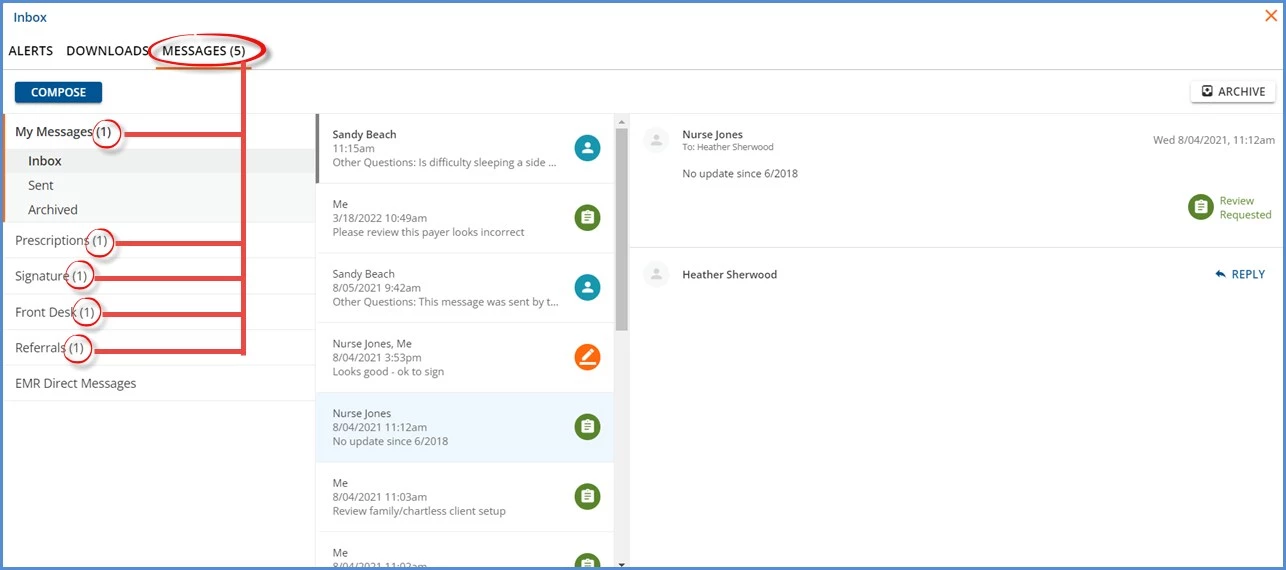
- The number to the right of Messages indicates the count of the user's new messages AND group messages that still have an action pending.
- EMR Direct Messages and messages sent by a user to themselves are not included in the message count.
- Unread messages in the Messages list or Inbox are easy to distinguish when viewing the list of messages. The sender's name is semi-bold, and the left side of the message card has a grey border.
- Click on the Expand icon, denoted by the red arrow above, to access the Inbox and detailed message information.