


PERMISSIONS REQUIRED: You must have Administrator Permissions or higher.
Overview
Practice management and EHR organizations are now legally required to collect annual licensing fees for Current Procedural Terminology (CPT®) codes on behalf of the American Medical Association (AMA). To comply with this requirement, staff members that need to be added as a Rendering Provider on invoices in ABA Therapy will need to have a paid CPT license for the current year. Each staff members CPT license lasts for one year and will automatically renew each January 1 if the staff member is active and has not had their CPT® Code Access turned off in staff details.
For more information, review FAQ: CPT Codes & American Medical Association Fees.
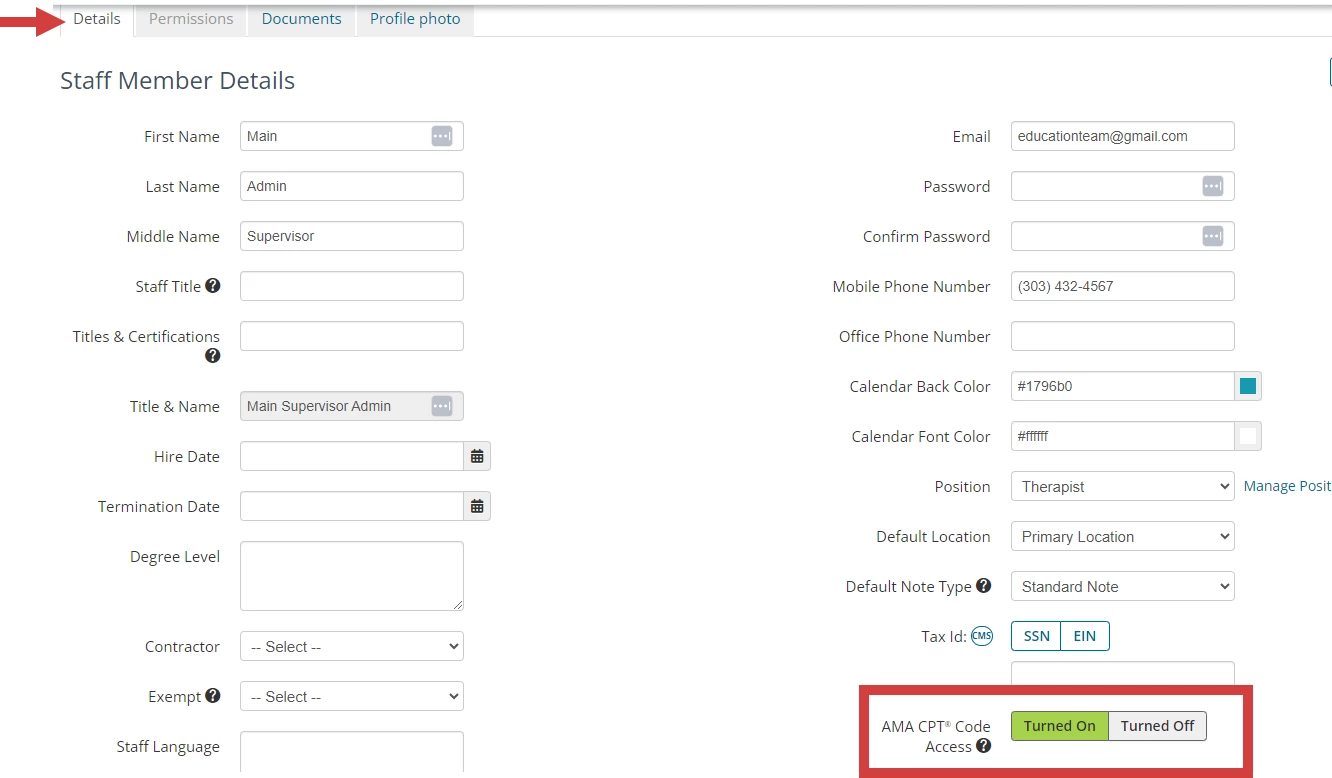
NOTE: Click Turned Off to turn off AMA CPT Code Access and confirm you are turning off access for. The staff member will still be able to use AMA CPT codes for the remainder of the year, but their license will not automatically renew unless their access is turned back on.
To view the AMA CPT Codes End User Agreement Terms, click here. For more information on the AMA CPT code licensing fees, click here.
View AMA CPT Licenses
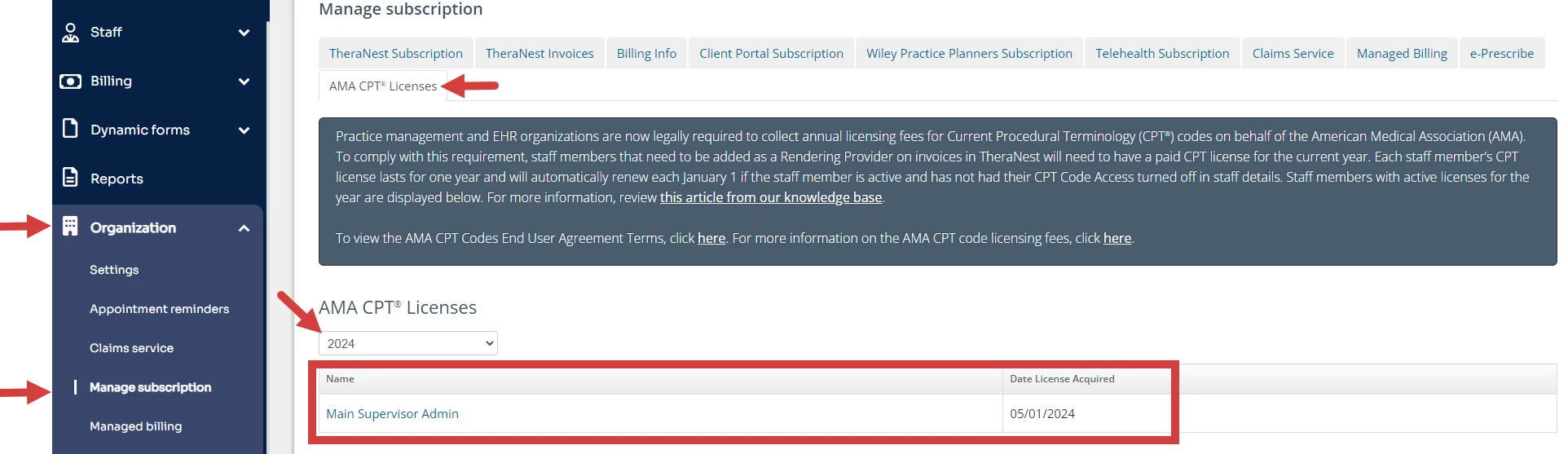
To view AMA CPT® licenses for the current and past years:
- Navigate to Organization tab and Manage Subscription.
- Under AMA CPT Licenses select the desired year.
- A list of Therapists and the date their license was acquired is displayed. Click the Name of the Therapist to view Staff Member Details.
Manage AMA CPT Codes
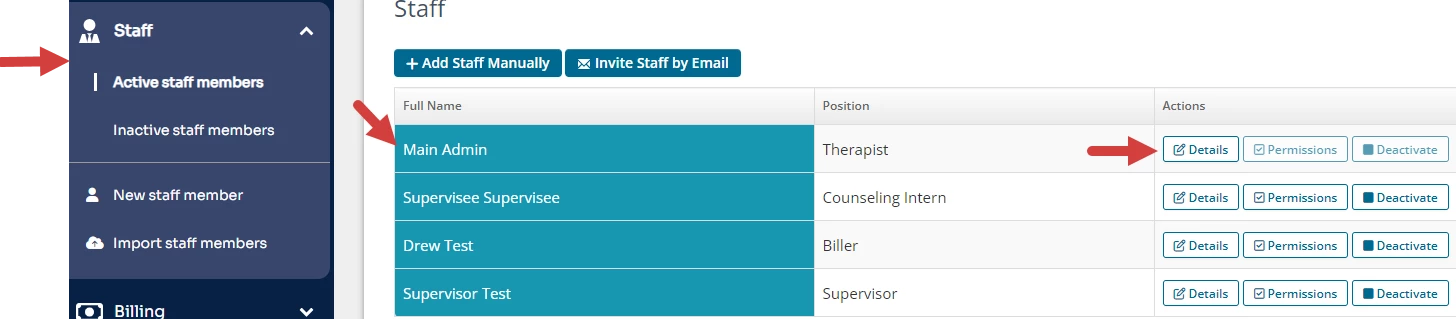
- Click the Clients and Active staff members tab in the side navigation bar.
- Click Details for the staff member.
- Click AMA CPT Code Access setting to turn access on or off.
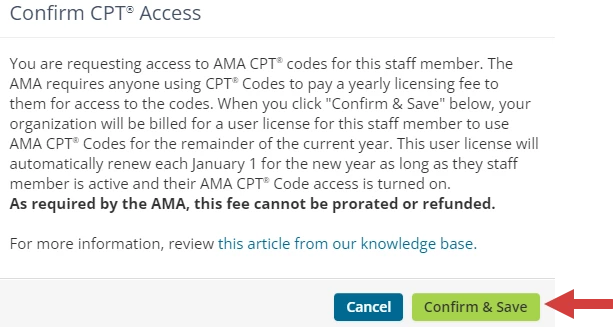
- Click Confirm & Save for the appropriate access.
Related Articles:
FAQ: CPT Codes & American Medical Association Fees