


PERMISSIONS REQUIRED: You must have Administration permissions.
Administrators have the ability to resend Intake Forms. You can resend forms to remind Clients that they have Forms to fill out in their Client Portal or to have them complete them again if information was incorrect or missing in their original Forms.
NOTE: A Client must create their Client Portal account before you can resend, revoke or share new Forms. If they have not created their Client Portal account you can invite or re-invite them. Learn More: Invite Clients to the Client Portal, Re-invite Clients to the Client Portal
- Locate Client and open Client Profile.
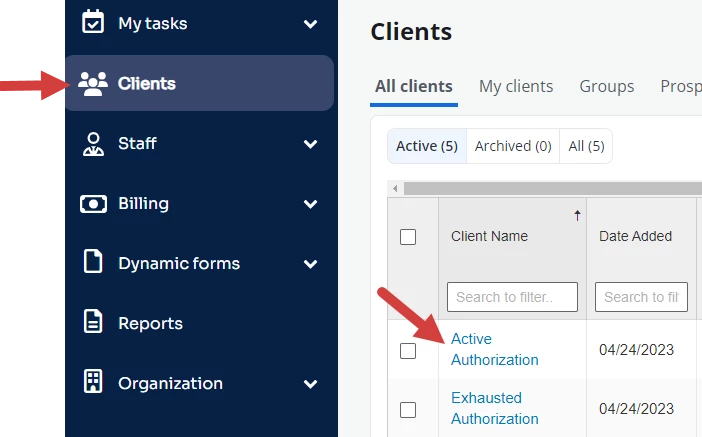
- Click General Documents tab.

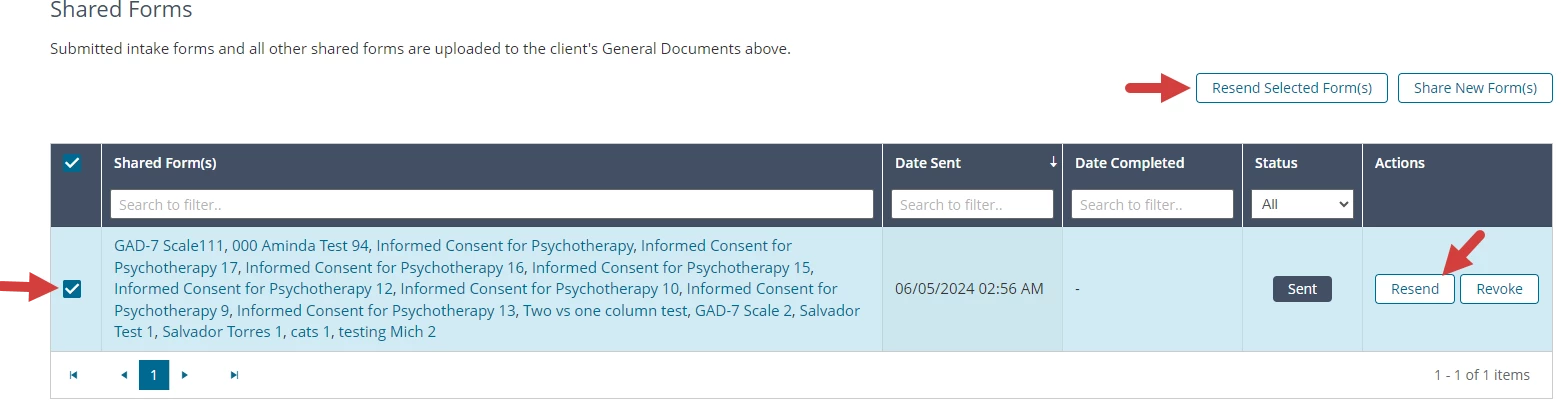
- Scroll down to the Shared Forms section.
- Click Resend next to the Forms you want to send.
- OR select Forms to resend and click Resend Select Form(s) button.
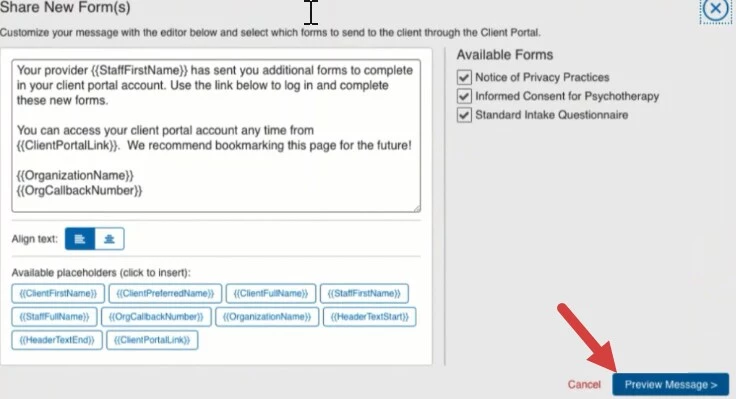
- Review/Edit Message.
- Click Preview Message.
- Click Share Intake Forms.
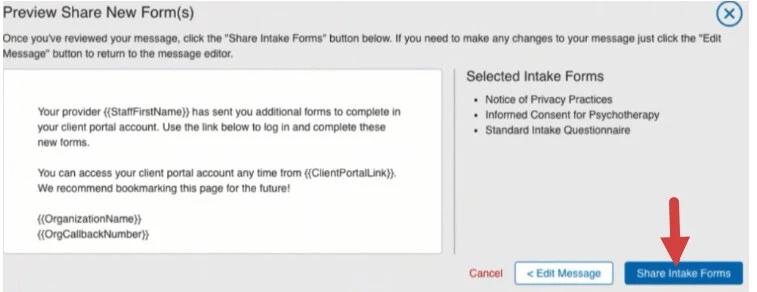
- Your message will be emailed to the Client to alert them to fill out the Forms.
Related Article: Revoke Intake Forms