Permissions Required: You must have Organization Administration Permissions in the system and in Catalyst.
The system/Catalyst Integration allows you to sync Catalyst Notes and system appointments between applications. You must be an Organization Admin in both applications in order to connect the applications and sync Notes.
NOTE: You must have a Catalyst account to enable the integration. If you do not have a Catalyst account, use the link on the integration page to navigate to Catalyst and register for a free trial.
Enable Catalyst Integration
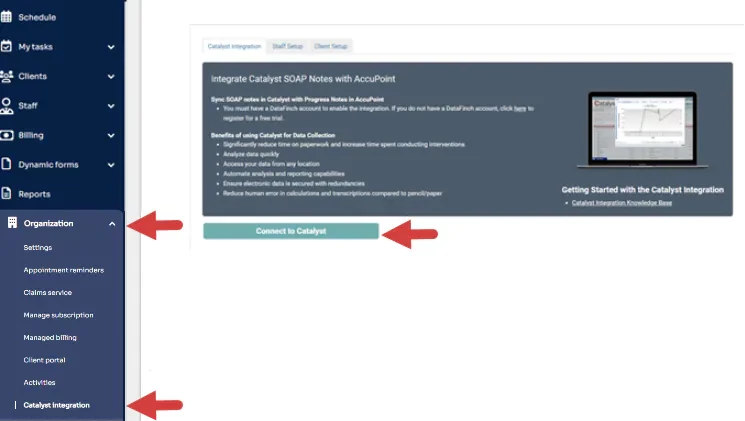
- Click Organization, Catalyst Integration in side menu.
- Click Connect to Catalyst button. Catalyst login page will launch.
- Enter your Catalyst Admin Credentials.
- Click Yes, Allow on Permissions screen.
- Once the system and Catalyst are connected: