


Students and interns need their own users in the system to work properly and to maintain HIPAA compliance, but you can request a credit for the cost of those users on your account.
- These requests are limited to a total consecutive period of three months for each student or intern.
- The request must be submitted from the Add User dialog as the student or intern is added to the system. We do not offer retroactive student requests.
- The system support has the right to deny any and all requests if we determine it to be an abuse of this program's intent.
Submit a Request
PERMISSIONS REQUIRED: The request must be submitted by a user who has the Admin permission.
- Add a user for the student or intern in the system.
- In the Add User dialog, select the Student Credit drop-down.
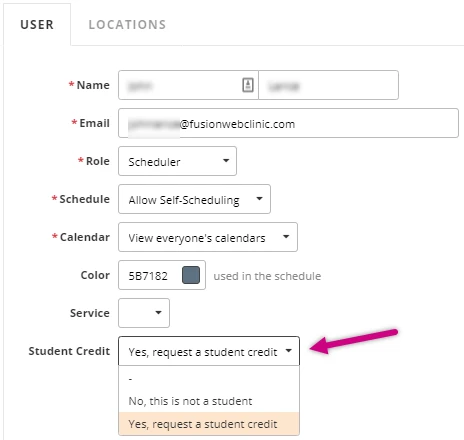
- Select the Yes, request a student credit option.
- Fill in information about the request, and click the Save User & Request Credit button.
In most cases, the credit will appear in your account on the next billing cycle after the user's first charge appears.