


PERMISSIONS REQUIRED: Admin permissions.
Follow the steps below to enable Ensai Session Assistant for your agency as an administrator.
Enable Ensai Session Assistant
- Go to Admin in the Fusion top navigation.
- Select Add‑Ons.
- Open the Ensai Session Assistant add‑on card.
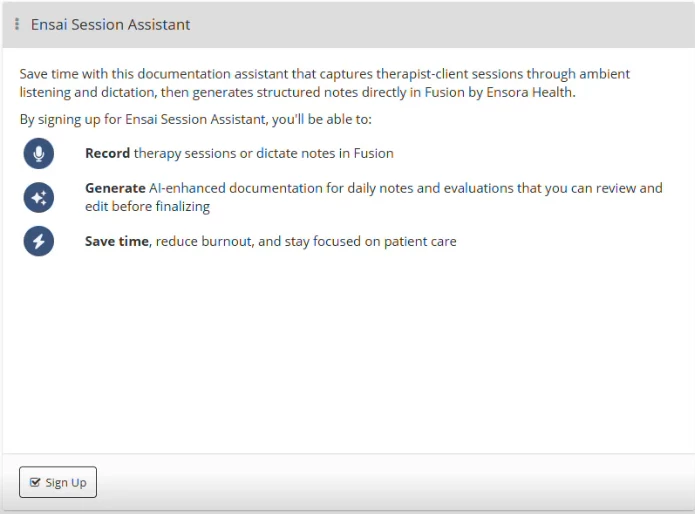
- Click Sign Up. Follow the prompts to:
- Review pricing
- Accept updated Terms & Conditions (includes AI usage)
- After activation, use the Ensai Session Assistant Users panel to assign access.
Assign Users and Set Plan Types
- Click the corresponding checkbox within the Active column for each user who should have access.
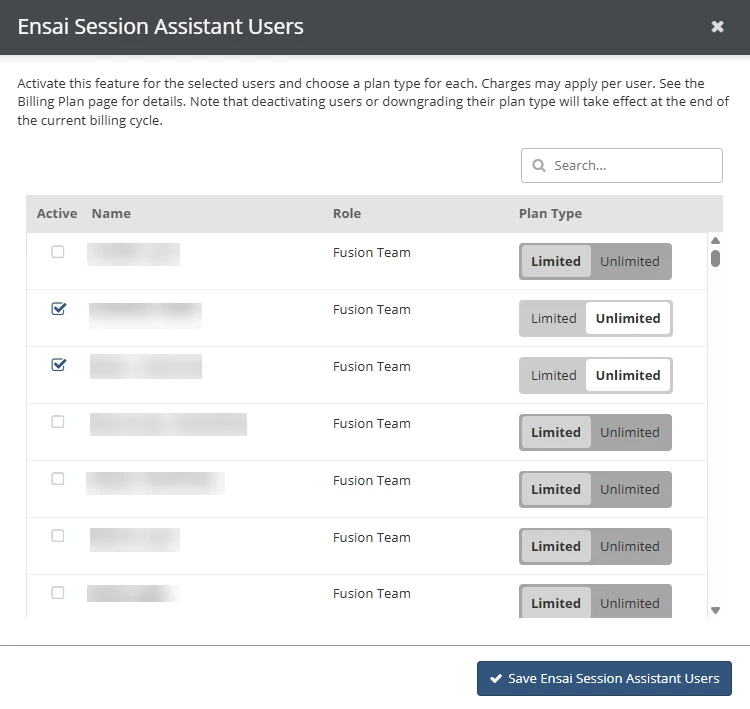
- Choose a plan:
- Limited: Up to 42 hours of audio + 60 notes generated
- Unlimited: Unlimited use under fair‑use
- Select Save Ensai Session Assistant Users.
IMPORTANT: Billing occurs monthly. User access can be edited to a different plan type at any time. However, billing updates immediately for upgrades; downgrades apply after the current cycle.